10: Sync vs rollouts
In parts 6 to 9 you got used to a simple loop: edit a file under database/schema/, then run surrealkit sync (or leave sync --watch running). That loop is still the right one for your laptop and any other database you are happy to wipe.
This chapter is about the other SurrealKit path: rollouts. We will look at how they work, try a dry-run and a harmless plan, and at the end create a schema file that we deliberately leave unapplied. The next chapter is where that file finally goes into the database.
Two jobs, two commands
Here is the short version of the difference:
sync | rollout | |
|---|---|---|
| Database | Local / disposable (CI ephemeral DBs count) | Shared staging or production |
| Feel | Make the live catalog match the files now | Plan a reviewed change, apply in phases |
| Deletes | Removing a DEFINE from a file can REMOVE it on the next sync | Removals wait for an explicit complete phase |
| Who runs apply | You, against your .env | Usually CI / CD with shared secrets |
Same connection flags (--user, --pass, --ns, --db). Different database, different risk. The docs page sync vs rollouts says the same thing at more length.
If you only ever use a personal memory database or a throwaway file, you can live on sync for a long time. The moment other people or services share the same namespace, everyday sync becomes a bad idea.
At this point you may be tempted to use rollouts even for a personal project due to the ability to plan changes before applying. However, you can still stick with regular sync thanks to the --dry-run flag which lets you preview changes before applying them.
Preview a sync with --dry-run
Being cautious on a database you own doesn't mean that a full rollout is required. sync --watch already applies on each save, so it is not the place for a preview. Use dry-run when you are about to run a one-shot sync (for example after you stop watch with Ctrl+C, or when you deleted or renamed a DEFINE and want to see the prunes before they land):
surrealkit sync --dry-run --user root --pass secret --ns main --db mainYou will see which schema files would be applied. That is usually all you get on an additive change (a new table, a tightened field, and so on). SurrealKit only prints REMOVE statements when something is stale: a definition that is still tracked in __entity but no longer present in your schema files. The catalog itself stays unchanged either way.
Dry-run is still the sync worldview: make the database match the files. It is not a substitute for expand → deploy → contract on a shared host. For the full list of sync flags, see Sync.
Expand, then contract
Shared databases need a window where old application code and new application code can both work:
- 1.
Expand: add new tables, fields, indexes (nothing destructive yet)
- 2.
Deploy: ship the app that uses those definitions
- 3.
Contract: remove the old definitions the previous app no longer needs
Rollouts turn that into commands:
| Step | Command (shape) | What it does |
|---|---|---|
| Plan | surrealkit rollout plan --name … | Diff schema files vs snapshots; write a manifest under database/rollouts/, with a frozen copy of each changed file beside it |
| Start | surrealkit rollout start <manifest-id> … | Apply the expand phase; record progress in __rollout |
| Complete | surrealkit rollout complete <manifest-id> … | Apply the contract phase (REMOVEs, dropped indexes, and so on) |
| Rollback | surrealkit rollout rollback <manifest-id> … | Undo the start (expand) phase while the rollout is still in flight |
| Up | surrealkit rollout up … | Run every rollout the database has not run yet, in order, leaving the newest one ready to complete |
And here is the same idea as a small map.
plan  (manifest on disk; shared DB unchanged)
  │
  │   Stop here if the plan looks wrong: edit schema, re-plan,
  │   or discard the .toml. No `rollback` needed; nothing was applied.
  ▼
start  (expand applied → status ready_to_complete)
  │
  ├──────────────────────────────┐
  │                              │
  ▼                              ▼
deploy app                    rollback
  │                           (undo expand)
  ▼                              │
complete  (contract applied)     ▼
  │                           rolled_back
  ▼                           (terminal)
completed
(terminal; `rollback` will refuse)
After plan alone you are ready to start. After start you can roll back or finish. And after complete, rollback will refuse. The docs have the full state machine if you want every status name.
You can plan on your laptop. start and complete against a shared database should use credentials that are not sitting in the same .env you use for local sync (more on that in part 14).
What a manifest is
surrealkit rollout plan --name add_milestones does not invent an id out of thin air. It writes a file that looks like this, along with a directory of the same name:
database/rollouts/20260302153045__add_milestones.tomlThe manifest id is that filename without .toml:
20260302153045__add_milestonesThe digits at the front are a timestamp. The bit after __ comes from --name. Yours will not match the example. After you plan, list the folder:
ls database/rollouts/Then use that stem in later commands (still from the SurrealKit project root: the folder that contains database/, not from inside rollouts/):
surrealkit rollout start 20260302153045__add_milestones --user root --pass secret --ns main --db main
surrealkit rollout complete 20260302153045__add_milestones --user root --pass secret --ns main --db main
The directory beside the manifest, database/rollouts/20260302153045__add_milestones/, holds a frozen copy of every schema file the rollout changes, and the manifest records each copy's hash. It also keeps the snapshots the rollout was planned from, so that the plan can be undone later with rollout discard (part 11). The rollout applies those copies rather than whatever database/schema/ holds when it runs. A database that is several releases behind can therefore catch up by running each release's rollout with that release's SQL. Editing a frozen file makes the rollout fail with a hash mismatch, so plan a new rollout instead.
On a real team change, commit the manifest, its directory and the refreshed snapshots together with the schema, so reviewers can see the intended apply and not only the .surql files. Reverting a plan means reverting all three.
Handy extras that do not mutate a shared DB:
surrealkit rollout lint 20260302153045__add_milestones
surrealkit rollout lint
surrealkit rollout status
rollout lint with an id checks one manifest. Without an id it checks every manifest and how they chain together, without connecting to a database, and fails if the schema folder has changes that no rollout plans yet. That makes it a good check for CI.
Try plan locally
You do not need production for this. From your course SurrealKit folder (schema already synced through part 9):
surrealkit rollout plan --name course_probe
ls database/rollouts/
Open the new .toml. There are two items worth noting when you do so:
First, this plan is not empty. It lists every schema file you have written so far under an apply_expand_schema step:
[[steps]]
id = "apply_expand_schema"
phase = "start"
kind = "apply_files"

[[steps.files]]
path = "schema/activity.surql"
hash = "d47607311a0f292b66fe16e5be9060eaa7877b5ca2600996ecf3095f0d75584d"

[[steps.files]]
path = "schema/activity_of.surql"
hash = "90b076fa80183c9e6e6f7333f417c4d964441ca6dc6527d4dc9019eda08f2ba3"

[[steps.files]]
path = "schema/depends_on.surql"
hash = "269f9a01919ad15a77571b365e5d576d980b6e3f52f8ea858784a299ad6f0d38"

[[steps.files]]
path = "schema/project.surql"
hash = "acd2c123546e8086429360a28cdf126494b5d72bb8f56e62a940023b41669f0d"
That is because plan diffs your files against database/snapshots/, and sync never writes snapshots. Parts 6 to 9 filled the database but left snapshots/ empty, so the first plan sees "nothing recorded" against "four files" and proposes the lot. Part 14 covers rollout baseline, the command that records an agreed starting point on a database that already exists so a first plan comes back empty instead.
Second, the phases are start and rollback, not start and complete. A complete phase only appears when the plan contains something destructive, but since there is nothing to remove here, there is nothing to contract. The rollback step is the mirror of start, and on this particular manifest it would remove every table and field in the project. Be sure not to run rollout start on this probe.
You do not have to start it for later rollouts to work either. surrealkit rollout status works out where the database is from the file hashes that sync recorded. The schema already matches where the probe leaves it, so the probe is not pending:
No rollout records found.

This database is at the schema its file hashes record, from `rollout baseline` or `sync` (schema 578629bbbf9f).
  applied: 0
  pending: none
The useful side effect is that plan writes database/snapshots/ on its way out:
Generated rollout manifest ./database/rollouts/20260810031409__course_probe.toml
Froze 4 schema file(s) into ./database/rollouts/20260810031409__course_probe
Updated ./database/snapshots/catalog_snapshot.json
Commit the manifest, its directory and the snapshots together; reverting means reverting all three.
So this throwaway probe doubles as the course's baseline. That matters for the next chapter: because the snapshots now match what is live, part 11's plan comes back containing milestone.surql and nothing else. Skip this section and part 11's manifest will list all five files instead.
The next section adds a schema file on disk only. Leave it unapplied until part 11.
Do not point everyday sync at staging or production just because the flags look the same. Sync can prune. Rollouts keep destructive work behind complete and a reviewed manifest. Until CI owns those secrets, keep shared hosts out of the .env you use for local sync (part 6).
Park the next schema file
Until now, each new .surql file got synced as soon as you wrote it. Since we are nearing the end of this chapter we will simply create the file to get a taste of the next changes to apply and leave the database alone.
Create database/schema/milestone.surql:
DEFINE TABLE milestone SCHEMAFULL;
DEFINE FIELD project ON milestone TYPE record<project>;
DEFINE FIELD activities ON milestone TYPE array<record<activity>>;
DEFINE FIELD name ON milestone TYPE string;
DEFINE FIELD last_updated ON milestone VALUE time::now();
DEFINE FIELD progress ON milestone COMPUTED math::mean(activities.progress);
DEFINE FIELD is_complete ON milestone COMPUTED activities.all(|$a| $a.progress > 0.95);
Save it. Do not sync, dry-run, or start a rollout yet. Part 11 will explain the fields, preview with sync --dry-run, then apply once with a rollout.
If sync --watch is still running from earlier, stop it with Ctrl+C first. A save under watch would apply milestone immediately and spoil the exercise.
Checkpoint
sync= disposable DB, immediate apply (including prune)sync --dry-run= same plan, no writes; useful when you are unsure about a prunerollout= shared DB, plan → start → deploy → complete (rollbackonly afterstart)plandiffs schema files againstdatabase/snapshots/, not against the live database, and refreshes those snapshots as it goesManifest id = stem of
database/rollouts/<timestamp>__<name>.toml(no.tomlon the command line)milestone.surqlon disk, not yet applied
THE PLATFORM
Everything an application and its agents know. Five surfaces, one engine.
Database
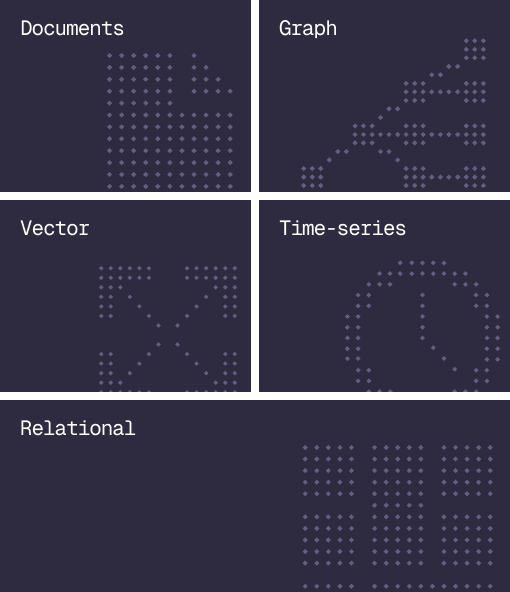
Document, graph, vector, time-series and relational in one engine.
Agent Memory
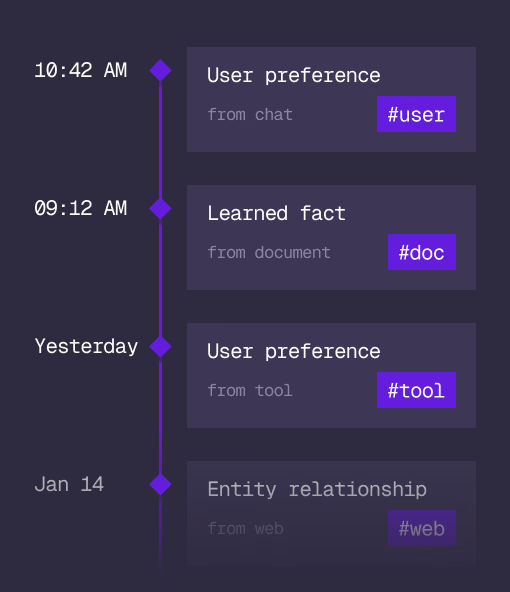
What an agent learns, with its source and its time, in the same engine.
Cloud
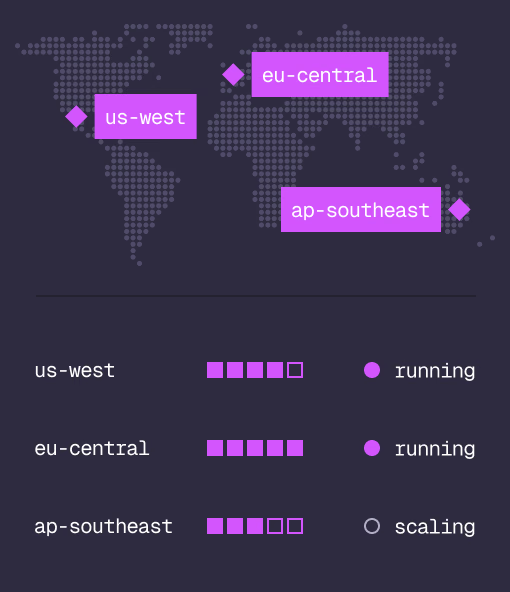
Managed clusters in the regions you choose, scaled on demand.
Studio
Query, explore and design the schema from the browser.
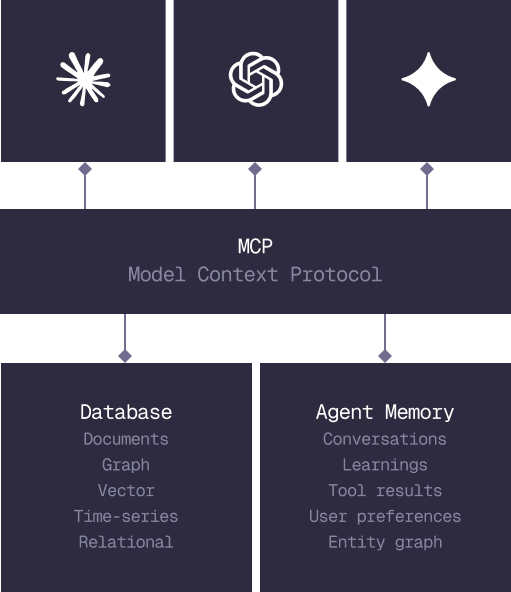
MCP
Every model that speaks MCP reaches the database and the memory directly.
IN PRODUCTION
Trusted at scale. Samsung, Nvidia, Verizon, Tencent, and Walmart run on SurrealDB.
14,000+
Developers building on SurrealDB Cloud
4M+
Developers building on SurrealDB worldwide
FROM THE TEAMS
SurrealDB gives us a foundation where we can unify semantic search, knowledge graphs, and AI-driven decision making without stitching together multiple systems. Collapsing responsibility into SurrealDB has become our default engineering posture.
VP of Engineering, Later