4: Data types
The previous chapter left you ready for SurrealKit, and we will get there in part 6. First, though, we would be remiss if we did not cover SurrealQL's data types in one place. The rest of the course (and any production schema you write by hand or via SurrealKit) assumes you can reach for literals, records, datetimes, geometry, bytes, objects, arrays, and sets without stopping to look them up.
Making good use of those types is one of the best ways to build a schema that handles much of your application's logic for you. This chapter and the next walk through data types and patterns you'll want to be familiar with when writing DEFINE FIELD statements, as a thorough grounding in this area can save you a lot of time and code.
Literal types
Literal types are a blend of type safety and flexibility, similar to enums or unions in other programming languages. You define a literal type by separating all the possible types a field can hold with a | bar.
What makes literals especially interesting is that they can be defined both as a type or as a value.
DEFINE FIELD number ON TABLE some_table TYPE int | "unknown";Literal types can even be used in the same way inside LET statements and function return values.
-- Function that returns one of two possible values
DEFINE FUNCTION fn::get_num() -> int | "unknown" {
    IF rand::bool() {
        rand::int()
    } ELSE {
        "unknown"
    }
};

-- Parameter that can be one of two possible values
LET $num: int | "unknown" = fn::get_num();

$num;
SurrealQL doesn't have a match/switch statement or algebraic data types, but you can simulate an enum by using a literal made up of several object types that all share the same field, such as type or kind, and then check its variants.
You can do this over a few possible objects:
DEFINE FIELD result ON import_row TYPE
    { kind: "ok", message: option<string> }
    | { kind: "23505", message: option<string> }
    | { kind: "42P01", message: option<string> };
Or some other way, such as defining a number of possible values for a field inside a single object:
DEFINE FIELD result ON import_row TYPE
  "ok"
  | { sqlstate: "23505" | "23503" | "42P01", message: string };
Either way, the literal means you can write IF ELSE statements with certainty that no other values will show up.
IF result.kind = "ok" {
    // ...
} ELSE IF result.kind = "23505" {
    // ...
};

IF result = "ok" {
    // ...
} ELSE IF result.sqlstate = "23505" {
    // ...
};
Array type safety
When using an array, you can define not only the type(s) contained within but also its required number of items:
DEFINE FIELD rgb ON colour_profile TYPE array<int, 3>;You can define the individual items too.
DEFINE FIELD rgb[0] ON colour_profile ASSERT $value IN 0..=255;
DEFINE FIELD rgb[1] ON colour_profile ASSERT $value IN 0..=255;
DEFINE FIELD rgb[2] ON colour_profile ASSERT $value IN 0..=255;
Fixed-length arrays are useful when a field always represents a tuple (RGB, a 3×3 matrix, and so on). For variable-length lists, omit the length:
DEFINE FIELD tags ON post TYPE array<string>;
DEFINE FIELD scores ON attempt TYPE array<int | float>;
Record types and links
SurrealDB record IDs are first-class values. When a field points at another record, declare it as record<table> instead of a plain string. That gives you validation at write time and clearer schema documentation in SurrealDB Studio.
DEFINE TABLE person SCHEMAFULL;
DEFINE TABLE post SCHEMAFULL;

DEFINE FIELD author ON post TYPE record<person>;

CREATE person:alice SET name = "Alice";
CREATE post SET title = "Hello", author = person:alice;

-- Fails: not a valid record ID for table `person`
CREATE post SET title = "Bad link", author = "not-a-record";
Use option<record<table>> when the link is optional, and literals when a field may point at more than one table:
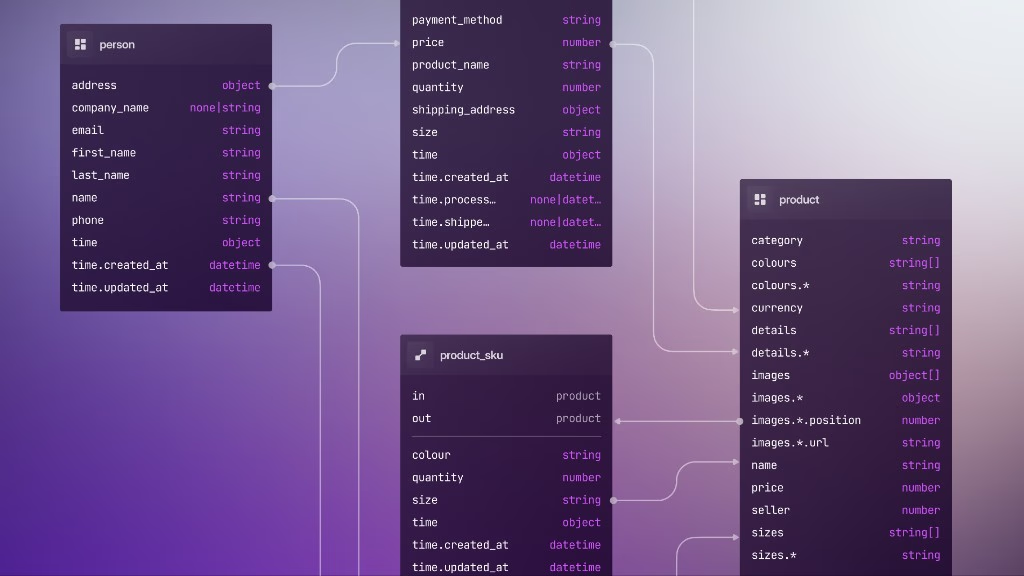
DEFINE FIELD target ON notification TYPE record<person | organisation>;Graph edges are separate RELATION tables with in and out fields, but regular record fields are often enough for foreign-key-style links. Part 5 covers REFERENCE when you want the database to track those links (and decide what happens if the target is deleted).
Datetime, duration, and decimal
Store timestamps as datetime, not strings, so comparisons and indexes behave predictably. Durations use the duration type.
DEFINE FIELD created_at ON order TYPE datetime DEFAULT time::now();
DEFINE FIELD expires_at ON session TYPE datetime;
DEFINE FIELD ttl ON cache_entry TYPE duration DEFAULT 1h;

CREATE order SET created_at = time::now();
CREATE session SET expires_at = time::now() + 30d;
When migrating legacy string timestamps, widen the field first (TYPE string | datetime), normalise with an UPDATE or DEFINE EVENT, then tighten: the same gradual pattern from part 3.
For money and other fixed-precision values, prefer decimal over float:
DEFINE FIELD unit_price ON line_item TYPE decimal;
DEFINE FIELD total ON invoice TYPE decimal ASSERT $value >= 0;
Objects and FLEXIBLE
An object field expects a SurrealDB object (a map of keys to values). On a schemafull table, nested keys are validated unless you mark the field FLEXIBLE:
DEFINE TABLE person SCHEMAFULL;
DEFINE FIELD name ON person TYPE string;
DEFINE FIELD metadata ON person TYPE object FLEXIBLE;

CREATE person SET
    name = "Asmodean",
    metadata = { country: "ee", login_count: 12, tags: ["admin"] };
Without FLEXIBLE, define nested paths explicitly when you want the inner shape checked:
DEFINE FIELD address ON person TYPE object;
DEFINE FIELD address.city ON person TYPE string;
DEFINE FIELD address.postcode ON person TYPE string;

CREATE person SET
    name = "Alice",
    address = { city: "Tallinn", postcode: "10111" };
FLEXIBLE is a field clause that comes after TYPE object, not part of the type expression itself.
Sets
A set is like an array with unique elements. Use it when order does not matter but duplicates should not be stored:
DEFINE FIELD roles ON user TYPE set<string>
    ASSERT $value ALLINSIDE ["user", "poweruser", "admin"];
Regex
The regex type is a proper SurrealQL data type as well. This type is generally not stored, but used to constrain a string field. A /pattern/ literal works with = inside ASSERT:
DEFINE FIELD countrycode ON user TYPE string
    ASSERT $value = /[A-Z]{3}/
    VALUE $value OR $before OR 'GBR';
If you do need to store a pattern itself (for example a table of validation rules), declare TYPE regex and cast with <regex> when writing:
DEFINE FIELD pattern ON validation_rule TYPE regex;

CREATE validation_rule SET pattern = <regex>"col(o|ou)r";
Geometry and geohashes
SurrealDB's geometry type follows GeoJSON. The most often used geometry type is geometry<point>, which also has its own tuple syntax (e.g. (-0.118092, 51.509865)) as a convenience on top of the standard GeoJSON object format. The most important thing to remember when using points is that longitude comes first (GeoJSON order), which is the opposite of what many map UIs show.
You will generally want to narrow the subtype in the schema, such as geometry<point> for a pin on the map, geometry<polygon> for a delivery zone, or a union when a field may hold more than one shape.
DEFINE FIELD location ON restaurant TYPE geometry<point>;
DEFINE FIELD boundary ON service_area TYPE geometry<polygon>;
DEFINE FIELD area ON park TYPE geometry<polygon | multipolygon>;
Operators such as CONTAINS work with geometry types as well.
CREATE restaurant SET
    name = "Example",
    location = (-0.118092, 51.509865);

CREATE service_area:central SET
    boundary = {
        type: "Polygon",
        coordinates: [[
            [-0.2, 51.4],
            [0.1, 51.4],
            [0.1, 51.6],
            [-0.2, 51.6],
            [-0.2, 51.4]
        ]]
    };

SELECT name FROM service_area WHERE boundary CONTAINS (-0.118092, 51.509865);
Geohashes can also be used. A geohash is not a separate SurrealQL type, but short strings from geo::hash::encode(). Nearby points share a prefix, which makes them useful as a denormalised string field or as the leading part of an array-based record id when you want coarse range scans without testing every geometry.
Keep the real coordinates in geometry<point> and treat the hash as an indexing aid, not the source of truth:
DEFINE FIELD location ON event TYPE geometry<point>;
DEFINE FIELD geohash ON event TYPE string;

CREATE event SET
    location = (50.0, 50.1),
    geohash = geo::hash::encode((50.0, 50.1), 4);
For dense location tables, encoding the hash into the record id lets you select a prefix range instead of filtering every record. See Location-based patterns for a worked example.
Bytes
Use bytes for raw binary: content hashes, opaque tokens, thumbnails, and other values that should not be treated as text. Prefer object storage for large files and store a URL or a record<> link in the database instead.
DEFINE FIELD checksum ON upload TYPE bytes;
DEFINE FIELD thumbnail ON product TYPE bytes;

CREATE upload SET checksum = <bytes>"payload-fingerprint";
Casting from a string produces hex-encoded bytes. You can also write a hex literal with a b prefix when the string is already hexadecimal:
CREATE upload SET checksum = b"486F6262697473";Conversions between bytes, string, and array<int> are available when you need to inspect or rebuild binary values in queries.
Putting types together
Most production schemas combine the patterns above: literal unions for enums, record<> for relations, datetime for timestamps, geometry for locations, bytes for opaque binary, and object FLEXIBLE for evolving JSON-like payloads. The next chapter shows how to attach behaviour to those fields with DEFAULT, VALUE, ASSERT, and related clauses.
THE PLATFORM
Everything an application and its agents know. Five surfaces, one engine.
Database
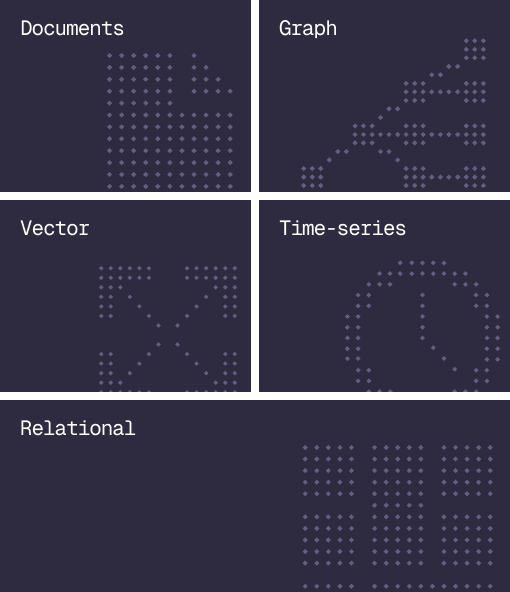
Document, graph, vector, time-series and relational in one engine.
Agent Memory
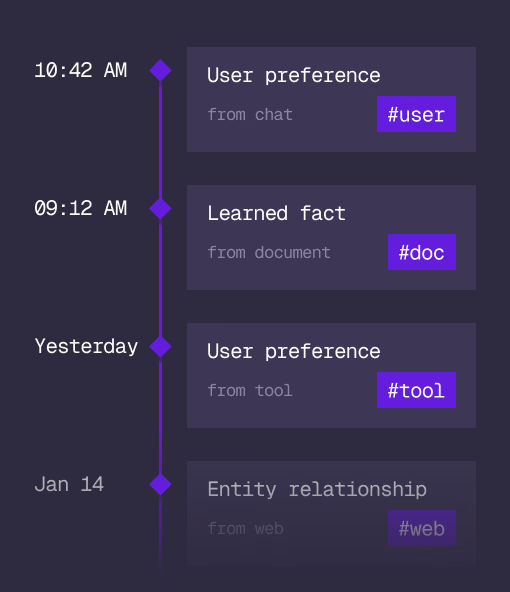
What an agent learns, with its source and its time, in the same engine.
Cloud
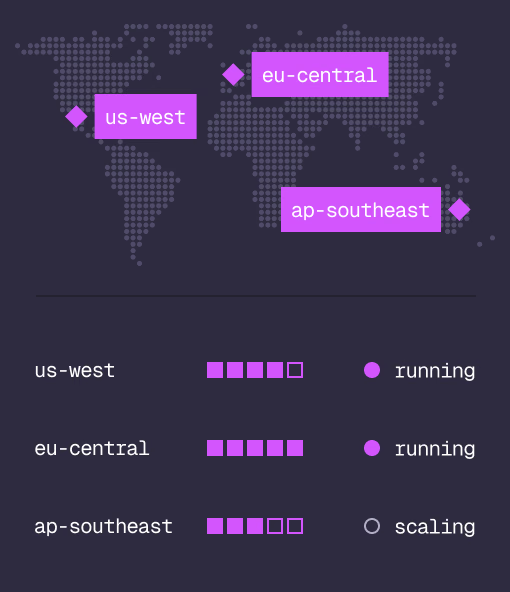
Managed clusters in the regions you choose, scaled on demand.
Studio
Query, explore and design the schema from the browser.
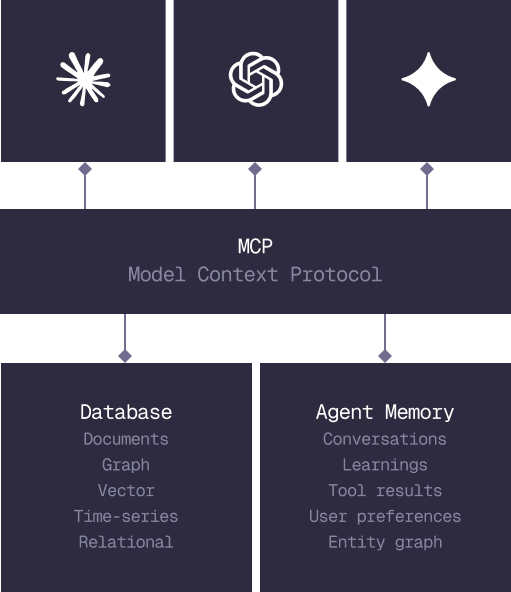
MCP
Every model that speaks MCP reaches the database and the memory directly.
IN PRODUCTION
Trusted at scale. Samsung, Nvidia, Verizon, Tencent, and Walmart run on SurrealDB.
14,000+
Developers building on SurrealDB Cloud
4M+
Developers building on SurrealDB worldwide
FROM THE TEAMS
SurrealDB gives us a foundation where we can unify semantic search, knowledge graphs, and AI-driven decision making without stitching together multiple systems. Collapsing responsibility into SurrealDB has become our default engineering posture.
VP of Engineering, Later