14: Capstone
This chapter ties the course schema back to the published project planning sample, covers adopting SurrealKit on a database that already exists (brownfield), and rounds up how all the pieces fit together.
Comparing against the docs sample
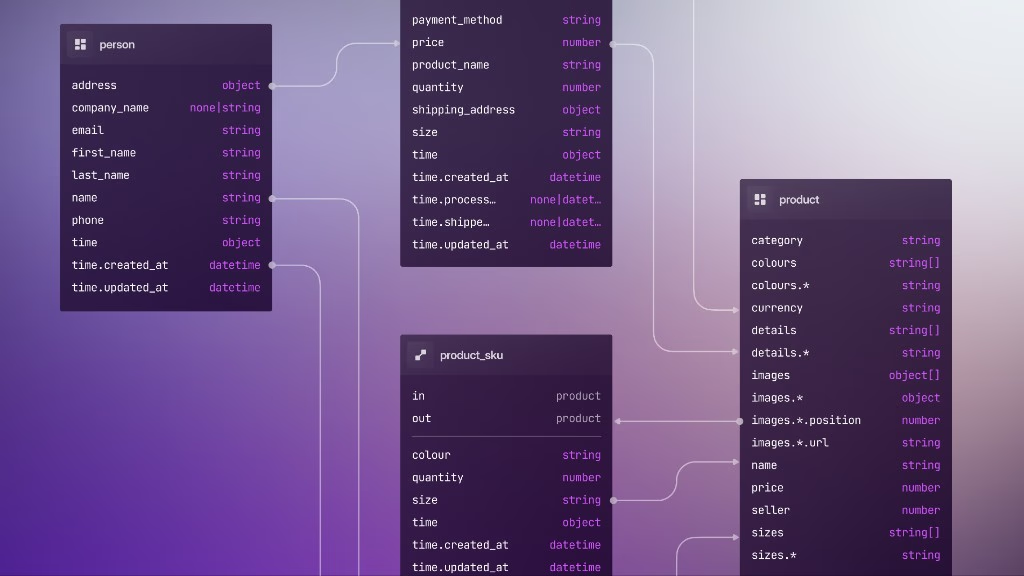
The docs page defines roughly the same shape:
| Piece | Purpose |
|---|---|
activity | Scheduled work, COMPUTED duration, ASSERT progress, COMPUTED followed_by |
milestone | Groups activities; COMPUTED progress / is_complete; VALUE last_updated |
depends_on | RELATION activity → activity |
activity_of | RELATION activity → project |
employee | Optional assigned_to on activities |
Your database/schema/ tree should look recognisably like this. A few things are intentionally different in the course version (activity_audit, REFERENCE, extra indexes and events), and that is fine. Write them down in a README next to the schema, so nobody wonders why your tables do not match the docs page line for line.
Running a query from the sample
After seeding the docs example data:
-- Graph connections between activities and projects
SELECT *, ->?, <-? FROM activity, project;

-- Milestone roll-ups
SELECT name, progress, is_complete FROM milestone;
If your file layout looks different, run INFO FOR DB and compare it to the catalog the sample implies.
Adopting a database that already exists
Not every project starts empty the way this course did. Imagine a database that has been growing for months in SurrealDB Studio and hand-written scripts, with no SurrealKit folder at all. You want rollouts going forward, but rollout plan needs something to diff against. An empty database/snapshots/ would make the first plan look like “create the entire universe,” which is not what you want on a live host.
rollout baseline is the one-time “we start measuring from here” step for that situation.
What baseline is for
- 1.
You write
database/schema/*.surqlfiles so they mirror what is already live (export withINFO FOR DB/INFO FOR TABLE, or the helper query in the existing databases docs). - 2.
You run:
surrealkit rollout baseline --user root --pass secret --ns main --db mainSeeded managed entity baseline with 9 schema file(s) and 36 managed object(s).- 3.
SurrealKit records that agreed starting point:
Snapshot files under
database/snapshots/(schema_snapshot.json,catalog_snapshot.json) - this is what laterrollout plandiffs againstSurrealKit bookkeeping in the database (
__entityand related metadata), so sync/rollouts know which objects are managed
After that, you edit schema files as usual. The next rollout plan only contains the changes since the baseline (or since the last plan that refreshed those snapshots), not a full rebuild of every table. Run one straight after a baseline and the manifest is empty, which is the signal that files and database agree:
source_schema_hash = "d48709463f2c1c2732bb9d86343858a88a5103baefe76f5769d0e426b7544a22"
target_schema_hash = "d48709463f2c1c2732bb9d86343858a88a5103baefe76f5769d0e426b7544a22"
compatibility = "phased"
renames = []
steps = []
Think of it as zeroing the odometer for SurrealKit: “everything already in production is accounted for; only new edits become migration steps.”
Baseline is a brownfield adoption command. It is meant to run once on a database that does not already have SurrealKit rollout state. Your course database has already been through sync and rollouts, so running it there fails on purpose:
Practise the idea on a separate throwaway instance, or treat this section as reference for the day you adopt a legacy DB.
After baseline
The ongoing loop is the one you already know:
- 1.
Keep
database/schema/*.surqlas the source of truth (reconcile anything baseline found that you had missed) - 2.
Iterate with
syncon a local, disposable database - 3.
rollout planfor the next shared change, and commit the manifest - 4.
CI, or an operator with shared-database credentials, runs
start, deploys, thencomplete
Part 2's INFO FOR TABLE export, and (INFO FOR TABLE t).{ statements: fields + indexes }.statements.values(), are still useful for sketching those first schema files from a live catalog.
Commit the snapshots with the SurrealKit folder so every teammate (and CI) plans against the same baseline.
Environments
| Environment | Typical command | Credentials |
|---|---|---|
| Local dev | sync --watch | Local .env, pointed at a disposable DB only |
| CI checks | test (ephemeral DB; sync underneath is fine) | A CI service account for a throwaway instance |
| Staging / production apply | rollout start / complete, with a reviewed, committed manifest | CI or a secret manager, never your laptop's sync .env |
Namespace and database names often differ between environments (dev vs prod), while the schema files stay identical. Until SurrealKit is wired into CI, give shared environments their own connection settings, and lean on rollout there. Do not let sync become the default for every environment once other data or services depend on it.
See also sync vs rollouts.
A few extras from the sample page
The industry schemas page groups other patterns you could bolt on as stretch goals:
| Pattern | Where it appears |
|---|---|
SCADA-style DEFINE EVENT and time-series | Sensor indexes, composite record IDs |
Risk UNIQUE index | (project, description) |
Supply chain COMPUTED totals | Financial roll-ups, similar to milestone progress |
The planning domain has already exercised graph, COMPUTED, indexes, and events. The same migration discipline carries over to whichever of these you try next.
Generating types
Once the catalog has settled, you can generate application types straight from it:
surrealkit typegentypegen: wrote ./database/types/schema.jsonBy default this introspects the live database and writes a JSON schema document, which is the format other tooling reads. To get TypeScript interfaces instead, point surrealkit.toml at an output directory:
[typegen]
typescript = "src/types"
filename   = "schema.generated.ts"   # optional, the default is index.ts
format     = "biome check --write"   # optional, runs on the generated file
The path is relative to the folder you run SurrealKit from, which in this course is the project root. typescript can also name a .ts file directly, and surrealkit typegen --typescript <path> overrides the setting for one run.
With that set, typegen and every sync (including sync --watch) write a file of typed table interfaces there. Literal unions on status-like fields turn into proper typed unions in TypeScript, which is one more reason to reach for TYPE 'todo' | 'doing' | 'done' instead of string plus ASSERT (part 4).
See type generation for details.
Where to go from here
SurrealKit templates, for what
initadds when you skip--minimal(Organizations, Teams, custom--fromtemplates)Sample industry schemas, for project planning plus peer examples
Schema evolution, for data migrations alongside catalog changes
Course sketches, Gel-inspired patterns you can merge or delete
You now have a version-controlled path from an empty database to a graph-shaped planning schema: sync for disposable local databases, test in CI, and rollouts (planned locally, applied with shared-environment secrets) whenever the database is shared.
THE PLATFORM
Everything an application and its agents know. Five surfaces, one engine.
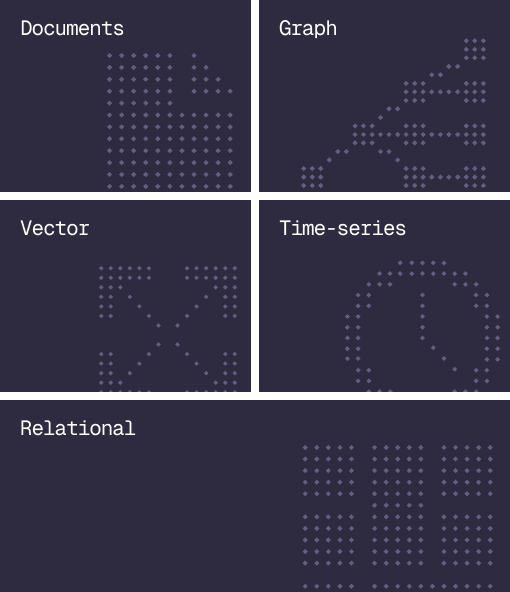
Database
Document, graph, vector, time-series and relational in one engine.
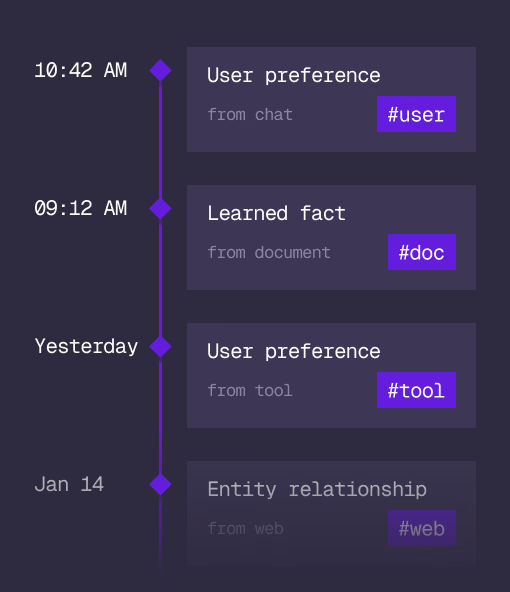
Agent Memory
What an agent learns, with its source and its time, in the same engine.
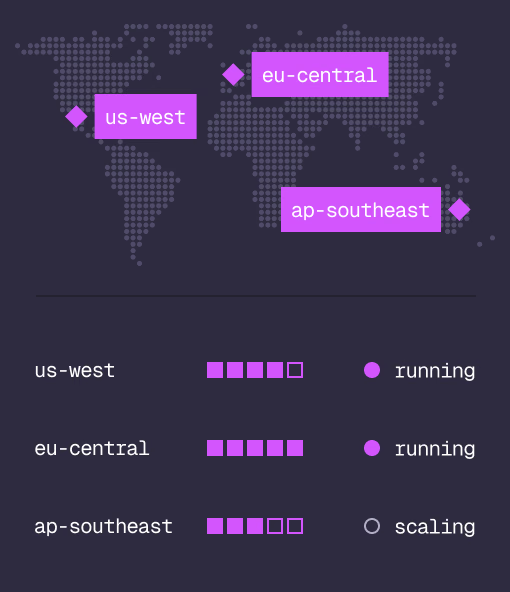
Cloud
Managed clusters in the regions you choose, scaled on demand.
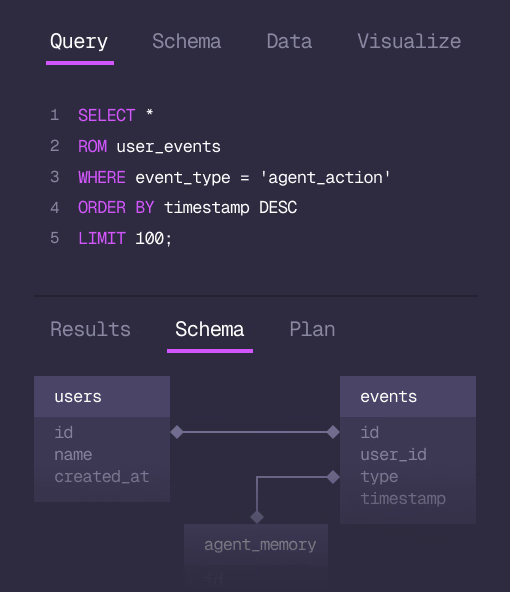
Studio
Query, explore and design the schema from the browser.
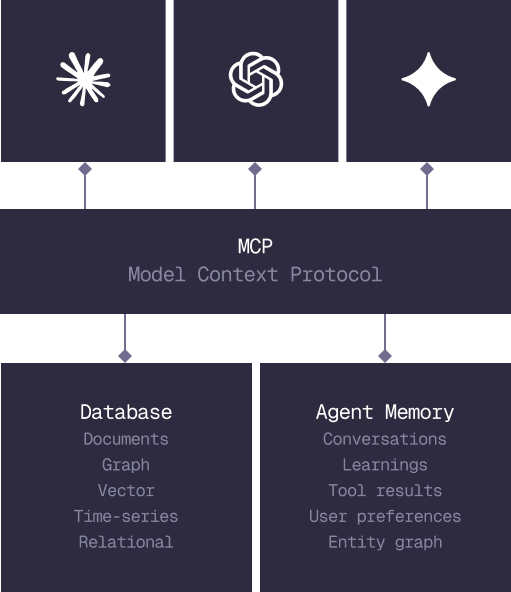
MCP
Every model that speaks MCP reaches the database and the memory directly.
IN PRODUCTION
Trusted at scale. Samsung, Nvidia, Verizon, Tencent, and Walmart run on SurrealDB.
14,000+
Developers building on SurrealDB Cloud
4M+
Developers building on SurrealDB worldwide
FROM THE TEAMS
SurrealDB gives us a foundation where we can unify semantic search, knowledge graphs, and AI-driven decision making without stitching together multiple systems. Collapsing responsibility into SurrealDB has become our default engineering posture.
VP of Engineering, Later