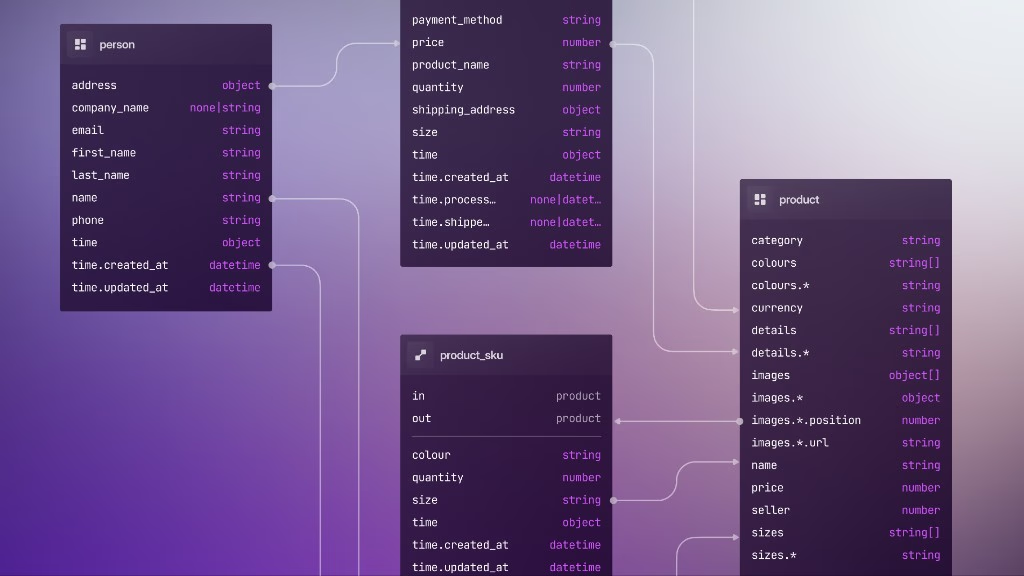
5: Automation
With the field types from part 4 in place, this chapter covers the clauses that sit beside them. After that, part 6 is where we will pick up SurrealKit for real.
Earlier in the course we saw that DEFINE EVENT is the only DEFINE statement that creates genuinely reactive behaviour. But clauses in several other statements do something similar: they automatically assign or assert values. What they have in common is that they let you push logic that would otherwise live in an SDK or an external service down to the lowest possible level, the data itself.
This chapter is mostly a grab bag of clauses you want to be aware of when designing a schema. They reduce the amount of application code you need to write, which narrows the behaviours you need to test outside the database.
Each subsection below shows a pattern in isolation. In practice you'll combine them: a user table might use VALUE to normalise email, ASSERT for password length, DEFAULT for created_at, and field permissions so credentials never appear in API responses.
The DEFAULT clause
DEFAULT runs when a field isn't supplied on create (or on every write when you add ALWAYS to make DEFAULT ALWAYS). This clause tends to be used for timestamps, generated IDs, and fields you always want alongside a new record.
Literals or simple function calls are quite commonly used with DEFAULT.
DEFINE FIELD status  ON ticket TYPE "open" | "done" DEFAULT "open";
DEFINE FIELD created ON order  TYPE datetime        DEFAULT time::now();
DEFINE FIELD id      ON user   TYPE string          DEFAULT rand::ulid();
DEFINE FIELD id      ON person TYPE uuid            DEFAULT rand::uuid();
READONLY disallows writes to a field, pairing well with DEFAULT when the client must not override the value:
DEFINE FIELD owner ON order TYPE record<user> READONLY DEFAULT $auth.id;ALWAYS can be added after DEFAULT to ensure that a value is always present, even on updates that omit the field:
DEFINE FIELD roles ON user TYPE array<string>
    ASSERT $value ALLINSIDE ["user", "poweruser", "admin"] AND $value.len() IN 1..=3
    DEFAULT ALWAYS ["user"];
DEFAULT can even run a subquery and store the result. CREATE ONLY is common when each new parent record should own a freshly created child:
DEFINE FIELD gift   ON user DEFAULT CREATE ONLY gift    SET amount = 50;
DEFINE FIELD wallet ON user DEFAULT CREATE ONLY account SET balance = 0;
This next example shows the $this parameter used inside a subquery along with a CREATE statement:
DEFINE FIELD profile ON user DEFAULT
    CREATE ONLY profile SET
        display_name = $this.name ?? 'Anonymous';
These queries can be as complex as you like. This next example creates an edge for each new employee, returns the name of the company, and set it on the works_at field:
CREATE organisation:my_company SET name = "My Company";

DEFINE FIELD works_at ON staff DEFAULT
    (RELATE ONLY $this->member_of->organisation:my_company).out.name;

CREATE ONLY staff;
Output:
{
	id: staff:5ik6h79i1ff6dw6r9vqq,
	works_at: 'My Company'
}
VALUE
The VALUE clause is one of the most widely used, because it lets you normalise or override client input. VALUE is recomputed on every write (create or update). If you need a value that's also computed on read, reach for COMPUTED instead.
Force a timestamp on create and leave it alone afterwards with READONLY:
DEFINE FIELD created ON order VALUE time::now() READONLY;Recompute on every write when the field should track the latest change:
DEFINE FIELD updated ON order VALUE time::now();Normalise client strings before they are stored:
DEFINE FIELD email ON user TYPE string
    VALUE $value.lowercase();

DEFINE FIELD slug ON post TYPE string
    VALUE ($value).slug();
Clamp or transform numbers:
DEFINE FIELD balance ON account VALUE math::max(0, $value);
DEFINE FIELD cents ON invoice TYPE int VALUE math::round($value * 100);
Derive a field from other fields on the same record:
-- e.g. will display "Gandar the wizard"
DEFINE FIELD official_name ON user VALUE name + ' the ' + class;
Bind ownership from the session so the client cannot pick another user:
DEFINE FIELD user ON order TYPE record<user> READONLY VALUE $auth.id;COMPUTED
COMPUTED fields are not stored, but derived when you access the record. You will want to use them when working with fields whose values depend on a function call, or might change over time or depend on another source.
DEFINE FIELD accessed_at ON user COMPUTED time::now();
DEFINE FIELD is_adult   ON person    COMPUTED age >= 18;
DEFINE FIELD line_total ON line_item COMPUTED quantity * unit_price;
DEFINE FIELD duration   ON session   COMPUTED end - start;
COMPUTED fields are also often used when you have a value that you prefer to be available via a field instead of writing a query.
DEFINE FIELD author ON comment COMPUTED <~person;
DEFINE FIELD employers ON person COMPUTED <-works_at<-company;
DEFINE FIELD progress ON project COMPUTED math::mean(tasks.progress);
References
A bare record<table> field stores a pointer and nothing more. If you delete the record it points at, the field still holds the old id. You can add a REFERENCE clause if you want to track that link from the other side. This allows incoming references become queryable, and you can choose what happens when a linked record is deleted.
REFERENCE works on top-level fields of type record or array<record<…>> (including option<…> forms):
DEFINE FIELD author  ON post TYPE record<person> REFERENCE;
DEFINE FIELD tags    ON post TYPE array<record<tag>> REFERENCE;
DEFINE FIELD manager ON employee TYPE option<record<employee>> REFERENCE;
Once a field is a reference, you can walk from the target back to the records that point at it with <~. That is the same incoming-link syntax used in the COMPUTED examples above:
CREATE person:ada SET name = "Ada";
CREATE post SET title = "Hello", author = person:ada;

SELECT *, <~post AS posts FROM person:ada;
By itself, REFERENCE defaults to ON DELETE IGNORE: deleting the target is allowed, and referring fields keep their ids. You can write the default explicitly if you want the schema to say so:
DEFINE FIELD tags ON post TYPE array<record<tag>>
    REFERENCE ON DELETE IGNORE;
Other ON DELETE policies control what happens when the referenced record goes away:
-- Clear the link when the target is deleted
DEFINE FIELD assigned_to ON activity TYPE option<record<employee>>
    REFERENCE ON DELETE UNSET;

-- Refuse to delete the target while anything still points at it
DEFINE FIELD manager ON employee TYPE option<record<employee>>
    REFERENCE ON DELETE REJECT;

-- Delete this record when the record it references is deleted
DEFINE FIELD author ON comment TYPE record<person>
    REFERENCE ON DELETE CASCADE;
You can even use ON DELETE THEN { … } for custom cleanup logic.
ASSERT
ASSERT is one of the most frequently used clauses, because it allows you to validate the incoming value after type checking. It runs on every create and update, so in general it's best to keep expressions cheap.
DEFINE FIELD password ON user TYPE string ASSERT $value.len() >= 8;
DEFINE FIELD age ON person TYPE int ASSERT $value >= 0 AND $value <= 130;
DEFINE FIELD status ON task TYPE string
    ASSERT $value IN ['todo', 'doing', 'done'];
DEFINE FIELD email ON user TYPE string
    ASSERT $value.is_email();
You can also combine checks and compare against other fields on the same record:
DEFINE FIELD sku ON product TYPE string
    ASSERT $value.len() = 8 AND $value.is_alphanum();
DEFINE FIELD end ON booking TYPE datetime
    ASSERT $value > $this.start;
One nice thing about ASSERT is that you can write a longer logic chain including THROW to customise an error message.
Compare the output for a regular ASSERT $value >= 0:
DEFINE FIELD quantity ON line_item TYPE int ASSERT $value >= 0;
CREATE line_item SET quantity = -1;

'Found -1 for field `quantity`, with record `line_item:qv72v4gxsckqp8uyztbt`, but field must conform to: $value >= 0'
...and this second example which uses THROW for a custom error output:
DEFINE FIELD quantity ON line_item TYPE int ASSERT {
    IF $value > 0 { RETURN true }
    ELSE { THROW 'Tried to set ' + <string>$value + ' on ' + <string>id + ' but quantity must be positive' }
};

CREATE line_item SET quantity = -1;

'An error occurred: Tried to set -1 on line_item:eclimcs6q5g11t3cxqqx but quantity must be positive'
UPSERT and INSERT with ON DUPLICATE KEY UPDATE
Many applications implement "create if missing, otherwise update" in two round trips: a SELECT, then either CREATE or UPDATE. SurrealDB can fold that into a single statement using UPSERT or INSERT.
UPSERT
With a known record id, UPSERT creates the record or updates it in place:
UPSERT product:sku_abc SET
    name = $name,
    price = $price,
    stock += $quantity;
UPSERT type::record('page_view', $session_id) SET hits += 1;Match an existing record with WHERE when the id is not known up front:
UPSERT person SET login_count += 1 WHERE email = $email;Pair that with a unique index when the match key must be unique:
DEFINE INDEX unique_email ON user FIELDS email UNIQUE;

UPSERT user SET name = $name, email = $email WHERE email = $email;
Update nested structure when the record already holds a map of items:
UPSERT cart SET items[$product_id] = { qty: $qty, price: $price }
    WHERE user = $auth.id;
INSERT + ON DUPLICATE KEY UPDATE
For more complex logic when a duplicate key might exist, you can use INSERT with the ON DUPLICATE KEY UPDATE clause.
INSERT INTO product {
    id: product:abc,
    name: 'Widget',
    stock: 10
} ON DUPLICATE KEY UPDATE stock += $input.stock;
INSERT INTO word_frequency {
id: type::record('word', $word),
count: 1
} ON DUPLICATE KEY UPDATE count += 1;INSERT IGNORE INTO user (email, name)
VALUES ($email, $name)
ON DUPLICATE KEY UPDATE last_seen = time::now();INSERT RELATION INTO likes {
in: person:alice,
out: post:1,
note: 'first'
} ON DUPLICATE KEY UPDATE note = 'updated';That covers the main automation surface for schema design. Parts 6–14 apply these patterns to a version-controlled project planning schema with SurrealKit sync, rollouts, indexes, and DEFINE EVENT.
THE PLATFORM
Everything an application and its agents know. Five surfaces, one engine.
Database
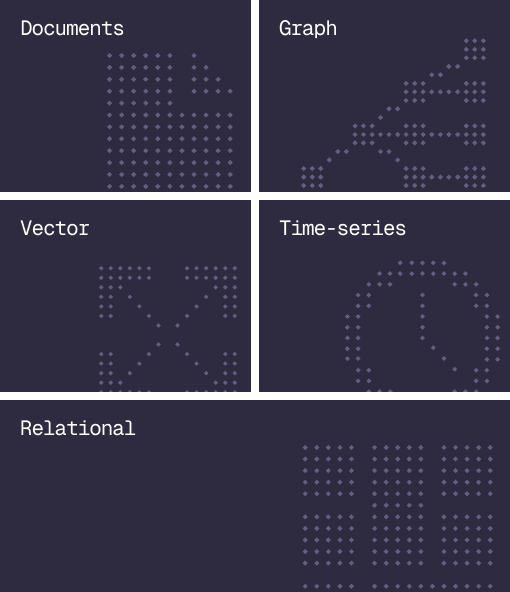
Document, graph, vector, time-series and relational in one engine.
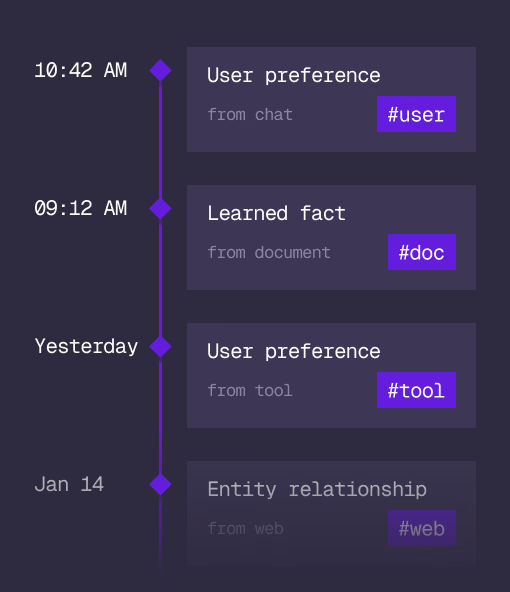
Agent Memory
What an agent learns, with its source and its time, in the same engine.
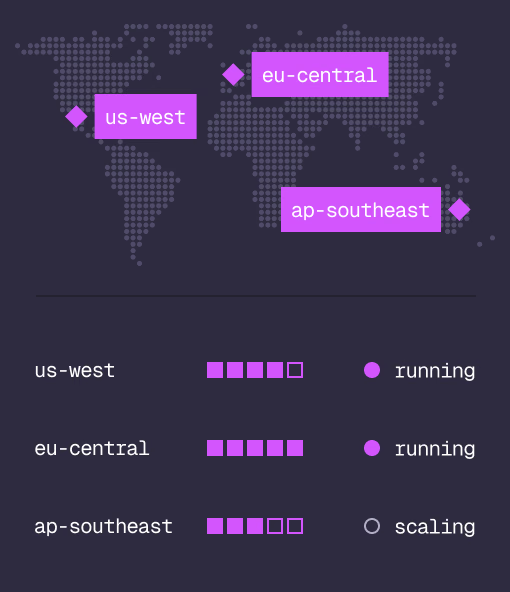
Cloud
Managed clusters in the regions you choose, scaled on demand.
Studio
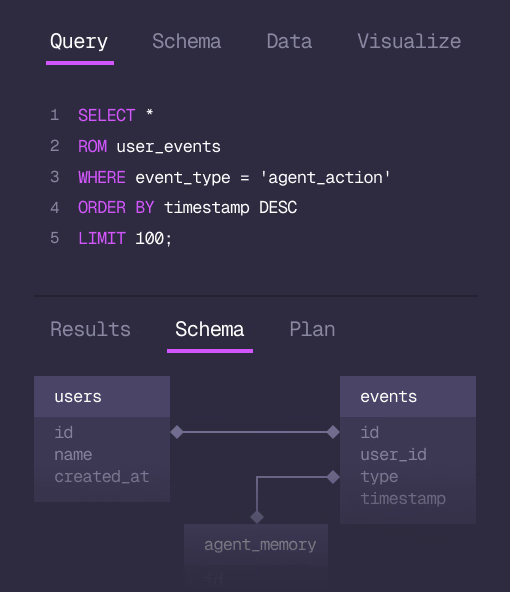
Query, explore and design the schema from the browser.
MCP
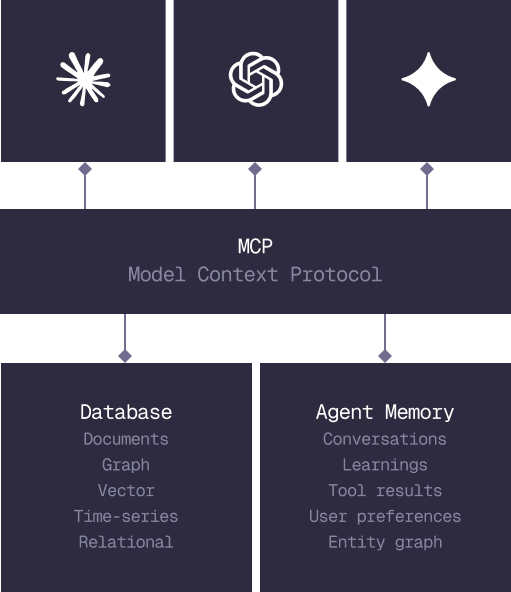
Every model that speaks MCP reaches the database and the memory directly.
IN PRODUCTION
Trusted at scale. Samsung, Nvidia, Verizon, Tencent, and Walmart run on SurrealDB.
14,000+
Developers building on SurrealDB Cloud
4M+
Developers building on SurrealDB worldwide
FROM THE TEAMS
SurrealDB gives us a foundation where we can unify semantic search, knowledge graphs, and AI-driven decision making without stitching together multiple systems. Collapsing responsibility into SurrealDB has become our default engineering posture.
VP of Engineering, Later