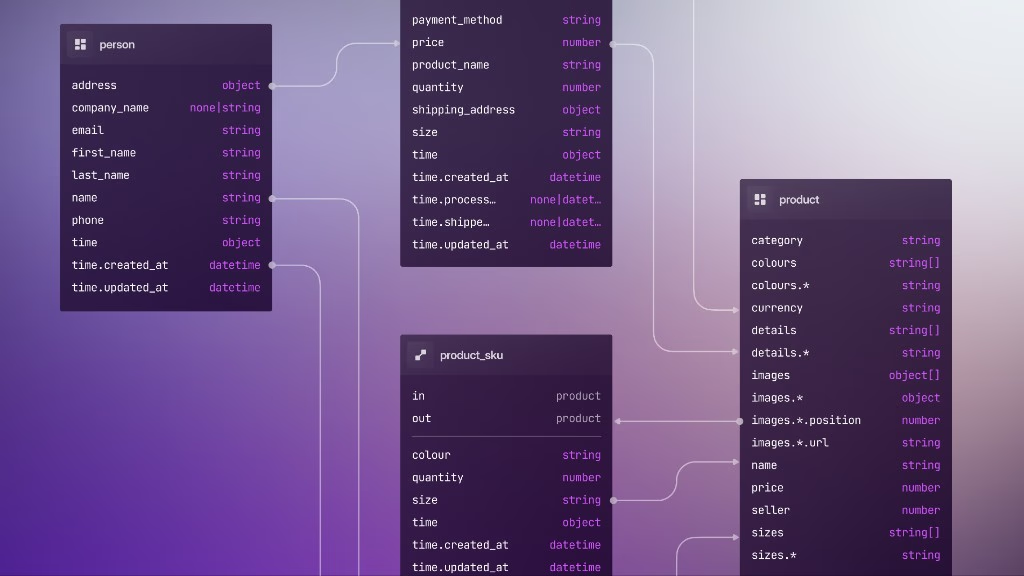
Schema internals and migrations
Welcome to Schema internals and migrations, a SurrealDB University course on how schema lives inside the database, how DEFINE statements shape it, and how to change the schema of a live database without unpleasant surprises.
SurrealDB's philosophy on defined schema is that you can have as little or as much of it as you like. With schemaless as the default, you can run a full database without ever touching a DEFINE statement if that is what you want. However, production systems usually end up wanting typed fields, indexes, permissions, and a plan for evolving all of that safely.
This course covers what the database stores, how to tighten or loosen constraints, and how to migrate data without taking downtime you did not mean to take.
What you'll learn
By the end you should be able to:
Read
INFO FOR TABLE/INFO FOR DBoutput, and know how that differs fromINFO … STRUCTUREChoose between schemaless and schemafull tables, and use
FLEXIBLEand union types when full strictness gets in the wayChange field types on live data with backfills, union types, and gradual normalisation
Use field clauses (
DEFAULT,VALUE,COMPUTED,ASSERT,REFERENCE) to keep logic close to the data and cut down on code elsewhereDecide when hand-written SurrealQL migrations are enough, and when SurrealKit is worth adopting
Grow a project planning schema from one table to graph relations,
COMPUTEDroll-ups, indexes, andDEFINE EVENT, using SurrealKitsync,rollouts, andtestalong the way
Course outline
| Part | Topic | Focus |
|---|---|---|
| 1 | Schemaless vs schemafull | Schemaless defaults, STRICT, type flexibility, security notes |
| 2 | Schema internals | Stored form of DEFINE, INFO / STRUCTURE, SurrealDB Studio Designer |
| 3 | Migrations | Backfills, sandbox testing, gradual widen → normalise → tighten, when to use SurrealKit |
| 4 | Data types | Literals, records, datetimes, regex, geometry (and geohashes), bytes, objects, arrays and sets |
| 5 | Automation | Clauses that assign or validate values, UPSERT / ON DUPLICATE KEY UPDATE, permissions beside the data, when to reach for DEFINE EVENT |
| 6 | SurrealKit and the first table | surrealkit init --minimal, database/schema/, first project table, sync |
| 7 | Activities and seed data | activity table, split schema files, sync --watch, database/seed/ |
| 8 | Computed and asserted fields | COMPUTED duration, ASSERT on progress, VALUE timestamps |
| 9 | Graph dependencies | RELATION tables depends_on and activity_of, graph COMPUTED followed_by |
| 10 | Sync vs rollouts | Disposable sync vs shared rollouts, manifests, expand → deploy → contract; park milestone.surql unapplied |
| 11 | Milestones | Preview parked milestone with sync --dry-run, then apply once with a rollout |
| 12 | People and indexes | employee, option<record<>>, REFERENCE, DEFINE INDEX / UNIQUE |
| 13 | Events and CI | DEFINE EVENT lifecycle rules, surrealkit test |
| 14 | Capstone | Align with the docs project planning sample, rollout baseline, environments |
The schema used in this course
The latter part of this course builds a project planning schema, one of many sample schemas divided by industry that you can find in the documentation. While a modest size at about 25 lines in length, it nevertheless represents the core of the sort of schema you will see in production.
This schema was chosen because it is fairly general but contains a lot of interesting tidbits such as COMPUTED fields, assertions, graph links, and closure functions. You can see what the schema looks like below. In the latter half of this course we will be building it up over several files instead of one to demonstrate how SurrealKit is able to combine them all and perform syncs or rollouts every time a change is made.
-- Activities in a project schedule
DEFINE TABLE activity SCHEMAFULL;
DEFINE FIELD name         ON activity TYPE string;
DEFINE FIELD description  ON activity TYPE option<string>;
DEFINE FIELD start        ON activity TYPE datetime;
DEFINE FIELD end          ON activity TYPE datetime;
DEFINE FIELD duration     ON activity COMPUTED end - start;
DEFINE FIELD progress     ON activity TYPE float ASSERT $value IN 0.0..=1.0;
DEFINE FIELD assigned_to  ON activity TYPE option<record<employee>>;
DEFINE FIELD followed_by  ON activity COMPUTED <-depends_on<-activity;

-- Milestones
DEFINE TABLE milestone SCHEMAFULL;
DEFINE FIELD project      ON milestone TYPE record<project>;
DEFINE FIELD activities   ON milestone TYPE array<record<activity>>;
DEFINE FIELD name         ON milestone TYPE string;
DEFINE FIELD last_updated ON milestone VALUE time::now();
DEFINE FIELD progress     ON milestone COMPUTED math::mean(activities.progress);
DEFINE FIELD is_complete  ON milestone COMPUTED activities.all(|$a| $a.progress > 0.95);

-- Graph-style dependency links
DEFINE TABLE depends_on SCHEMAFULL TYPE RELATION IN activity OUT activity;
DEFINE TABLE activity_of SCHEMAFULL TYPE RELATION IN activity OUT project;
Before you start
You should be comfortable running SurrealQL in the CLI or SurrealDB Studio, and with basic CREATE / SELECT / UPDATE. If any of that sounds unfamiliar, the Tour of SurrealDB and SurrealDB Fundamentals are good places to start first.
THE PLATFORM
Everything an application and its agents know. Five surfaces, one engine.
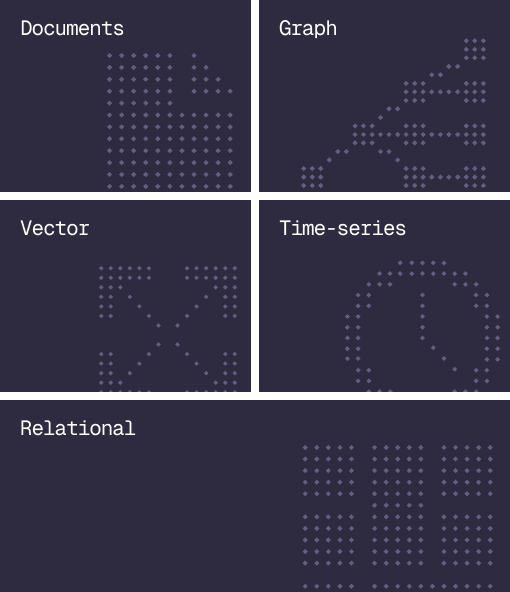
Database
Document, graph, vector, time-series and relational in one engine.
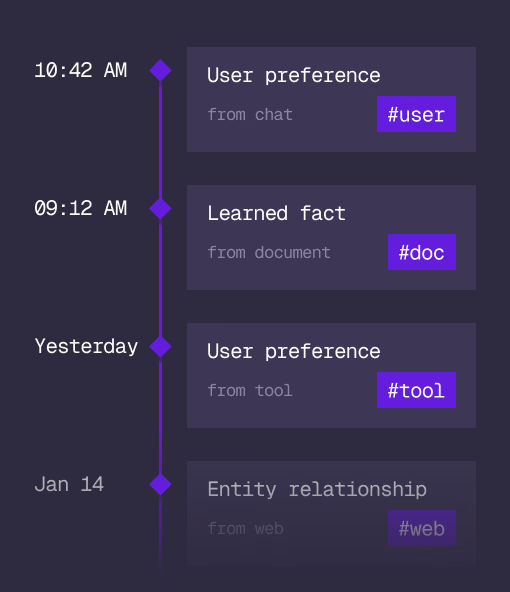
Agent Memory
What an agent learns, with its source and its time, in the same engine.
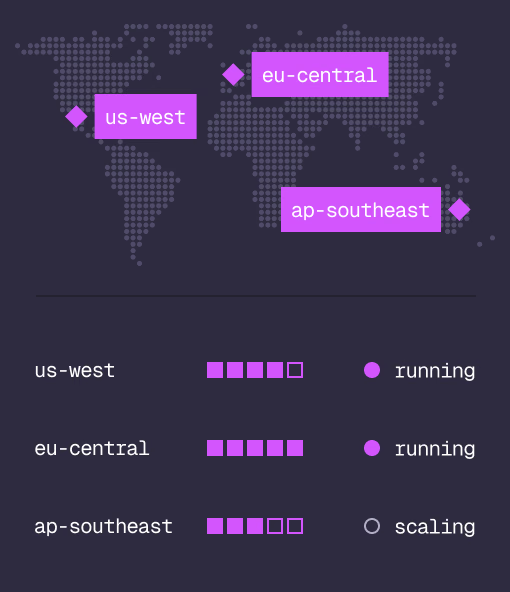
Cloud
Managed clusters in the regions you choose, scaled on demand.
Studio
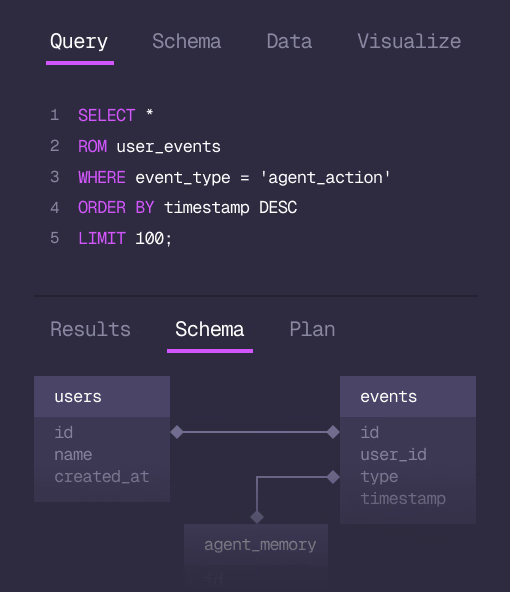
Query, explore and design the schema from the browser.
MCP
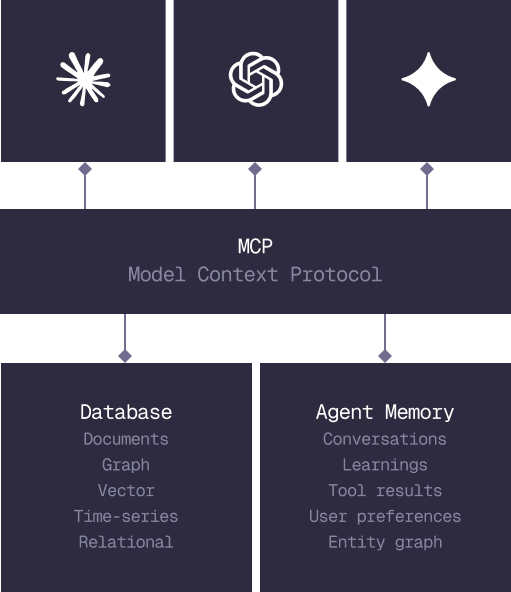
Every model that speaks MCP reaches the database and the memory directly.
IN PRODUCTION
Trusted at scale. Samsung, Nvidia, Verizon, Tencent, and Walmart run on SurrealDB.
14,000+
Developers building on SurrealDB Cloud
4M+
Developers building on SurrealDB worldwide
FROM THE TEAMS
SurrealDB gives us a foundation where we can unify semantic search, knowledge graphs, and AI-driven decision making without stitching together multiple systems. Collapsing responsibility into SurrealDB has become our default engineering posture.
VP of Engineering, Later