7: Managing the schema with SurrealKit
Over the last six pages, our schema grew one statement at a time. Some tables were defined twice, first without permissions and later with OVERWRITE and a PERMISSIONS clause. If you wanted to build the same database again somewhere else, you would have to find every one of those statements and run them in the right order.
SurrealKit is a small command-line tool that solves this problem, and is one you will want to be familiar with when developing any project of a certain complexity.
With SurrealKit you write each DEFINE statement once, in its final form, in a .surql file. SurrealKit then makes a database match those files with a single command, loads your sample data, and runs tests to check that the schema still behaves the way you expect.
On this page we will move the movie database into a SurrealKit project. There are only four commands to learn: init, sync, seed and test.
Installing SurrealKit
The quickest way to install SurrealKit is with cargo binstall, which downloads a prebuilt binary:
cargo binstall surrealkitYou can also download a binary for your platform from the releases page.
Creating a project
In an empty folder, run:
surrealkit init --minimalThis creates a database folder with a few subfolders. We only need three of them on this page:
| Folder | What goes in it |
|---|---|
database/schema/ | The DEFINE statements, split into as many .surql files as you like |
database/seed/ | Statements that add data, such as INSERT and CREATE |
database/tests/suites/ | Tests, written as .toml files |
The init command also adds a placeholder file called database/seed/seed.surql. We can delete it, because we are about to add our own seed files.
Moving the schema into files
We could use a single file, but for readability (and to show that multiple files can be used with SurrealKit) we will use one file per part of the database. Each DEFINE statement appears exactly once, in the form it had at the end of page 6. You do not need OVERWRITE anywhere, because SurrealKit adds it itself whenever it applies a file.
database/schema/
├── functions.surql
├── movie.surql
├── params.surql
├── person.surql
├── relations.surql
└── users.surql
Here is movie.surql. Note that the permissions are part of the DEFINE TABLE statement from the start, so the table is only defined once.
DEFINE TABLE movie SCHEMAFULL TYPE NORMAL
    PERMISSIONS
        FOR select WHERE $auth.id IS NOT NONE
        FOR create, update, delete WHERE created_by = $auth.id;

DEFINE FIELD actors            ON TABLE movie TYPE array<string>;
DEFINE FIELD awards            ON TABLE movie TYPE option<string>;
DEFINE FIELD box_office        ON TABLE movie TYPE option<int>;
DEFINE FIELD directors         ON TABLE movie TYPE array<string>;
DEFINE FIELD dvd_released      ON TABLE movie TYPE option<datetime>;
DEFINE FIELD genres            ON TABLE movie TYPE array<string>;
DEFINE FIELD imdb_rating       ON TABLE movie TYPE option<int>;
DEFINE FIELD languages         ON TABLE movie TYPE array<string>;
DEFINE FIELD metacritic_rating ON TABLE movie TYPE option<int>;
DEFINE FIELD oscars_won        ON TABLE movie TYPE option<int>;
DEFINE FIELD plot              ON TABLE movie TYPE string;
DEFINE FIELD released          ON TABLE movie TYPE datetime;
DEFINE FIELD rt_rating         ON TABLE movie TYPE option<int>;
DEFINE FIELD runtime           ON TABLE movie TYPE duration;
DEFINE FIELD title             ON TABLE movie TYPE string;
DEFINE FIELD writers           ON TABLE movie TYPE array<string>;
DEFINE FIELD average_rating    ON TABLE movie COMPUTED math::mean([imdb_rating, metacritic_rating, rt_rating][WHERE $this IS NOT NONE]);
DEFINE FIELD poster            ON TABLE movie TYPE option<string> ASSERT $value.is_url();
DEFINE FIELD rated             ON TABLE movie TYPE option<string> ASSERT $value IN $RATINGS;
DEFINE FIELD created_by        ON TABLE movie TYPE option<record<user>> READONLY VALUE $auth.id;

DEFINE ANALYZER movie_fts TOKENIZERS class FILTERS ascii, lowercase, edgengram(2,10);
DEFINE INDEX plot_index  ON TABLE movie FIELDS plot  FULLTEXT ANALYZER movie_fts BM25 HIGHLIGHTS;
DEFINE INDEX title_index ON TABLE movie FIELDS title FULLTEXT ANALYZER movie_fts BM25;

DEFINE EVENT movie_activity ON TABLE movie WHEN $auth IS NOT NONE THEN {
    UPDATE $auth SET actions += { event: $event, input: $value, at: time::now() }
};
The other five files follow the same idea, with each statement in the form it had at the end of page 6. Open each one below and copy it into a file of the same name in database/schema/.
Alternatively, you could copy them all into a single file if you prefer.
functions.surql
functions.surqlDEFINE FUNCTION fn::month_to_num($input: string) -> string {
IF $input = 'Jan' { '01' }
ELSE IF $input = 'Feb' { '02' }
ELSE IF $input = 'Mar' { '03' }
ELSE IF $input = 'Apr' { '04' }
ELSE IF $input = 'May' { '05' }
ELSE IF $input = 'Jun' { '06' }
ELSE IF $input = 'Jul' { '07' }
ELSE IF $input = 'Aug' { '08' }
ELSE IF $input = 'Sep' { '09' }
ELSE IF $input = 'Oct' { '10' }
ELSE IF $input = 'Nov' { '11' }
ELSE IF $input = 'Dec' { '12' }
ELSE {
THROW "Invalid input: `" + $input + "`. Please use a three-letter abbreviation such as 'Oct'."
}
};
DEFINE FUNCTION fn::date_to_datetime($input: string) -> datetime {
LET $split = $input.split(' ');
<datetime>($split[2] + '-' + fn::month_to_num($split[1]) + '-' + $split[0]);
};
DEFINE FUNCTION fn::get_imdb($obj: array<object>) -> option<int> {
LET $score = $obj[WHERE Source = 'Internet Movie Database'][0].Score;
IF $score IS NONE { NONE } ELSE { <int>(<number>$score.replace('/10', '') * 10) }
};
DEFINE FUNCTION fn::get_rt($obj: array<object>) -> option<int> {
LET $score = $obj[WHERE Source = 'Rotten Tomatoes'][0].Score;
IF $score IS NONE { NONE } ELSE { <int>$score.replace('%', '') }
};
DEFINE FUNCTION fn::get_metacritic($obj: array<object>) -> option<int> {
LET $score = $obj[WHERE Source = 'Metacritic'][0].Score;
IF $score IS NONE { NONE } ELSE { <int>$score.replace('/100', '') }
};params.surql
params.surqlDEFINE PARAM $GENRES VALUE (SELECT VALUE Genre FROM naive_movie)
.map(|$m| $m.split(', '))
.group();
DEFINE PARAM $RATINGS VALUE (SELECT VALUE Rated FROM naive_movie)
.flatten()
.group();person.surql
person.surqlDEFINE TABLE person SCHEMAFULL TYPE NORMAL
PERMISSIONS
FOR select WHERE $auth.id IS NOT NONE
FOR create, update, delete WHERE created_by = $auth.id;
DEFINE FIELD name ON TABLE person TYPE string;
DEFINE FIELD roles ON TABLE person TYPE array<string> VALUE $value.distinct();
DEFINE FIELD created_by ON TABLE person TYPE option<record<user>> READONLY VALUE $auth.id;
DEFINE EVENT person_activity ON TABLE person WHEN $auth IS NOT NONE THEN {
UPDATE $auth SET actions += { event: $event, input: $value, at: time::now() }
};relations.surql
relations.surqlDEFINE TABLE starred_in TYPE RELATION FROM person TO movie
PERMISSIONS
FOR select WHERE $auth.id IS NOT NONE
FOR create, update, delete WHERE created_by = $auth.id;
DEFINE TABLE wrote TYPE RELATION FROM person TO movie
PERMISSIONS
FOR select WHERE $auth.id IS NOT NONE
FOR create, update, delete WHERE created_by = $auth.id;
DEFINE TABLE directed TYPE RELATION FROM person TO movie
PERMISSIONS
FOR select WHERE $auth.id IS NOT NONE
FOR create, update, delete WHERE created_by = $auth.id;
DEFINE FIELD created_by ON TABLE starred_in TYPE option<record<user>> READONLY VALUE $auth.id;
DEFINE FIELD created_by ON TABLE wrote TYPE option<record<user>> READONLY VALUE $auth.id;
DEFINE FIELD created_by ON TABLE directed TYPE option<record<user>> READONLY VALUE $auth.id;users.surql
users.surqlDEFINE USER owner ON DATABASE PASSWORD "owner" ROLES OWNER;
DEFINE USER editor ON DATABASE PASSWORD "editor" ROLES EDITOR;
DEFINE USER viewer ON DATABASE PASSWORD "viewer" ROLES VIEWER;
DEFINE TABLE user SCHEMAFULL
PERMISSIONS FOR select WHERE $auth.id = id;
DEFINE FIELD name ON TABLE user TYPE string;
DEFINE FIELD pass ON TABLE user TYPE string;
DEFINE FIELD actions ON TABLE user TYPE option<array<object>> FLEXIBLE;
DEFINE INDEX unique_name ON TABLE user FIELDS name UNIQUE;
DEFINE ACCESS account ON DATABASE TYPE RECORD
SIGNUP ( CREATE user SET name = $name, pass = crypto::argon2::generate($pass) )
SIGNIN ( SELECT * FROM user WHERE name = $name AND crypto::argon2::compare(pass, $pass) )
DURATION FOR TOKEN 15m, FOR SESSION 12h;Adding the data
Seed files hold the statements that add data. SurrealKit runs them in alphabetical order, so a number at the front of each name sets the order:
database/seed/
├── 01_naive_movies.surql
├── 02_movies.surql
└── 03_people.surql
The first file is the file of movie data from page 1. Download it and save it as database/seed/01_naive_movies.surql. The other two are the FOR loops from pages 3 and 5, which turn each naive_movie into a movie and then create the person records and their relations:
02_movies.surql
02_movies.surqlFOR $data in SELECT * FROM naive_movie {
CREATE movie CONTENT {
actors: $data.Actors.split(', '),
awards: $data.Awards,
box_office: IF $data.BoxOffice = 'N/A' { NONE } ELSE { <int>$data.BoxOffice.replace('$', '').replace(',', '') },
directors: $data.Director.split(', '),
dvd_released: IF $data.DVD = 'N/A' { NONE } ELSE { fn::date_to_datetime($data.DVD) },
genres: $data.Genre.split(', '),
imdb_rating: fn::get_imdb($data.Ratings),
languages: $data.Language.split(', '),
metacritic_rating: fn::get_metacritic($data.Ratings),
plot: $data.Plot,
poster: $data.Poster,
rated: $data.Rated,
released: fn::date_to_datetime($data.Released),
rt_rating: fn::get_rt($data.Ratings),
runtime: <duration>$data.Runtime.replace(' min', 'm'),
title: $data.Title,
writers: $data.Writer.split(', ')
};
};03_people.surql
03_people.surqlFOR $movie IN SELECT * FROM movie {
FOR $actor_name IN $movie.actors {
LET $actor = (SELECT * FROM ONLY person WHERE name = $actor_name LIMIT 1);
LET $actor = IF $actor IS NONE {
CREATE person CONTENT { name: $actor_name, roles: ["actor"]}
} ELSE {
UPDATE $actor.id SET roles += "actor";
$actor
};
RELATE $actor->starred_in->$movie;
};
FOR $writer_name IN $movie.writers {
LET $writer = (SELECT * FROM ONLY person WHERE name = $writer_name LIMIT 1);
LET $writer = IF $writer IS NONE {
CREATE person CONTENT { name: $writer_name, roles: ["writer"]}
} ELSE {
UPDATE $writer.id SET roles += "writer";
$writer
};
RELATE $writer->wrote->$movie;
};
FOR $director_name IN $movie.directors {
LET $director = (SELECT * FROM ONLY person WHERE name = $director_name LIMIT 1);
LET $director = IF $director IS NONE {
CREATE person CONTENT { name: $director_name, roles: ["director"]}
} ELSE {
UPDATE $director.id SET roles += "director";
$director
};
RELATE $director->directed->$movie;
};
};Applying the schema with sync
We can now start a database in one terminal, as on page 6:
surreal start --user root --password secretNow let's try applying the schema to a new database called movies_kit from the folder that holds database/.
surrealkit sync --user root --pass secret --ns main --db movies_kitThe first attempt fails partway through:
applied schema/functions.surql
applied schema/movie.surql
error applying schema/params.surql: The table 'naive_movie' does not exist
error: default → default: The table 'naive_movie' does not exist
SurrealKit has found a problem that was easy to miss while we typed statements one by one. On page 3, $GENRES and $RATINGS were calculated from the naive_movie records with a SELECT, and a param stores the value it had at the moment it was defined. That only worked because the data was already there. A schema file has to work on an empty database, because the schema is applied before any data is added.
The fix is to write the two lists out in full. They come from the same query, so the values are the same as before:
DEFINE PARAM $GENRES VALUE ['Action', 'Adventure', 'Animation', 'Biography', 'Comedy', 'Crime', 'Drama', 'Family', 'Fantasy', 'Film-Noir', 'History', 'Horror', 'Music', 'Musical', 'Mystery', 'Romance', 'Sci-Fi', 'Thriller', 'War', 'Western'];
DEFINE PARAM $RATINGS VALUE ['Approved', 'G', 'Not Rated', 'PG', 'PG-13', 'Passed', 'R', 'TV-PG', 'Unrated', 'X'];
Let's now save params.surql and run the same sync command again. SurrealKit skips the two files it has already applied, because their contents have not changed, and applies the rest. The output is a bit more interesting than expected:
applied schema/params.surql
applied schema/person.surql
applied schema/relations.surql
schema/users.surql: line 14: record access `account` has no JWT key, so SurrealDB generates a new random one each time it is applied with OVERWRITE, and every session token it issued stops working. Give it a stable key, e.g. `WITH JWT ALGORITHM HS512 KEY ${JWT_SECRET}`
applied schema/users.surql
The warning is another thing that SurrealKit checks for you. A record access method with no key gets a new random one every time it is redefined, which signs every record user out. That doesn't matter for us when practising, but on a real database you would add a key of your own.
Adding the data with seed
We can now load the data:
surrealkit seed --user root --pass secret --ns main --db movies_kitSeeding from ./database/seed (3 files found)
executing seed/01_naive_movies.surql
executing seed/02_movies.surql
executing seed/03_people.surql
Seeded 3 file(s); 0 unchangedThe database now has 146 movies and 628 people, the same as the one that we built by hand. SurrealKit remembers which seed files it has run, so running seed a second time does nothing unless you have changed a file.
Changing the schema
From now on, a change to the schema is done through a change to a file. For example, the movie table has an oscars_won field, but nothing in the tutorial ever fills it in, so we can remove it. Let's delete its line from movie.surql, and then add --dry-run to see what sync would do without changing anything:
surrealkit sync --dry-run --user root --pass secret --ns main --db movies_kitDRY RUN: would apply schema/movie.surql
DRY RUN: would prune 1 stale managed entities
REMOVE FIELD IF EXISTS oscars_won ON movie;Because the field is no longer in any file, SurrealKit will remove it from the database. Run the command again without --dry-run to make the change.
sync makes the database match the files exactly, including removing what you deleted from them. That is what you want on a database of your own like this one. For a database that other people or apps depend on, SurrealKit has a slower, reviewed path, which the schema course covers.
Testing the database
The last command we'll take a look at is test. A test file describes some queries, which user should run them, and what they should return. Here is database/tests/suites/movies.toml, which checks a few of the permissions from page 6:
name = "movies"

[actors.viewer]
kind = "database"
username = "viewer"
password = "viewer"

[actors.user]
kind = "record"
access = "account"
signup_params = { name = "user", pass = "password" }
signin_params = { name = "user", pass = "password" }

[[cases]]
name = "a viewer can read movies"
kind = "sql_expect"
actor = "viewer"
sql = "SELECT count() FROM movie GROUP ALL;"
[[cases.assertions]]
path = "0.count"
equals = 146

[[cases]]
name = "a record user can add a movie, and is recorded as its creator"
kind = "sql_expect"
actor = "user"
sql = """
CREATE ONLY movie SET
    actors = ["Mirlan Abdykalykov"],
    directors = ["Aktan Abdykalykov"],
    genres = ["Drama", "Family"],
    imdb_rating = 69,
    languages = ["Kyrgyz"],
    plot = "A happy-go-lucky Kyrgyz lad learns he is adopted as he begins his transition to adulthood.",
    rt_rating = 100,
    released = <datetime>"1998-06-01",
    runtime = 81m,
    title = "Beshkempir",
    writers = ["Aktan Abdykalykov", "Avtandil Adikulov", "Marat Sarulu"];
"""
[[cases.assertions]]
path = "average_rating"
equals = 84.5
[[cases.assertions]]
path = "created_by"
equals_auth = "$auth.id"

[[cases]]
name = "a record user cannot change a movie it did not create"
kind = "sql_expect"
actor = "user"
sql = "UPDATE movie SET title = 'Changed' WHERE title = 'Up';"
[[cases.assertions]]
path = ""
equals = []
Each [actors.…] section is a user to run queries as. The user actor is a record user who signs up through the account access method, just as we did with curl on page 6. Each [[cases]] section is one query, and each [[cases.assertions]] section checks one part of its result. equals_auth compares a value with the id of the user who ran the query.
Let's try running the tests now:
surrealkit test --user root --pass secretTest run: PASS (642ms)
Summary
- suites: 2 total, 0 failed
- cases : 4 total, 4 passed, 0 failedThe second suite is a small one that init created. Every time you run test, SurrealKit creates a new, empty database, applies the schema files, runs the seed files, runs the tests and deletes the database again. The database we created above is never touched.
Because each test run builds the database from your files, a change that breaks something shows up straight away. Suppose that someone adds a required field to movie.surql:
DEFINE FIELD countries ON TABLE movie TYPE array<string>;The next surrealkit test stops before any test runs, because the movies in 02_movies.surql do not have the new field:
Error: executing seed/02_movies.surql

Caused by:
    Couldn't coerce value for field `countries` of `movie:m05nxdzeovvhx2wlo2in`: Expected `array` but found `NONE`
Where to go from here
The movie database now lives in a handful of files that you can keep in Git, review and share. Anyone with the files can build the same database with sync and seed, and check it with test.
The SurrealKit documentation describes every command and option.
The schema course builds a project with SurrealKit from the start which goes into more detail. One functionality in particular you will want to learn is rollouts, which are SurrealKit's way to change a database that other people or apps already use.
The next page collects every query from this tutorial in one place.
THE PLATFORM
Everything an application and its agents know. Five surfaces, one engine.
Database
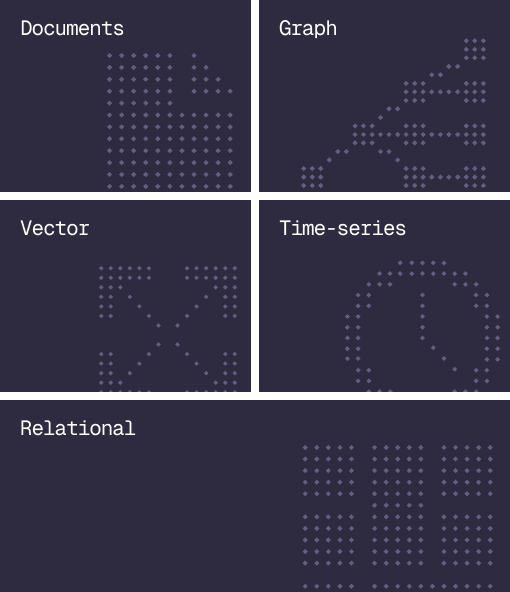
Document, graph, vector, time-series and relational in one engine.
Agent Memory
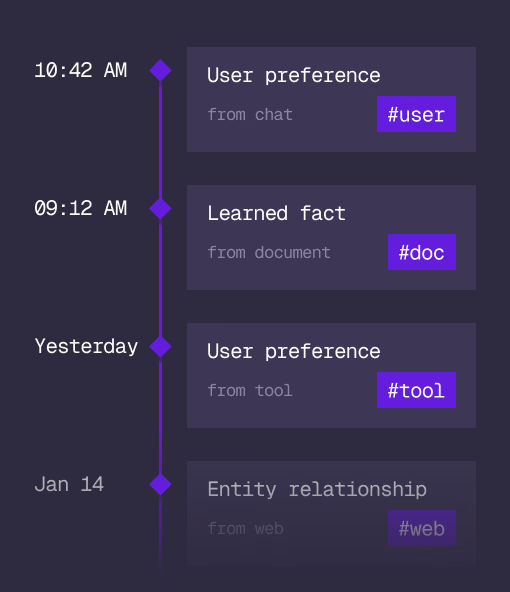
What an agent learns, with its source and its time, in the same engine.
Cloud
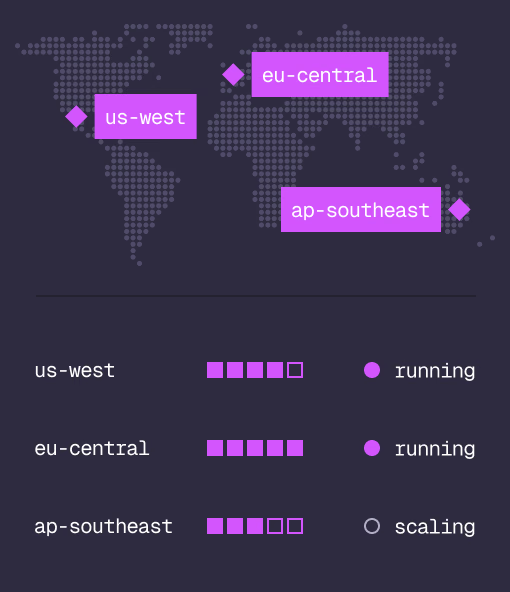
Managed clusters in the regions you choose, scaled on demand.
Studio
Query, explore and design the schema from the browser.
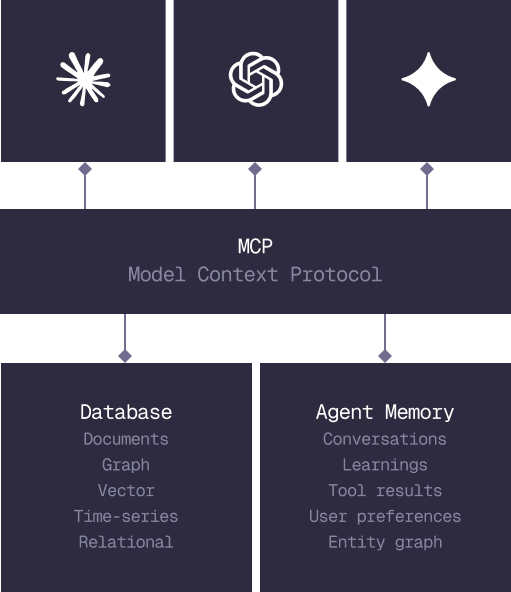
MCP
Every model that speaks MCP reaches the database and the memory directly.
IN PRODUCTION
Trusted at scale. Samsung, Nvidia, Verizon, Tencent, and Walmart run on SurrealDB.
14,000+
Developers building on SurrealDB Cloud
4M+
Developers building on SurrealDB worldwide
FROM THE TEAMS
SurrealDB gives us a foundation where we can unify semantic search, knowledge graphs, and AI-driven decision making without stitching together multiple systems. Collapsing responsibility into SurrealDB has become our default engineering posture.
VP of Engineering, Later