
2: Improving the existing data
Let's look at the other fields inside the naive_movie data and think about how they can be improved.
Actors, Writer, Director
These fields sometimes have one person, but usually you will see values such as "Arnold Schwarzenegger, Linda Hamilton, Edward Furlong".
{
  Actors: 'Arnold Schwarzenegger, Linda Hamilton, Michael Biehn',
  Director: 'James Cameron',
  Writer: 'James Cameron, Gale Anne Hurd, William Wisher',
}
Each of these names can be used to make a separate person record, and each person should be able to be an actor, writer, director, or all three. With this, we will be able to look up someone like James Cameron and see which movies he wrote, directed, and starred in.
To start though, we will call the string::split() function followed by ', ' when inserting this data, which will split the string each time it encounters a comma followed by a space to produce an array of strings.
'Arnold Schwarzenegger, Linda Hamilton, Michael Biehn'.split(', ');['Arnold Schwarzenegger', 'Linda Hamilton', 'Michael Biehn'] Released
The Released field currently looks like this.
{
  Released: '03 Jul 1991'
}
That string is readable for humans, but we can turn it into a datetime instead. Datetimes are made by adding a d prefix in front of a string in RFC 3339 format.
d'1991-07-03'; -- YYYY-MM-DD works
d'1991-07-03T00:00:00Z'; -- Also the full YYYY-MM-DDTHH:MM:SSZ format
Or you can cast with the type name inside angle brackets like this.
<datetime>'1991-07-03';
<datetime>'1991-07-03T00:00:00Z'
The difference between the two is that a prefix like d tells the parser to treat the input as that type, while a cast tells the database to try to convert the value on the right to that type.
So if you send in this bad input with a <datetime> cast, a string will be sent to the server which it will try to convert to a datetime. It will fail with an error.
<datetime>'1991-07777-03';

-- Output:
"Could not cast into `datetime` using input `'1991-07777-03'`"
But if you use the prefix, the parser won't let the query happen in the first place.
d'1991-07777-03';

-- Parser error:
"There was a problem with the database: Parse error: Invalid datetime digit section, section not within allowed range
 --> [1:8]
  |
1 | d'1991-07777-03';
  |        ^^^ This section must be within 1..=12
";
With a datetime you get the convenience of being able to add or subtract them (or durations) from each other.
Let's see how much time was left between the original date of Terminator 2 and Judgment Day, which was supposed to happen in 29 August 1997 and thankfully never did.
d'1997-08-29' - d'1991-07-03';6y8w3d Plot
The Plot field can remain as a string, but we can more effectively search through it using a full-text search index. Full-text search is another one of SurrealDB's built-in models that you often need to install plugins to make work in other databases.
{
  Plot: 'A cyborg, identical to the one who failed to kill Sarah Connor,
	must now protect her ten-year-old son John from a more advanced and powerful cyborg.'
}
Ratings
The Ratings field is an array of objects which is a bit tricky because IMDB, Rotten Tomatoes, and Metacritic all use a different format. We will have to do this somewhat manually. Defining a function for each will at least keep the code clean though.
{
  Ratings: [
    {
      Score: '8.6/10',
      Source: 'Internet Movie Database'
    },
    {
      Score: '93%',
      Source: 'Rotten Tomatoes'
    },
    {
      Score: '75/100',
      Source: 'Metacritic'
    }
  ]
}
BoxOffice
The BoxOffice field should be an integer. Removing the $ and , from these strings will be easy enough.
{
  BoxOffice: '$205,881,154'
}
We will end up taking the data from the naive_movie records to create new movie records that will have all the benefits of strong typing.
The actual records will be created in this sort of fashion, by using a FOR loop inside which each naive movie will get the parameter name $movie (parameters in SurrealQL start with a $ symbol). For each field we will transform the string data into something more useful.
FOR $movie IN SELECT * FROM naive_movie {
    CREATE movie CONTENT {
        runtime: // Modify $data.Runtime to fit our needs
        plot:  // Will have an analyzer and search index defined so just pass in a string
        rt_rating: // Do something with $movie.Ratings to pull out the Rotten Tomatoes score and so on with the others
        // ... and so on ...
    }
}
Those are some of the tasks before us to start tackling in the next page.
THE PLATFORM
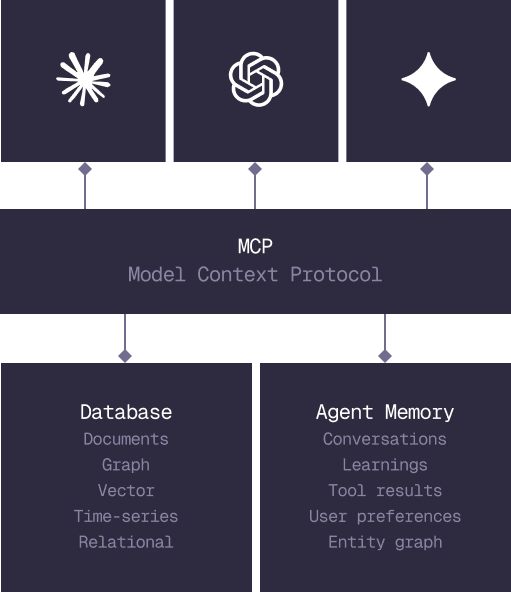
Everything an application and its agents know. Five surfaces, one engine.
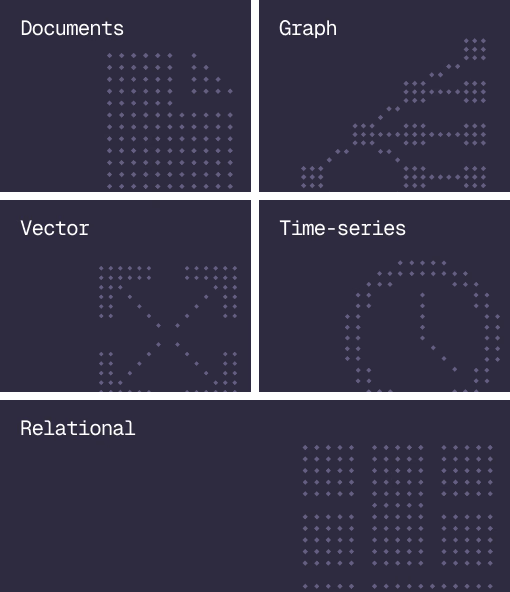
Database
Document, graph, vector, time-series and relational in one engine.
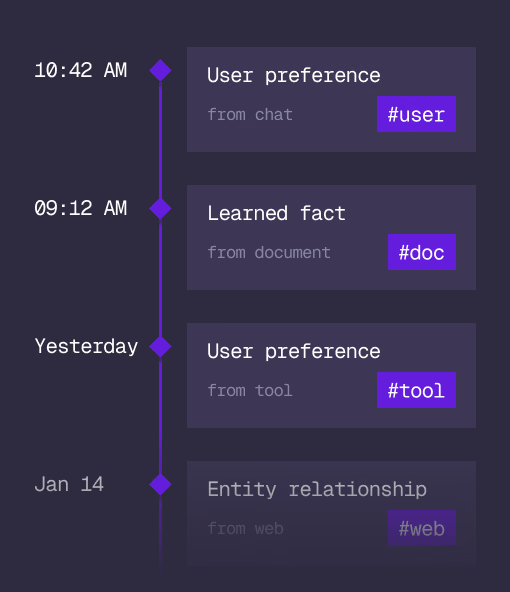
Agent Memory
What an agent learns, with its source and its time, in the same engine.
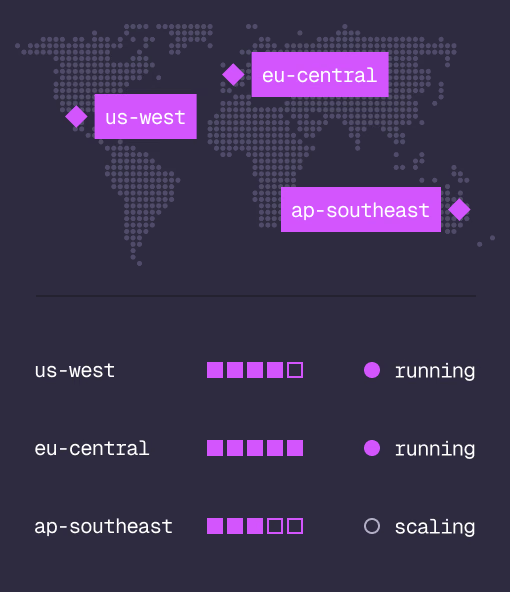
Cloud
Managed clusters in the regions you choose, scaled on demand.
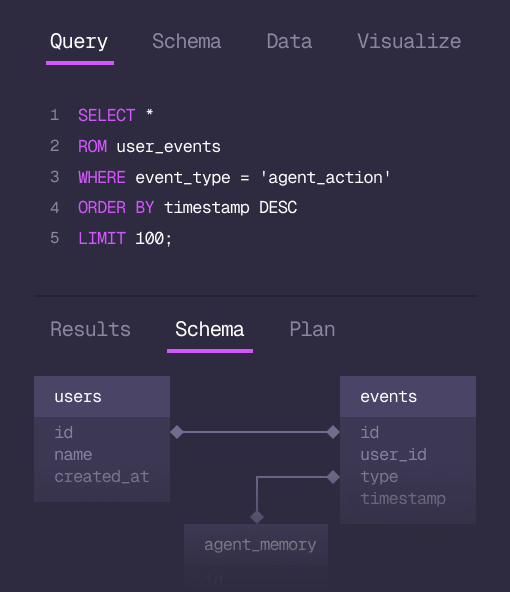
Studio
Query, explore and design the schema from the browser.
MCP
Every model that speaks MCP reaches the database and the memory directly.
IN PRODUCTION
Trusted at scale. Samsung, Nvidia, Verizon, Tencent, and Walmart run on SurrealDB.
14,000+
Developers building on SurrealDB Cloud
4M+
Developers building on SurrealDB worldwide
FROM THE TEAMS
SurrealDB gives us a foundation where we can unify semantic search, knowledge graphs, and AI-driven decision making without stitching together multiple systems. Collapsing responsibility into SurrealDB has become our default engineering posture.
VP of Engineering, Later