
5: Adding and querying relations
We now have a large number of movie records that are in a format that lets us use SurrealDB's strengths when querying them, along with a strict schema for the single movie table.
We haven't made the best use of the actors, writers and directors fields yet because they are still just arrays of strings.
SELECT actors, writers, directors FROM movie LIMIT 1[
{
actors: ['Jack Nicholson', 'Louise Fletcher', 'Michael Berryman'],
directors: ['Milos Forman'],
writers: ['Lawrence Hauben', 'Bo Goldman', 'Ken Kesey']
}
]It's now time to change these into their own person records. Now, a person can be a director, writer, or actor, or some combination of the three. When this is the case, we can add the string "actor", "director", or "writer" to a field called roles. Here we will add a VALUE $value.distinct() clause. This means that the value for this field whenever it is created or updated will be calculated by calling array::distinct() on itself, which will remove any duplicate values.
DEFINE TABLE person SCHEMAFULL TYPE NORMAL;
DEFINE FIELD name ON TABLE person TYPE string;
DEFINE FIELD roles ON person TYPE array<string> VALUE $value.distinct();
So if we were to update a person record's roles with a duplicate value, it would be like making this query:
-- Add an extra 'director' to the array...
['actor', 'director', 'director'].distinct();

-- Output: no extra 'director'!
['actor', 'director']
At the same time, for every movie we will want to create a graph edge between the person and the movie in question. Graph edges have a name too, and usually it is a verb. Let's define these ahead of time too. By using the TYPE RELATION and FROM and TO fields we can ensure that these tables can only be used as graph edges that link one record type (a person) to another one (a movie).
DEFINE TABLE starred_in TYPE RELATION FROM person  TO movie;
DEFINE TABLE wrote      TYPE RELATION FROM person  TO movie;
DEFINE TABLE directed   TYPE RELATION FROM person  TO movie;
By the way, all the schema definitions have now made it possible for SurrealDB Studio to represent the schema in a visual form. If you click on the Designer View button a few steps down from the current Query View, you should see this! The person and movie tables are connected via three graph tables, while naive_movie without any definitions is all on its own.
Here's how we can insert this data:
Inside a
SELECTstatement for each movie, use aforloop for each of the movie's actors, writers, and directors.There might already be a
personrecord that matches the name. If it doesn't exist, we can just create it and give it the role.If the
personrecord already exists, we will use anUPDATEstatement andSETitsrolesfield with a+= "actor", or+= "writer", or+= "director". Thanks to the.distinct()part of the field definition we don't need to worry about whether therolesfield already contains this value.
Here is part of the query with comments on each line to explain how the logic works.
// Go through each movie
FOR $movie IN SELECT * FROM movie {
  // Look for the actor names
  FOR $actor_name IN $movie.actors {
      // Try to get an existing record
      LET $actor = (SELECT * FROM ONLY person WHERE name = $actor_name LIMIT 1);
      // If it doesn't exist, create it and return that
      LET $actor = IF $actor IS NONE {
        CREATE person CONTENT { name: $actor_name, roles: ["actor"]}
      } ELSE {
      // If it does exist, update the role
          UPDATE $actor SET roles += "actor";
        $actor
      };
      // And relate it to the movie
      RELATE $actor->starred_in->$movie;
The final RELATE statement is how you create a graph edge to join one record to another. Inside our query we are using parameters, but since the parameters represent a record ID the actual query is this sort of form.
RELATE person:one->starred_in->movie:one;Here is the whole query to paste in to create all the people involved in each movie and their relation to it.
FOR $movie IN SELECT * FROM movie {
  FOR $actor_name IN $movie.actors {
      LET $actor = (SELECT * FROM ONLY person WHERE name = $actor_name LIMIT 1);
      LET $actor = IF $actor IS NONE {
        CREATE person CONTENT { name: $actor_name, roles: ["actor"]}
      } ELSE {
          UPDATE $actor SET roles += "actor";
        $actor
      };
      RELATE $actor->starred_in->$movie;
  };
      FOR $writer_name IN $movie.writers {
      LET $writer = (SELECT * FROM ONLY person WHERE name = $writer_name LIMIT 1);
      LET $writer = IF $writer IS NONE {
        CREATE person CONTENT { name: $writer_name, roles: ["writer"]}
      } ELSE {
          UPDATE $writer SET roles += "writer";
        $writer
      };
      RELATE $writer->wrote->$movie;
  };
      FOR $director_name IN $movie.directors {
      LET $director = (SELECT * FROM ONLY person WHERE name = $director_name LIMIT 1);
      LET $director = IF $director IS NONE {
        CREATE person CONTENT { name: $director_name, roles: ["director"]}
      } ELSE {
          UPDATE $director SET roles += "director";
        $director
      };
      RELATE $director->directed->$movie;
  };
};
Graph queries on the database
With these relations set up, we can have some fun with graph queries! For more information on how to use graph queries, see this page.
However, graph queries use the same arrow syntax that is used in the RELATE statements above, so they are easy enough to follow along when explained well enough.
To start, let's see if we can get the name and movies starred in for two people. This query technically works except that the movies only show up as random IDs which is not readable.
SELECT name,
    ->starred_in->movie AS starred_in
FROM person LIMIT 2;
[
{
name: 'Thora Birch',
starred_in: [movie:j9i3c6vd4kseiujqwpi4]
},
{
name: 'Alfred Abel',
starred_in: [movie:bpgp8r5zxxtckdtn2ba8]
}
]To change the output, just stick .title on the end
SELECT name,
    ->starred_in->movie.title AS starred_in
FROM person LIMIT 2;[
{
name: 'Thora Birch',
starred_in: ['American Beauty']
},
{
name: 'Alfred Abel',
starred_in: ['Metropolis']
}
]For a richer output we can change .title to .{ title, average_rating, languages } to show all these fields together.
SELECT name,
    ->starred_in->movie.{ title, average_rating, languages } AS starred_in
FROM person LIMIT 2;
[
{
name: 'Thora Birch',
starred_in: [
{
average_rating: 85f,
languages: [
'English'
],
title: 'American Beauty'
}
]
},
{
name: 'Alfred Abel',
starred_in: [
{
average_rating: 92.66666666666667f,
languages: [
'German',
'English'
],
title: 'Metropolis'
}
]
}
];You can turn the arrows of a graph query around to query the other way. Let's see the names of the people that starred in two movies.
SELECT title,
    <-starred_in<-person.name AS stars
FROM movie LIMIT 2;[
{
stars: [
'Mathieu Kassovitz',
'Rufus',
'Audrey Tautou'
],
title: 'Amélie'
},
{
stars: [
'Anne Hathaway',
'Christian Bale',
'Tom Hardy'
],
title: 'The Dark Knight Rises'
}
];For our final graph query, let's see the names and roles (all the roles in which they work for any movie) for all the people in two movies. Here we can change the first part of the graph query to ? which means to match on any graph table. Or you could write (starred_in, wrote, directed) to ensure that only three types of graph tables will be queried.
SELECT title,
    // All graph tables
    <-?<-person.{name, roles} AS participants
FROM movie LIMIT 2;

SELECT title,
    // Three types of graph tables
    <-(starred_in, wrote, directed)<-person.{name, roles} AS participants
FROM movie LIMIT 2;
Here is the result!
[
	{
		participants: [
			{
				name: 'Jean-Pierre Jeunet',
				roles: [
					'writer',
					'director'
				]
			},
			{
				name: 'Mathieu Kassovitz',
				roles: [
					'actor'
				]
			},
			{
				name: 'Rufus',
				roles: [
					'actor'
				]
			},
			{
				name: 'Audrey Tautou',
				roles: [
					'actor'
				]
			},
			{
				name: 'Jean-Pierre Jeunet',
				roles: [
					'writer',
					'director'
				]
			},
			{
				name: 'Guillaume Laurant',
				roles: [
					'writer'
				]
			}
		],
		title: 'Amélie'
	},
	{
		participants: [
			{
				name: 'Christopher Nolan',
				roles: [
					'writer',
					'director'
				]
			},
			{
				name: 'Anne Hathaway',
				roles: [
					'actor'
				]
			},
			{
				name: 'Christian Bale',
				roles: [
					'actor'
				]
			},
			{
				name: 'Tom Hardy',
				roles: [
					'actor'
				]
			},
			{
				name: 'Christopher Nolan',
				roles: [
					'writer',
					'director'
				]
			},
			{
				name: 'David S. Goyer',
				roles: [
					'writer'
				]
			},
			{
				name: 'Jonathan Nolan',
				roles: [
					'writer'
				]
			}
		],
		title: 'The Dark Knight Rises'
	}
];
To finish up this project, let's think about the types of users our database might have.
THE PLATFORM
Everything an application and its agents know. Five surfaces, one engine.
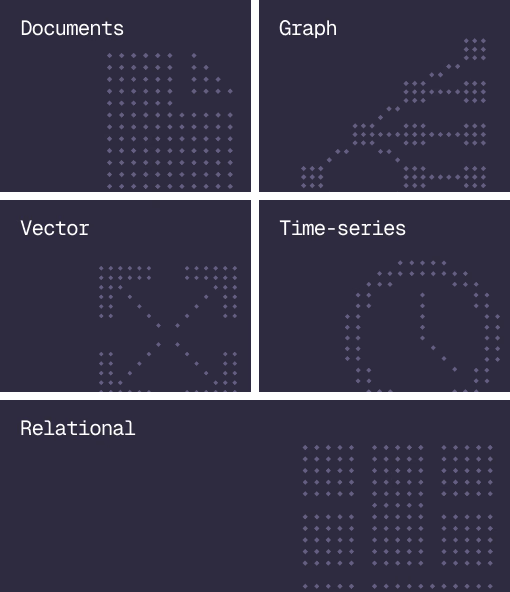
Database
Document, graph, vector, time-series and relational in one engine.
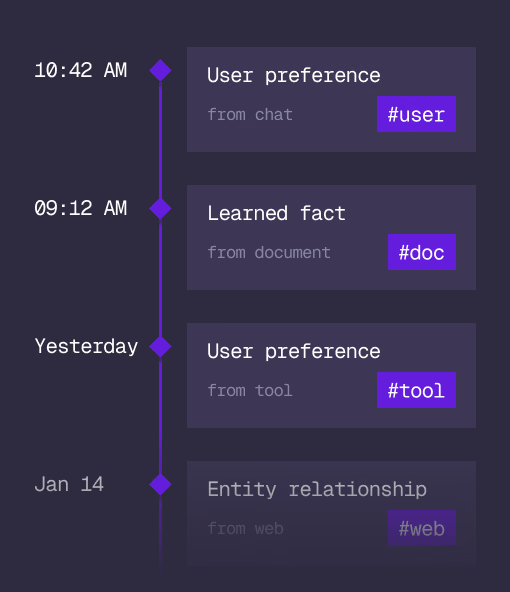
Agent Memory
What an agent learns, with its source and its time, in the same engine.
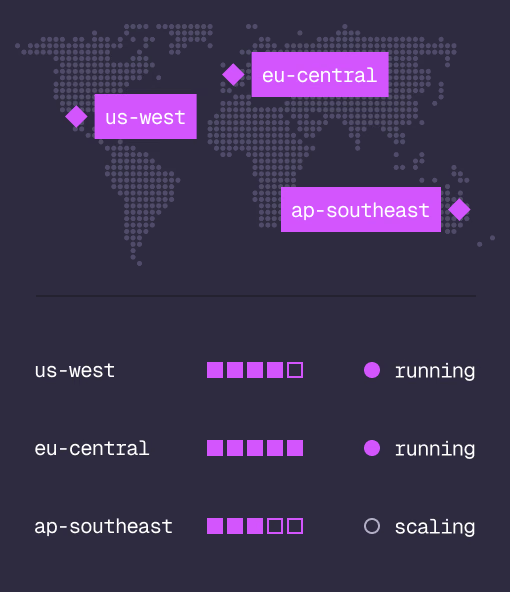
Cloud
Managed clusters in the regions you choose, scaled on demand.
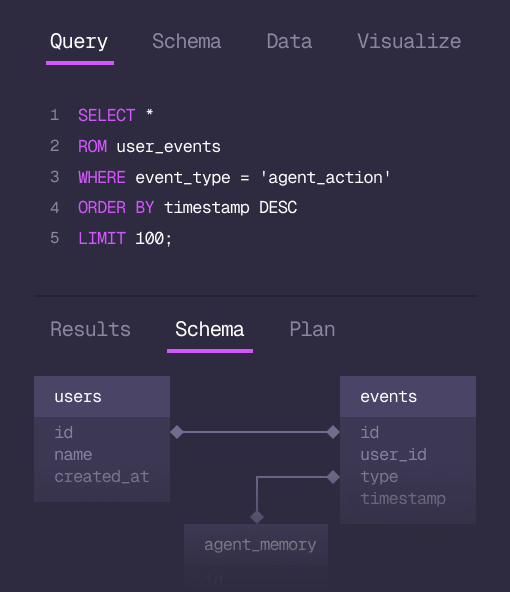
Studio
Query, explore and design the schema from the browser.
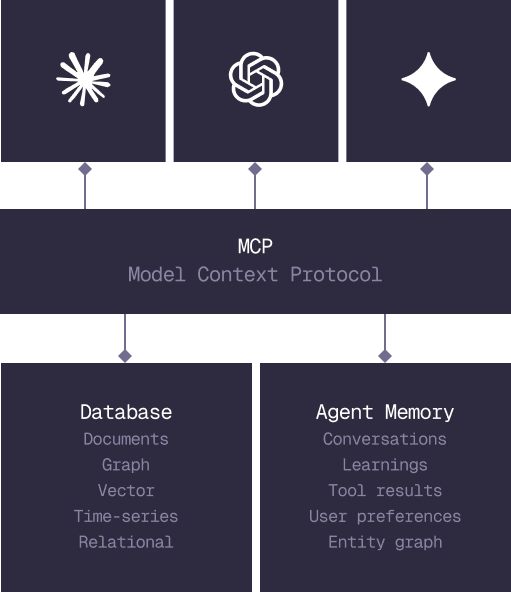
MCP
Every model that speaks MCP reaches the database and the memory directly.
IN PRODUCTION
Trusted at scale. Samsung, Nvidia, Verizon, Tencent, and Walmart run on SurrealDB.
14,000+
Developers building on SurrealDB Cloud
4M+
Developers building on SurrealDB worldwide
FROM THE TEAMS
SurrealDB gives us a foundation where we can unify semantic search, knowledge graphs, and AI-driven decision making without stitching together multiple systems. Collapsing responsibility into SurrealDB has become our default engineering posture.
VP of Engineering, Later