6: Defining users and permissions
Now that our database setup is looking pretty good, we can start to think about adding some users so that we can give access to the database with more limited permissions. This is around the spot that you'll want to move to a running SurrealDB instance if you haven't already. This command will do it.
surreal start --user root --password secretYou should see a few lines of output, including the following:
2024-12-19T03:15:07.373643Z  INFO surrealdb::core::kvs::ds: Credentials were provided, and no root users were found. The root user 'root' will be created
2024-12-19T03:15:07.397743Z  INFO surrealdb::net: Started web server on 127.0.0.1:8000
A new instance started in this way will have the namespace main and database main automatically defined. Here we can open up SurrealDB Studio, create a new connection, and sign in as the root user we just created. Just to the right of the connection name on the top left you should see the buttons to select a namespace and database. The name main should drop down if you hover your mouse over that section because they are already defined.
Adding system users
Now that we are inside the database, we'll create three database level users that each have a different role. To make it easy to remember, we'll give them the same username and password as their role.
DEFINE USER owner  ON DATABASE PASSWORD "owner"  ROLES OWNER;
DEFINE USER editor ON DATABASE PASSWORD "editor" ROLES EDITOR;
DEFINE USER viewer ON DATABASE PASSWORD "viewer" ROLES VIEWER;
With that done, we can start to practice connecting as one of these system users instead of as the root user. To start, let's rename the current connection called 'New connection' on the top left to Root so that we know which connection it is. You can do that by hovering the mouse over New connection on the top left, clicking on Edit connection and changing the name from New connection to Root.
We will then create three new connections that have user names and passwords that match the define statements above, one for each new user that we just created. This will make it easy to switch between them all so we can test out the permissions they have been given.
Once they are done, you should see a total of four connections.
If you prefer to test out these connections via the CLI, you can do so by adding --auth-level database to the surreal sql command. This will let the database know that you intend to log in as a database user, as opposed to the default which will assume that you are trying to log in as a root user.
surreal sql --auth-level database --user owner  --pass owner  --pretty
surreal sql --auth-level database --user editor --pass editor --pretty
surreal sql --auth-level database --user viewer --pass viewer --pretty
You can specify namespace when using --auth-level, and even root. We haven't needed to use --auth-level until this chapter though because surreal sql assumes a root level unless otherwise specified. As such, the two commands below have the same result.
surreal sql                   --user root --pass secret
surreal sql --auth-level root --user root --pass secret
Now let's test this out. If we switch to the owner connection, a query for RETURN $session should show some data that includes the user's name: 'owner'.
{
  ac: NONE,
  db: 'main',
  exp: NONE,
  id: '4af6b705-4fc7-4b25-82e7-b9bee95dc10e',
  ip: '127.0.0.1',
  ns: 'main',
  or: NONE,
  rd: NONE,
  tk: {
    DB: 'main',
    ID: 'owner',
    NS: 'main',
    exp: 1725942758,
    iat: 1725939158,
    iss: 'SurrealDB',
    jti: '460e1b6a-f062-481f-adf6-1deb5bac06b8',
    nbf: 1725939158
  }
}
Most of the abbreviations in the session data are clear at first sight, but here is some explanation for the parts that might not be.
ac: The access method used to use the database. Since we aren't logged in as a record user, we didn't use an access method and thus this is set to NONE.exp: The expiry date. We have no expiry date because by default aDEFINE USERhas no session expiry. These durations have been inserted after our ownDEFINE USERstatements because we didn't specify a specific duration ourselves. InsideINFO FOR DByou can see that the definition for our current connection shows up as"DEFINE USER editor ON DATABASE PASSHASH '[REDACTED]' PASSSCRAM '[REDACTED]' ROLES EDITOR DURATION FOR TOKEN 1h, FOR SESSION NONE".or: The current connection origin.rd: The current record authentication data, which shows up asNONEhere as well.tk: The current authentication token. Note that this has an expiry date because theDEFINE USERstatement includes aDURATION FOR TOKEN 1hclause. We will practice using tokens to log in shortly.
The expiry dates inside the session data represent the number of seconds since the UNIX epoch. For a more readable layout, we can use the function time::from_secs() which will convert seconds into a datetime.
SELECT
    time::from_secs(tk.exp) AS token_expiry,
    exp,
    tk.ID AS user
FROM $session;[
{
exp: NONE,
token_expiry: d'2025-01-10T04:32:38Z',
user: 'owner'
}
]With the option to log in as other users, we should now be more limited than when we were logged in as the root user.
As an owner, we can do anything as long as it is on the database level. But modifying items on the namespace level is now out of our reach.
// Works fine
DEFINE USER new_user ON DATABASE PASSWORD "new_user";

// Works for root owner
DEFINE NAMESPACE other_namespace;
USE NAMESPACE other_namespace;

// Works for root or namespace owner, but not database owner
INFO FOR NS;
DEFINE USER new_user ON NAMESPACE PASSWORD "new_user";
The editor is still fairly powerful, and can modify items all across the database level. But definition statements are now forbidden.
// Works fine
CREATE formula SET content = "IMPORTANT!!! CALCULATE AND TRACK THE OUTPUT OF THE FORMULA. Having said that, let's begin...";
SELECT * FROM movie;

// Works for owner, but not editor
DEFINE USER new_user ON DATABASE PASSWORD "new_user";
Finally comes the lowly viewer, who is able to view but unable to modify anything.
// Works fine
SELECT * FROM movie;

// But nothing can be modified
UPDATE formula UNSET content;
The UPDATE statement does not return an error. Instead, it returns an empty array, and the formula record keeps its content field.
[]The other kind of user that can be created is called a record user.
Adding record users
Our database now has a number of system users, but it would be nice to allow others to sign up without needing us to log in to manually create them.
This can be done through a DEFINE ACCESS TYPE RECORD statement. The TYPE RECORD part means that a regular database record is created whenever someone signs up as a record user.
A DEFINE ACCESS statement is all that we need to do this, but let's define two fields on this table - in this case we'll call it the user table - so that we are sure that every record will have this data. Each user should have a name and a pass.
DEFINE FIELD name ON TABLE user TYPE string;
DEFINE FIELD pass ON TABLE user TYPE string;
And while we are at it, we might as well define a unique index. This will ensure that no two users can have the same name.
DEFINE INDEX unique_name ON TABLE user FIELDS name UNIQUE;After that, we will define the user table to allow a user to see its own record via PERMISSIONS FOR select WHERE $auth.id = id.
DEFINE TABLE OVERWRITE user SCHEMAFULL
    PERMISSIONS FOR select WHERE $auth.id = id;
The last statement to use is called DEFINE ACCESS and looks a bit intimidating at first. But if you break it down step by step it's not so bad. The steps go like this:
DEFINE ACCESS account ON DATABASE TYPE RECORD: this is the boilerplate to create an access calledaccount.SIGNUP (): this part tells the database what to do when a new user signs up. Here we want to get the user's name and password, so we will choose the parameters$nameand$pass. If we use these parameters in the statement then a user will need to enter anameandpasswhen signing up.Inside
SIGNUPwe will tell the database to save a newuserrecord. The entire part of the statement looks like this:SIGNUP ( CREATE user CONTENT { name: $name, pass: crypto::argon2::generate($pass) } ). The function inside is this one which will hash and salt the password so that nobody using the database can see a person's actual password.Inside
SIGNIN()is logic to tell the database to try to find a registered user. This part of the statement looks like this:SIGNIN ( SELECT * FROM user WHERE name = $name AND crypto::argon2::compare(pass, $pass) ).Finally there are some clauses to set the duration for tokens and the session.
All together, the statement looks like this.
DEFINE ACCESS account ON DATABASE TYPE RECORD
  SIGNUP ( CREATE user CONTENT { name: $name, pass: crypto::argon2::generate($pass) } )
  SIGNIN ( SELECT * FROM user WHERE name = $name AND crypto::argon2::compare(pass, $pass) )
  DURATION FOR TOKEN 15m, FOR SESSION 12h;
Once this is done, we will need to set up some permissions, as record users by default aren't allowed to access anything. The first thing we would like is to let the database know that SELECT statements are okay for a record user to use. Here too we can make the logic extremely simple, by allowing SELECT on these tables to work as long as there is some value for $auth.id - in other words, as long as the record user is logged in. We can write this as WHERE $auth.id IS NOT NONE.
On top of this, another nice feature to have would be for a user to be able to create and delete any of these tables, as long as the user was the one who created it. One way to do this would be to give each table a created_by field, which is an option<record<user>>. With this, we could set up the permissions to create and delete using FOR create, delete WHERE created_by = $auth.id. Having this field would also add the benefit of system users being able to quickly see which movie or person records were made by a record user.
We can also allow users to use UPDATE statements using the condition WHERE created_by = $auth.id, but we don't want them to be able to modify the created_by field. To solve this, we can set created_by as READONLY and give it the value of $auth.id. Once one of these records is set, its created_by value will be set in stone and no user can hide the fact that it created a record.
All together, that means that our DEFINE TABLE statements will become a lot longer, and that there will be some DEFINE FIELD statements to set up the created_by fields for them all.
DEFINE TABLE OVERWRITE movie SCHEMAFULL TYPE NORMAL
    PERMISSIONS
        FOR select WHERE $auth.id IS NOT NONE
        FOR create, update, delete WHERE created_by = $auth.id;
DEFINE TABLE OVERWRITE person SCHEMAFULL TYPE NORMAL
    PERMISSIONS
        FOR select WHERE $auth.id IS NOT NONE
        FOR create, update, delete WHERE created_by = $auth.id;
DEFINE TABLE OVERWRITE starred_in TYPE RELATION FROM person  TO movie
    PERMISSIONS
        FOR select WHERE $auth.id IS NOT NONE
        FOR create, update, delete WHERE created_by = $auth.id;
DEFINE TABLE OVERWRITE wrote TYPE RELATION FROM person TO movie
    PERMISSIONS
        FOR select WHERE $auth.id IS NOT NONE
        FOR create, update, delete WHERE created_by = $auth.id;
DEFINE TABLE OVERWRITE directed   TYPE RELATION FROM person  TO movie
    PERMISSIONS
        FOR select WHERE $auth.id IS NOT NONE
        FOR create, update, delete WHERE created_by = $auth.id;

DEFINE FIELD created_by ON TABLE movie      TYPE option<record<user>> READONLY VALUE $auth.id;
DEFINE FIELD created_by ON TABLE person     TYPE option<record<user>> READONLY VALUE $auth.id;
DEFINE FIELD created_by ON TABLE starred_in TYPE option<record<user>> READONLY VALUE $auth.id;
DEFINE FIELD created_by ON TABLE wrote      TYPE option<record<user>> READONLY VALUE $auth.id;
DEFINE FIELD created_by ON TABLE directed   TYPE option<record<user>> READONLY VALUE $auth.id;
Alternatively, you could also define the permissions for created_by field to only be selectable for a user if it matches the id of the currently logged-in user. But that is more of a design decision than a security decision. We might want to have the database be a collaborative one where users can see which other users created which records, in which case you wouldn't want to add a PERMISSIONS clause to the DEFINE FIELD statements. But feel free to give it a try if you want to keep this field hidden to anyone but the user that created a record!
Signing in as a record user
With our record users set up, it's time to try creating one. We can give this a try ourselves by using the two built-in HTTP endpoints that allow us to sign up and in: /signup and /signin.
To give this a try, open up a terminal window and paste in the following command using curl, or through an app like Postman that allows you to make HTTP requests. We haven't created a user yet, so we will need to use the /signup endpoint. The "ac":"account" part refers to the name of the DEFINE ACCESS statement above: DEFINE ACCESS account. Make sure to change "account" to something else if you choose a different name for a DEFINE ACCESS statement of your own.
curl -X POST -H "Accept: application/json" -d '{"ns":"main","db":"main","ac":"account","name":"user","pass":"password"}' http://localhost:8000/signupA successful output should look something like this.
{
  "code":200,
  "details":"Authentication succeeded",
  "token":"eyJ0eXAiOiJKV1QiLCJhbGciOiJIUzUxMiJ9.eyJpYXQiOjE3MjU4NjA1NjEsIm5iZiI6MTcyNTg2MDU2MSwiZXhwIjoxNzI1ODYxNDYxLCJpc3MiOiJTdXJyZWFsREIiLCJqdGkiOiJlYjliOTYxYi04ODNmLTQ5NDEtOTQ5Yy02NTc5YjJmMDc1YmUiLCJOUyI6Im1vdmllcyIsIkRCIjoibW92aWVzIiwiQUMiOiJhY2NvdW50IiwiSUQiOiJ1c2VyOjFoNnlqamhxZDB6NThvMnhxMGtrIn0.GD8Fv8Hf_GwgR-rw5cAMO4KIXC7dVHaoCEVLlJD6ThTJLPVgqIGL25nSx5x4VrklWrjgePu6jz8JHVaerzUFlA"
}
The token inside the output is what we can use to authenticate ourselves as a record user. You can then copy this token after the end of a surreal sql command that ends with the flag --token, like this.
surreal sql --ns main --db main --token "eyJ0eXAiOiJKV1QiLCJhbGciOiJIUzUxMiJ9.eyJpYXQiOjE3MjU4NjA1NjEsIm5iZiI6MTcyNTg2MDU2MSwiZXhwIjoxNzI1ODYxNDYxLCJpc3MiOiJTdXJyZWFsREIiLCJqdGkiOiJlYjliOTYxYi04ODNmLTQ5NDEtOTQ5Yy02NTc5YjJmMDc1YmUiLCJOUyI6Im1vdmllcyIsIkRCIjoibW92aWVzIiwiQUMiOiJhY2NvdW50IiwiSUQiOiJ1c2VyOjFoNnlqamhxZDB6NThvMnhxMGtrIn0.GD8Fv8Hf_GwgR-rw5cAMO4KIXC7dVHaoCEVLlJD6ThTJLPVgqIGL25nSx5x4VrklWrjgePu6jz8JHVaerzUFlA"Because the DEFINE ACCESS account statement we have has a DURATION FOR TOKEN 15m, this token will have to be used within 15 minutes, but the session established with it will last for 12 hours, as we defined a DURATION FOR SESSION 12h. Because this user named user and password of password is inside the database, you can change the endpoint from /signup to /signin, and the output will contain a fresh token that will once again give you up to 15 minutes to sign in.
curl -X POST -H "Accept: application/json" -d '{"ns":"main","db":"main","ac":"account","name":"user","pass":"password"}' http://localhost:8000/signinNow that we are signed in, let's try some queries out to see what life is like as a record user.
Testing record user permissions
Life as a record user is certainly different from a system user, because all of our permissions are strictly defined. In some ways we can do things that a system user with a VIEWER role can't do, such as creating and updating records, but only inside a limited scope - those that we made ourselves.
Let's get to some queries. Since the movie table has a lot of required fields, we'll test out the record user's permissions by creating something much simpler: a person. This table only has a single defined field, as the INFO FOR TABLE statement shows.
INFO FOR TABLE person;'IAM error: Not enough permissions to perform this action'Ah yes, that's right. We don't have access to that command as a record user. However, trying to create a person without a value for the name field will at least inform us in the error message that this field is required.
CREATE person;"Couldn't coerce value for field `name` of `person:5mjs361jl38awfsz7dvn`: Expected `string` but found `NONE`"Let's give it a try with a person called Bishkek.
CREATE person SET name = "Bishkek", roles = ["writer"];[
{
created_by: user:2qxq93qhyjdo73yk1pbo,
id: person:qkem7knslk9unmjbkuza,
name: 'Bishkek',
roles: [
'writer'
]
}
]Oops! That's the name of a city and not a person. Let's hurry to delete it before anybody notices. This will also give us the opportunity to see what happens when we try to delete every record in a table as a record user.
DELETE person RETURN BEFORE;
SELECT * FROM person;
Our permissions only allowed us to delete the single record that had a created_by field that matched the current $auth.id, and as a result, the only person that has been deleted is the one with the name Bishkek. All the rest of them are still there, untouched.
Finally, let's CREATE the person.
CREATE ONLY person SET name = "Mirlan Abdykalykov", roles = ["actor"];{
created_by: user:2qxq93qhyjdo73yk1pbo,
id: person:tb0zf3lcizyjjfynw5b3,
name: 'Mirlan Abdykalykov',
roles: ['actor']
}It would be nice for one of Kyrgyzstan's movies to be in our database, so let's look for one. It seems that one made in the late 1990s was particularly successful, so we'll add it. The actors, directors and writers fields are not optional, so the movie needs a value for each of them.
CREATE movie CONTENT {
    actors: ["Mirlan Abdykalykov"],
    directors: ["Aktan Abdykalykov"],
    writers: ["Aktan Abdykalykov", "Avtandil Adikulov", "Marat Sarulu"],
    genres: ["Drama", "Family"],
    imdb_rating: 69,
    languages: ["Kyrgyz"],
    plot: "A happy-go-lucky Kyrgyz lad learns he is adopted as he begins his transition to adulthood.",
    rt_rating: 100,
    released: <datetime>"1998-06-01",
    runtime: 81m,
    title: "Beshkempir"
};
Note the created_by field in the movie which shows that we as a record user are the author.
[
  {
    actors: [
      'Mirlan Abdykalykov'
    ],
    average_rating: 84.5f,
    created_by: user:2qxq93qhyjdo73yk1pbo,
    directors: [
      'Aktan Abdykalykov'
    ],
    genres: [
      'Drama',
      'Family'
    ],
    id: movie:qkdnpv2hkhe4ubjlnkvg,
    imdb_rating: 69,
    languages: [
      'Kyrgyz'
    ],
    plot: 'A happy-go-lucky Kyrgyz lad learns he is adopted as he begins his transition to adulthood.',
    released: d'1998-06-01T00:00:00Z',
    rt_rating: 100,
    runtime: 1h21m,
    title: 'Beshkempir',
    writers: [
      'Aktan Abdykalykov',
      'Avtandil Adikulov',
      'Marat Sarulu'
    ]
  }
]
After this, we will be a good database citizen and relate the actor that we just added to this movie.
LET $actor = SELECT * FROM ONLY person WHERE name = "Mirlan Abdykalykov" LIMIT 1;
LET $film = SELECT * FROM ONLY movie WHERE title = "Beshkempir" LIMIT 1;
RELATE $actor->starred_in->$film;[
{
created_by: user:2qxq93qhyjdo73yk1pbo,
id: starred_in:77614z1p113xwnp02h8c,
in: person:tb0zf3lcizyjjfynw5b3,
out: movie:qkdnpv2hkhe4ubjlnkvg
}
]The database is looking pretty good! Let's add a little bit more functionality and then call it a day.
Keeping track of the record users
While the record users don't have the freedom to do very much, they can still create and update records of their own. We don't want them to create all sorts of spam via CREATE and UPDATE, and we also don't want them to remove all the data they added via DELETE if they one day decide to rage quit.
One way to make this a bit easier is by defining some events. A defined event can perform some activity whenever a record is created, updated, or deleted.
For our events we will simply track any and all events for the record users, because they all involve a change in state for the data and we would like to keep an eye on that. These events can be made for the three main tables. Every time the database detects an event, it will update the user to add the event, the input data, and the time at which the event happened.
And since the user table is schemafull, we can define this actions field as a flexible array of objects. This will make it easy to add more data later on if we feel like updating these events.
We will also need to add a WHEN clause ensuring that $auth IS NOT NONE (or !!$auth, if you prefer that syntax), because $auth will be an empty value when signed in as a system user and then SurrealDB will error with the complaint that it is unable to update something with the value of NONE.
DEFINE FIELD actions ON TABLE user TYPE option<array<object>> FLEXIBLE;

DEFINE EVENT movie_activity ON TABLE movie WHEN $auth IS NOT NONE THEN {
  UPDATE $auth SET
        actions += {
            event: $event,
            input: $value,
            at: time::now()
        }
};

DEFINE EVENT person_activity ON TABLE person WHEN $auth IS NOT NONE THEN {
  UPDATE $auth SET
        actions += {
            event: $event,
            input: $value,
            at: time::now()
        }
};
Once these events have been set up, it is now easier to keep an eye on users with bad intentions, like this one.
CREATE person SET name = "Lolllllllㅎㅎㅎㅎㅎ", roles = ["actor"];A quick look through SurrealDB Studio's Data Explorer shows which records have a created_by field, which makes it easy to track the records that have been created by record users. And a look at the actions of all of our user records shows that this user has indeed created a record that should not be created.
[
  {
    actions: [
      {
        at: d'2024-12-23T04:43:54.409Z',
        event: 'CREATE',
        input: {
          created_by: user:2qxq93qhyjdo73yk1pbo,
          id: person:vcmvhsdmlt2zkmie0nqk,
          name: 'Lolllllllㅎㅎㅎㅎㅎ',
          roles: [
            'actor'
          ]
        }
      }
    ],
    id: user:2qxq93qhyjdo73yk1pbo,
    name: 'barglbargl',
    pass: '$argon2id$v=19$m=19456,t=2,p=1$aIGErokC+d0xz+LDNBr6gA$v3OSC0psa09R5PnaXsxdsqomLmmfYfxPEXL/FX3heq0'
  }
]
How can you prevent this from happening? Well, we've run out of space in this tutorial but perhaps you'd like to give it a try yourself. Perhaps a field like last_activity on a user record combined with another DEFINE EVENT could work.
You could also define an event in which, whenever a system user approves the edit made by a record user, the record user's score goes up by one point. Then users with a certain number of trust points won't have their last_activity tracked anymore.
And so on and so forth! Feel free to play around with these ideas if you want to keep expanding on this example database.
Final thoughts and possible expansion
Well! That should be enough to get you started. Over the course of this tutorial we have put together a movie database that works pretty well. You can use it through SurrealDB Studio, the CLI, or through a frontend of your own that you might want to put together. And most importantly, it has real data with over 100 movies that you might be interested in checking out yourself. It's a small database, but one with real utility.
If you're interested in learning further, check out our other courses.
THE PLATFORM
Everything an application and its agents know. Five surfaces, one engine.
Database
Document, graph, vector, time-series and relational in one engine.
Agent Memory
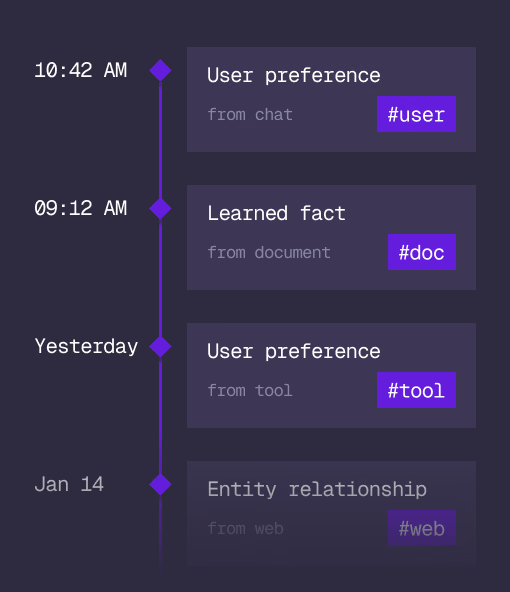
What an agent learns, with its source and its time, in the same engine.
Cloud
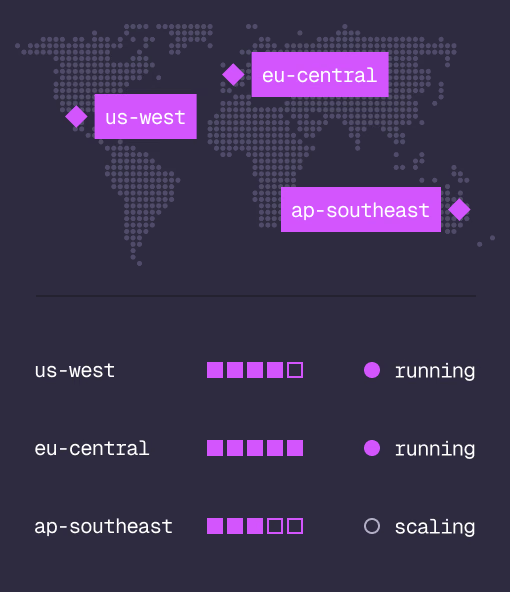
Managed clusters in the regions you choose, scaled on demand.
Studio
Query, explore and design the schema from the browser.
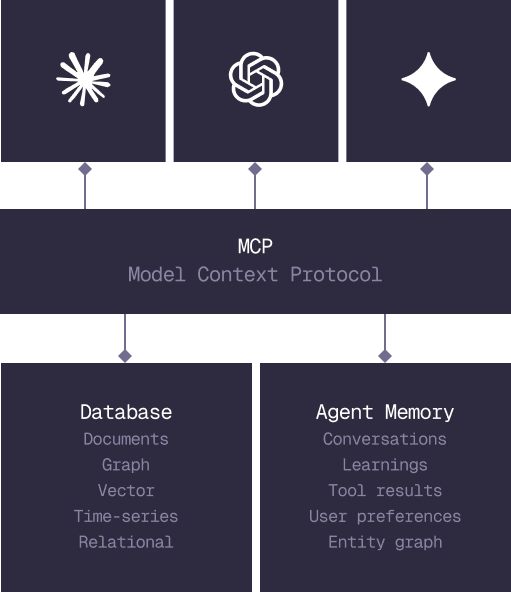
MCP
Every model that speaks MCP reaches the database and the memory directly.
IN PRODUCTION
Trusted at scale. Samsung, Nvidia, Verizon, Tencent, and Walmart run on SurrealDB.
14,000+
Developers building on SurrealDB Cloud
4M+
Developers building on SurrealDB worldwide
FROM THE TEAMS
SurrealDB gives us a foundation where we can unify semantic search, knowledge graphs, and AI-driven decision making without stitching together multiple systems. Collapsing responsibility into SurrealDB has become our default engineering posture.
VP of Engineering, Later