
Hybrid search and reranking
SurrealQL functions used here for the first time
array::find_index- the position of a value in an array, orNONEwhen it is absentsearch::rrf- Reciprocal Rank Fusion across several result lists, built in
Why hybrid search
Lesson 04 retrieved with vector search alone, and for paraphrased questions that's the right tool: embeddings match on meaning, so "I can't get into my account" finds an article titled "Reset a forgotten password" even though they share no words.
But pure semantic search has the blind spot lesson 03 ended on. Ask a support agent about error 429, an order number, a SKU, or a product name like "Acme Pro 2", and the embedding of that token carries almost no semantic signal. It gets averaged into a vague direction and the right document drifts down the ranking. That's exactly what BM25 is good at: matching the literal token and ranking by term frequency.
The two methods fail in opposite directions:
| Good at | Weak at | |
|---|---|---|
| BM25 (lexical) | Exact terms, codes, names, rare words. 429 matches the one article containing it and nothing else, whatever the rest of the sentence says. | Synonyms, paraphrase, intent. Asked "how do I get a refund for my order" it puts Track your order first and Request a refund fourth, because the word order appears twice in the wrong article. |
| Vector (semantic) | Meaning, paraphrase, fuzzy recall. "money back" lands next to "Request a refund" without the two sharing a single token. | Exact tokens carrying little meaning. 429, 503 and 500 all embed to roughly the same uninformative place, so a question about one can surface the article about another. |
The vector weakness is what tends to surprise people. A model has read enough HTTP to know that 429 is a status code, but three digits carry almost nothing to place them apart in meaning space, and the surrounding words in "getting a 429 from your API" look much like the surrounding words in "getting a 503 from your API". Order numbers, SKUs and internal ticket IDs behave the same way, and they are a large share of what support agents are actually asked about. Query 3 shows this on the seeded articles.
Hybrid search runs both and merges the results, so a real user question (which usually mixes intent and specific terms) gets both. The tricky part is the merge: BM25 scores and cosine distances live on completely different scales, so you can't just add them. The usual fix is Reciprocal Rank Fusion (RRF), which throws away the raw scores and fuses on rank alone.
One note on architecture: fusing results across two separate stores in application code (a vector database plus a search service) is where the ranking gets a bit mushy, because neither store agreed on a shared ranking. Here the lexical index, the vector index, and the fusion all live in one engine and one query.
Step 1 - start a server
This lesson combines the two retrievers from earlier: the HNSW vector index of lesson 02 and the BM25 full-text index of lesson 03. The new part is the merge. As in lesson 04 the embeddings are tiny and hand-written, with real models and a learned reranker covered at the end.
An in-memory instance in its own terminal is authenticated and throwaway:
surreal start --user root --pass secretAs in lesson 02, the database resets when you stop the process.
Step 2 - define the schema
A support article holds the text we search (content), a category for filtering, and the embedding we search semantically. The point of this schema is that both indexes sit on the same table: same records, same transaction.
First comes the analyzer, as defined in lesson 03:
DEFINE ANALYZER OVERWRITE kb_analyzer
    TOKENIZERS blank, class
    FILTERS lowercase, ascii, snowball(english);
Then come the table and its two indexes:
DEFINE TABLE OVERWRITE article SCHEMAFULL;

DEFINE FIELD OVERWRITE title     ON article TYPE string;
DEFINE FIELD OVERWRITE content   ON article TYPE string;
DEFINE FIELD OVERWRITE category  ON article TYPE "account" | "billing" | "shipping" | "technical";
DEFINE FIELD OVERWRITE embedding ON article TYPE array<float, 4>;

-- Lexical index: BM25(k1, b). Drives the @@ operator and search::score().
DEFINE INDEX OVERWRITE article_fts ON article
    FIELDS content
    FULLTEXT ANALYZER kb_analyzer BM25(1.2, 0.75);

-- Semantic index: approximate nearest-neighbour over the embedding.
DEFINE INDEX OVERWRITE article_vec ON article
    FIELDS embedding
    HNSW DIMENSION 4 DIST COSINE;
Neither index is new. Lesson 03 covers the analyzer and BM25(1.2, 0.75), and lesson 02 covers the HNSW parameters. One DEFINE TABLE holds both, so a write updates both views together. (The usual full-text constraint still applies: the index covers exactly one field, content.)
The schema file also defines the fn::hybrid_search function, a hand-rolled version of something SurrealDB has built in, which we'll come back to in Step 4. Save the analyzer, table, indexes and that function as schema.surql, starting the file with OPTION IMPORT like every schema file in this track, then load it:
surreal import --endpoint http://localhost:8000 \
  --user root --pass secret --ns ai --db support schema.surql
Step 3 - seed the knowledge base
Ten articles for a fictional online store, spread across four categories. As in lesson 04, each embedding is 4-dimensional and hand-picked, with the axes standing in for topics ([ account, billing, shipping, technical ]) so that similar articles sit close together. A real model gives hundreds of dimensions that nobody would read by eye, but the geometry is identical.
CREATE article:refund_request SET
    title = "Request a refund", category = "billing",
    content = "Not satisfied with a purchase? You can request a refund within 30 days. We process the return to your original payment method.",
    embedding = [0.0, 0.95, 0.15, 0.0];

CREATE article:track_order SET
    title = "Track your order", category = "shipping",
    content = "Once an order ships we email a tracking number. Open My Orders to see live delivery status and the carrier estimate.",
    embedding = [0.0, 0.05, 0.95, 0.05];

CREATE article:api_rate_limits SET
    title = "API rate limits and 429 errors", category = "technical",
    content = "The API allows 100 requests per minute. Exceeding the limit returns HTTP 429 Too Many Requests. Back off and retry with the Retry-After header.",
    embedding = [0.0, 0.0, 0.0, 0.98];
-- ...and seven more, in full below
Load it the same way:
The complete seed.surql - all ten help-centre articles
seed.surql - all ten help-centre articlesOPTION IMPORT;
CREATE article:password_reset SET
title = "Reset a forgotten password",
category = "account",
content = "If you forgot your password, open the sign-in page and choose Reset password. We email you a secure link to set a new password.",
embedding = [0.97, 0.0, 0.0, 0.05];
CREATE article:enable_2fa SET
title = "Set up two-factor authentication",
category = "account",
content = "Two-factor authentication adds a one-time code to your login. Enable 2FA from Security settings to protect your account.",
embedding = [0.93, 0.0, 0.0, 0.15];
CREATE article:account_locked SET
title = "Why is my account locked?",
category = "account",
content = "After too many failed sign-in attempts your account is locked for 30 minutes. Wait or reset your password to regain access.",
embedding = [0.9, 0.0, 0.0, 0.1];
CREATE article:refund_request SET
title = "Request a refund",
category = "billing",
content = "Not satisfied with a purchase? You can request a refund within 30 days. We process the return to your original payment method.",
embedding = [0.0, 0.95, 0.15, 0.0];
CREATE article:update_payment SET
title = "Update your payment method",
category = "billing",
content = "Add or replace the credit card on file from Billing settings. A failed charge can also be retried after updating your card.",
embedding = [0.0, 0.92, 0.0, 0.12];
CREATE article:cancel_subscription SET
title = "Cancel or pause a subscription",
category = "billing",
content = "You can cancel or pause your subscription at any time from Billing. Cancelling stops future invoices but keeps access until the period ends.",
embedding = [0.1, 0.9, 0.0, 0.05];
CREATE article:track_order SET
title = "Track your order",
category = "shipping",
content = "Once an order ships we email a tracking number. Open My Orders to see live delivery status and the carrier estimate.",
embedding = [0.0, 0.05, 0.95, 0.05];
CREATE article:return_item SET
title = "Return an item",
category = "shipping",
content = "To send something back, start a return from My Orders, print the prepaid label, and drop the parcel at any depot.",
embedding = [0.0, 0.2, 0.85, 0.0];
CREATE article:api_rate_limits SET
title = "API rate limits and 429 errors",
category = "technical",
content = "The API allows 100 requests per minute. Exceeding the limit returns HTTP 429 Too Many Requests. Back off and retry with the Retry-After header.",
embedding = [0.0, 0.0, 0.0, 0.98];
CREATE article:webhook_setup SET
title = "Configure webhooks",
category = "technical",
content = "Register a webhook URL to receive events. We sign every payload so you can verify it came from us before processing.",
embedding = [0.0, 0.0, 0.05, 0.95];surreal import --endpoint http://localhost:8000 \
--user root --pass secret --ns ai --db support seed.surqlStep 4 - retrieve
The SQL shell takes the query file on stdin:
surreal sql --endpoint ws://localhost:8000 \
  --user root --pass secret --ns ai --db support --pretty < queries.surql
Our test question is a real customer phrasing ("how do I get a refund for my order") as text and as its embedding (leaning billing, with a little shipping):
LET $q    = "how do I get a refund for my order";
LET $qvec = [0.0, 0.85, 0.4, 0.0];
As in lesson 02,
queries.surqlkeeps each statement on a single line; the versions below are formatted for readability.
Query 1 - lexical search (BM25)
The @1,OR@ match from lesson 03, numbered so search::score(1) can read the relevance back, and OR so any term can match, the way a search box behaves. Run against a real customer phrasing, it fails:
SELECT title, category, search::score(1) AS score
FROM article
WHERE content @1,OR@ $q
ORDER BY score DESC
LIMIT 5;[
{ title: 'Track your order', category: 'shipping', score: 2.89 },
{ title: 'Return an item', category: 'shipping', score: 2.46 },
{ title: 'Why is my account locked?', category: 'account', score: 1.85 },
{ title: 'Request a refund', category: 'billing', score: 1.85 },
{ title: 'Reset a forgotten password', category: 'account', score: 0.00 }
]The top result is the one to look at. The customer wants their money back, and lexical search sends them to "Track your order", because the word "order" appears more than once in that article and dominates the score. "Request a refund" is buried at fourth. BM25 matched the words, not the intent.
The last result is worth a second look too: "Reset a forgotten password" matched, but scores exactly 0.00. The only query term it contains is "a", which appears in 7 of these 10 articles, and a term that common can't distinguish between documents, so BM25's inverse-document-frequency factor zeroes it out. Lesson 03 demonstrates the same collapse deliberately.
Query 2 - semantic search (vector)
This is the same KNN search as lesson 02, run over the second index on the same table:
SELECT title, category, vector::distance::knn() AS dist
FROM article
WHERE embedding <|5, 40|> $qvec
ORDER BY dist ASC;[
{ title: 'Request a refund', category: 'billing', dist: 0.0398 },
{ title: 'Cancel or pause a subscription', category: 'billing', dist: 0.1021 },
{ title: 'Update your payment method', category: 'billing', dist: 0.1028 },
{ title: 'Return an item', category: 'shipping', dist: 0.3783 },
{ title: 'Track your order', category: 'shipping', dist: 0.5279 }
]The embedding understands that "money back" means a refund, so "Request a refund" is now correctly first. Semantic search found what lexical search missed.
So why not always use vector search? Because it has a blind spot of its own, and it fails in the opposite way.
Query 3 - the case for keeping BM25
On that evidence it would be tempting to conclude that vector search alone is enough. Here is what happens to a question built around a bare error code, where the embedding has almost nothing to grab onto. The query vector [0.25, 0.25, 0.25, 0.25] stands in for that: equal weight on every axis, which is what a token like 429 looks like once a model has nowhere useful to put it.
-- A bare code has weak semantics, so the query vector is ambiguous...
SELECT title, category, vector::distance::knn() AS dist
FROM article
WHERE embedding <|4, 40|> [0.25, 0.25, 0.25, 0.25]
ORDER BY dist ASC;[
{ title: 'Return an item', category: 'shipping', dist: 0.3988 },
{ title: 'Cancel or pause a subscription', category: 'billing', dist: 0.4211 },
{ title: 'Set up two-factor authentication', category: 'account', dist: 0.4268 },
{ title: 'Request a refund', category: 'billing', dist: 0.4281 }
]The right article ("API rate limits and 429 errors") isn't even in the top four. But BM25 matches the literal token instantly:
SELECT title, category, search::score(1) AS score
FROM article
WHERE content @1,OR@ '429'
ORDER BY score DESC;[
{ title: 'API rate limits and 429 errors', category: 'technical', score: 1.74 }
]One document matches exactly and nothing else competes. That's the half vector search can't solve. Queries 1 to 3 have each retriever failing on a question the other answers easily, so the remaining question is how to combine two rankings that disagree.
Query 4 - fuse them with Reciprocal Rank Fusion
We now have two ranked lists that disagree. Take "Request a refund": Query 1 gave it a BM25 score of 1.85, Query 2 a cosine distance of 0.0398, and there is no sensible way to add those together. They run on different scales and in opposite directions, since a high BM25 score is good while a low distance is good. RRF ignores the scores and uses only each document's position:
rrf(doc) = Σ 1 / (c + rank_in_list) for every list the doc appears inrank is the document's 0-based position in a list, and c is a constant (60 is the conventional default) that dampens how much the very top ranks dominate. A document ranked highly by both retrievers accumulates two contributions and rises to the top; a document only one retriever found still scores, just less.
That whole idea is a single SurrealQL function, defined in schema.surql. Read it as an explanation rather than as something you will have to maintain: SurrealDB ships RRF as search::rrf, and Query 6 replaces this entire body with one call to it.
-- Reciprocal Rank Fusion by hand: two ranked id lists, scored on position and summed.
DEFINE FUNCTION OVERWRITE fn::hybrid_search(
    $q: string, $qvec: array<float>, $k: int
) -> array<object> {
    LET $c = 60;

    -- two ranked id lists, best first
    LET $bm25 = (SELECT id, search::score(1) AS s FROM article
                    WHERE content @1,OR@ $q ORDER BY s DESC LIMIT 20).id;
    LET $vec  = (SELECT id, vector::distance::knn() AS d FROM article
                    WHERE embedding <|20, 40|> $qvec ORDER BY d ASC).id;

    -- fuse on rank: 1/(c + position) summed across both lists
    RETURN SELECT title, content, category,
        (IF array::find_index($bm25, id) != NONE {
            1.0 / ($c + array::find_index($bm25, id))
        } ELSE { 0 })
        + (IF array::find_index($vec, id) != NONE {
            1.0 / ($c + array::find_index($vec, id))
        } ELSE { 0 }) AS rrf
        FROM $bm25.concat($vec).distinct()
        ORDER BY rrf DESC
        LIMIT $k;
};
array::find_index returns a document's position in each list (or NONE if it's absent), which is all RRF needs. Calling it is a one-liner:
SELECT title, category, rrf FROM fn::hybrid_search($q, $qvec, 5);[
{ title: 'Request a refund', category: 'billing', rrf: 0.03254 },
{ title: 'Track your order', category: 'shipping', rrf: 0.03229 },
{ title: 'Return an item', category: 'shipping', rrf: 0.03227 },
{ title: 'Update your payment method', category: 'billing', rrf: 0.03128 },
{ title: 'Why is my account locked?', category: 'account', rrf: 0.03083 }
]"Request a refund" is back on top (promoted by the vector ranking) while the order-related articles, which a customer asking about an order might still want, stay close behind. The fused list is better than either list on its own: the right answer first, and useful extras just behind.
Query 5 - hand the context to the model
The last step turns the top hits into a single context block, the kind of thing you'd drop into a prompt after a line like "Answer using only these help-centre articles:"
fn::hybrid_search($q, $qvec, 3)
    .map(|$r| "## " + $r.title + "\n" + $r.content)
    .join("\n\n");
## Request a refund
Not satisfied with a purchase? You can request a refund within 30 days. We process the return to your original payment method.
## Track your order
Once an order ships we email a tracking number. Open My Orders to see live delivery status and the carrier estimate.
## Return an item
To send something back, start a return from My Orders, print the prepaid label, and drop the parcel at any depot.That string is the retrieval-augmented half of RAG. One database call, and the agent has ranked context it can drop into a prompt.
Query 6 - the same fusion, built in
We wrote the RRF by hand so you can see the mechanics: the dampening constant, the per-list 1/(c + rank), the sum across lists. Now that you can see exactly what it does, you don't have to keep that function around. SurrealDB ships the formula as search::rrf, and the whole fusion block becomes a single call.
search::rrf takes a list of pre-sorted, best-first result lists, a result limit, and the constant c (optional, default 60). The one difference from our hand-rolled version is the input shape: instead of two .id arrays, you hand it the full result objects (each carrying its id) because the function dedups and merges records across lists by id and returns the surviving fields. The same retriever becomes:
-- The same fusion through the built-in search::rrf, which replaces the whole body above.
DEFINE FUNCTION OVERWRITE fn::hybrid_search_rrf(
    $q: string, $qvec: array<float>, $k: int
) -> array<object> {
    -- Same two candidate lists, pre-sorted best-first. ORDER BY needs the
    -- ranking expression in the projection, hence the AS s / AS d aliases.
    LET $bm25 = SELECT id, title, content, category, search::score(1) AS s
        FROM article WHERE content @1,OR@ $q ORDER BY s DESC LIMIT 20;
    LET $vec = SELECT id, title, content, category, vector::distance::knn() AS d
        FROM article WHERE embedding <|20, 40|> $qvec ORDER BY d ASC;

    RETURN search::rrf([$bm25, $vec], $k, 60);
};
The two LETs are the same candidate queries as before; the entire array::find_index summation is gone. Call it exactly like the other one. Note the fused score comes back as rrf_score:
SELECT title, category, rrf_score FROM fn::hybrid_search_rrf($q, $qvec, 5);[
{ title: 'Request a refund', category: 'billing', rrf_score: 0.03202 },
{ title: 'Track your order', category: 'shipping', rrf_score: 0.03178 },
{ title: 'Return an item', category: 'shipping', rrf_score: 0.03175 },
{ title: 'Update your payment method', category: 'billing', rrf_score: 0.03080 },
{ title: 'Why is my account locked?', category: 'account', rrf_score: 0.03037 }
]Same ranking as our hand-rolled fn::hybrid_search; "Request a refund" on top, the order articles right behind. The rrf_score numbers are slightly lower than the rrf values from Query 4 because the built-in counts ranks from 1 (so the top hit contributes 1/(60+1)) while our array::find_index version counts from 0 (1/(60+0)); the offset is constant, so the ranking comes out identical to Query 4's, right down to the last two records.
The built-in is the one to opt for in real code: it's less to maintain, and it handles the edge cases (an empty list from one retriever just leaves the other to rank alone). The hand-rolled version stays in schema.surql as the explanation of what search::rrf is doing under the hood.
From toy vectors to production
Three changes take this from a runnable demo to a real support agent:
- 1.
Real embeddings. Pick a model (lesson 02 covers how) and change
DIMENSION 4inschema.surqlto match (that's the only schema edit). At write time, embed each article'scontent; at query time, embed the user's question with the same model and pass it as$qvec. The BM25 index needs no model at all. - 2.
A learned reranker (optional but powerful). RRF is a zero-shot reranker, it needs no training and is remarkably hard to beat for the effort. When you want more, take the fused top-N from
fn::hybrid_searchand pass them, with the query, through a cross-encoder reranker (Cohere Rerank and the bge-reranker family are the usual picks): a model that reads the query and one candidate together and scores the pair, which is more accurate than comparing two vectors that were computed separately. RRF does the cheap, broad fusion over the whole corpus; the cross-encoder does the expensive, precise ordering over a short list. - 3.
Weighting. Plain RRF treats both retrievers equally. If your domain is code- or SKU-heavy you might favour the lexical list; if it's conversational, the vector list. A weight on each list's
1/(c + rank)contribution inside the function tunes the balance.
Everything else (the indexes, the operators, the fusion) stays exactly as you see it here.
Where this goes next
So far we have a hybrid retriever, lexical and semantic and reranked, inside a single database and a single query. It answers whatever the corpus already holds, but it starts every conversation knowing nothing about the last one. Lesson 06 gives the agent somewhere to keep what it learns, and a recall that weighs recency and importance as well as similarity.
THE PLATFORM
Everything an application and its agents know. Five surfaces, one engine.
Database
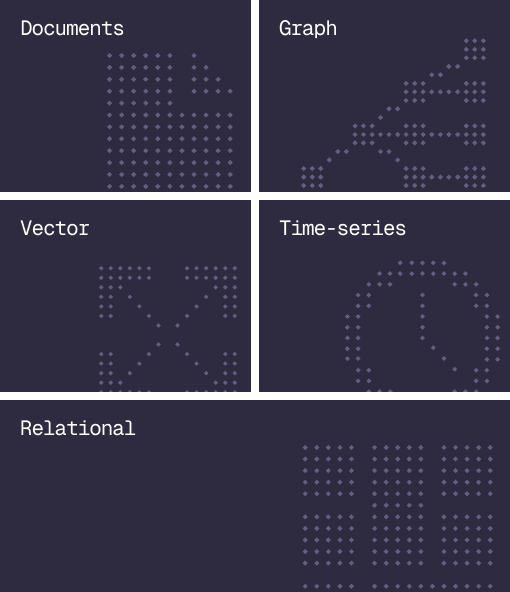
Document, graph, vector, time-series and relational in one engine.
Agent Memory
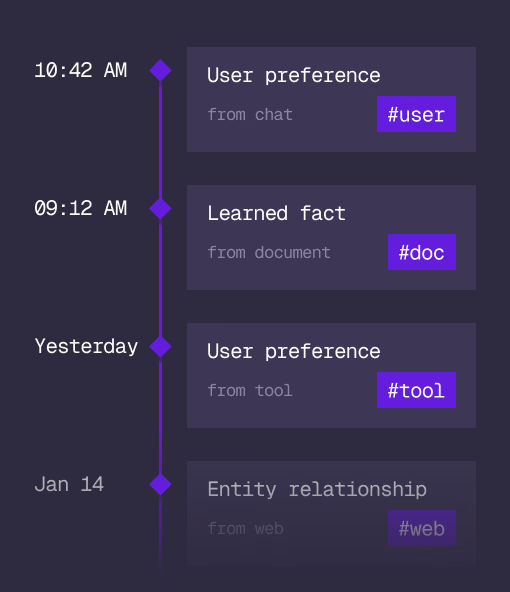
What an agent learns, with its source and its time, in the same engine.
Cloud
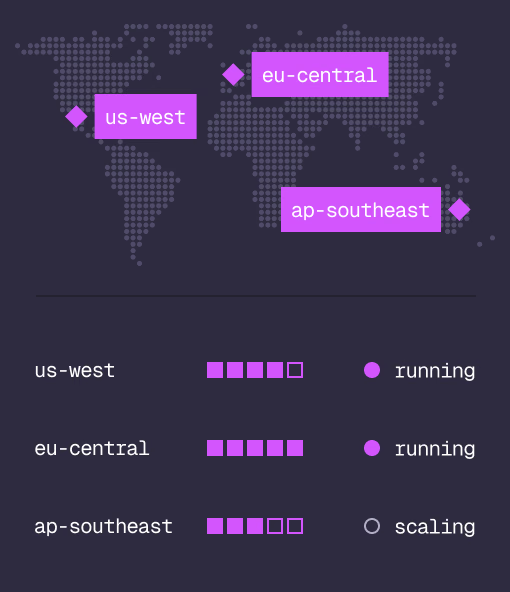
Managed clusters in the regions you choose, scaled on demand.
Studio
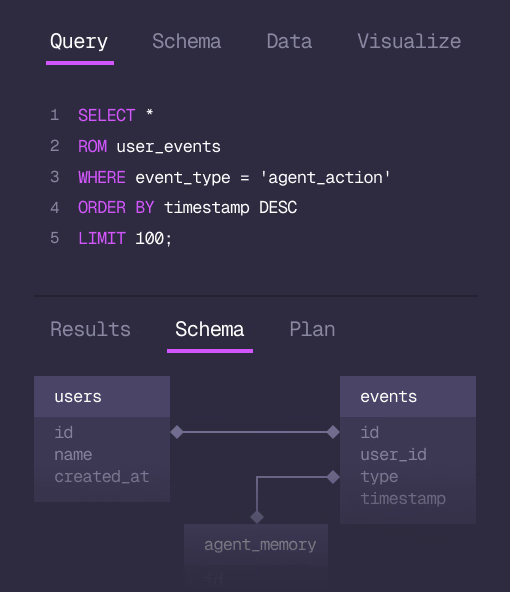
Query, explore and design the schema from the browser.
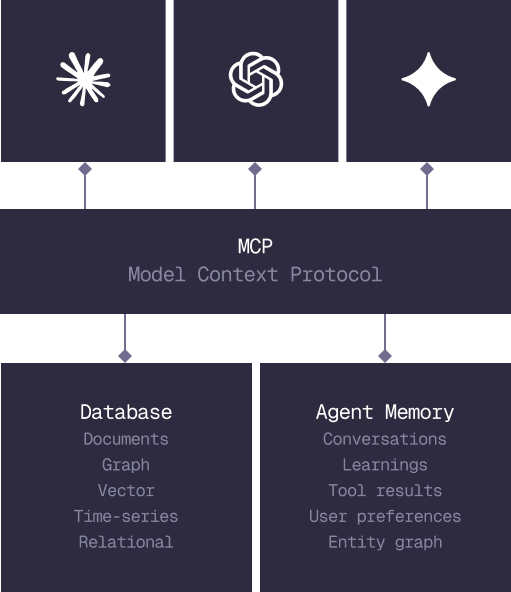
MCP
Every model that speaks MCP reaches the database and the memory directly.
IN PRODUCTION
Trusted at scale. Samsung, Nvidia, Verizon, Tencent, and Walmart run on SurrealDB.
14,000+
Developers building on SurrealDB Cloud
4M+
Developers building on SurrealDB worldwide
FROM THE TEAMS
SurrealDB gives us a foundation where we can unify semantic search, knowledge graphs, and AI-driven decision making without stitching together multiple systems. Collapsing responsibility into SurrealDB has become our default engineering posture.
VP of Engineering, Later