
Building an agent memory store
SurrealQL functions used here for the first time
duration::days/.days()- a duration as a plain number of days, which is what the recency decay divides by
Why agents need memory
Most agents start every run from nothing. They re-fetch the same context, re-answer the same questions, and pay for it in tokens each time (the so-called "cold start tax"). A bigger window doesn't fix that, but a memory store does: the agent writes to it as it works and reads from it before it acts.
A memory store is more than semantic search, though. Search asks "what's most similar?". Recall also asks "what's recent, what matters, and what's related?", and it lets old, unused memories fade. This lesson builds that on top of the vector search from lesson 02.
Step 1 - start a server
As in the earlier lessons the embeddings are tiny 4-dimensional vectors, hand-picked rather than produced by a model. Every lesson chooses four axes that suit its own subject, the way lesson 02 used [ action, comedy, sci-fi, drama ] for films, and this one is a coding assistant's world: [ deploy/infra, data/db, auth/security, frontend/ui ]. So a memory about deployment scores high on the first number and near zero on the rest. A real model would give you hundreds of dimensions with no such readable meaning, but the geometry is the same and it is a great deal easier to check four numbers by eye. Swapping in a real model is covered at the end, and lesson 02 is the place to start if SurrealDB's HNSW vector index is new to you.
surreal start --user root --pass secretAs in lesson 02, the database resets when you stop the process. Note that the in-memory storage backend has nothing to do with the memory table we're about to define; the collision of names is unfortunate but harmless.
Step 2 - model a memory
A memory is one thing the agent learned. Beyond the text and its embedding, it carries the metadata that turns search into recall.
DEFINE TABLE OVERWRITE memory SCHEMAFULL;

DEFINE FIELD OVERWRITE agent         ON memory TYPE string;
DEFINE FIELD OVERWRITE kind          ON memory TYPE "fact" | "episode" | "preference";
DEFINE FIELD OVERWRITE content       ON memory TYPE string;
DEFINE FIELD OVERWRITE embedding     ON memory TYPE array<float, 4>;
DEFINE FIELD OVERWRITE importance    ON memory TYPE float
    ASSERT $value >= 0.0 AND $value <= 1.0;
DEFINE FIELD OVERWRITE created_at    ON memory TYPE datetime;
DEFINE FIELD OVERWRITE last_accessed ON memory TYPE datetime;
DEFINE FIELD OVERWRITE expires_at    ON memory TYPE option<datetime>;

DEFINE INDEX OVERWRITE hnsw_memory ON memory
    FIELDS embedding HNSW DIMENSION 4 DIST COSINE;

DEFINE INDEX OVERWRITE idx_kind ON memory FIELDS kind;

DEFINE TABLE OVERWRITE relates_to SCHEMALESS TYPE RELATION FROM memory TO memory;
Note where the constraint lives in each case. The kind and embedding fields are constrained by their types, so the permitted values and the vector length are part of what the field is. importance needs an ASSERT, because no type expresses "a float between zero and one".
The fields in this table it memory rather than a document table. Each of them play a role in creating records that approximate human memory somewhat (importance, kind), while others contain information that is similar to but more strictly accurate than human memory (created_at, last_accessed).
| Field | Role in recall |
|---|---|
kind | fact, episode, or preference - lets you recall (or weight) by type |
importance | How much the memory should count, 0..1 |
created_at | When the memory formed - kept as a fixed record of its age |
last_accessed | Drives recency, and is bumped on every recall, so frequently-used memories stay fresh |
expires_at | Optional time-to-live; past it, the memory is forgotten |
The relates_to table is a graph edge between memories: an episode that produced a preference, or a fact that supports another. We'll use it to assemble context.
Save the statements above as schema.surql, starting the file with the usual OPTION IMPORT, then load it:
surreal import --endpoint http://localhost:8000 \
  --user root --pass secret --ns ai --db memory schema.surql
Step 3 - seed some memories
seed.surql creates eight memories for a coding assistant. If you read the vectors below against the axes from Step 1 ([ deploy/infra, data/db, auth/security, frontend/ui ]), they are legible: [0.95, 0.10, 0.10, 0.05] is a memory almost entirely about deployment. Three of the eight are deployment memories, and their vectors are deliberately near-identical, so that recency and importance rather than similarity decide their order:
CREATE memory:deploy_k8s      SET kind = "fact",       importance = 0.7,
    created_at = d"2026-06-20T09:00:00Z", embedding = [0.95, 0.10, 0.10, 0.05],
    content = "Deploys run on Kubernetes via ArgoCD.";              -- recent
CREATE memory:deploy_fri      SET kind = "preference", importance = 0.9,
    created_at = d"2026-03-01T10:00:00Z", embedding = [0.90, 0.10, 0.10, 0.10],
    content = "Do not deploy on Fridays.";                          -- old but important
CREATE memory:deploy_incident SET kind = "episode",    importance = 0.8,
    created_at = d"2026-03-15T18:30:00Z", embedding = [0.85, 0.15, 0.10, 0.10],
    content = "A Friday deploy caused a two-hour outage in March.";
One mundane memory has already expired (in the same way human memory might), close enough to match, but past its expires_at:
CREATE memory:deploy_heroku SET kind = "fact", importance = 0.3,
    created_at = d"2025-08-01T09:00:00Z", expires_at = d"2026-01-01T00:00:00Z",
    embedding = [0.90, 0.10, 0.05, 0.05], content = "Deploys used to run on Heroku.";
And the links, the Friday-deploy preference was learned from the March outage:
RELATE memory:deploy_fri     ->relates_to->memory:deploy_incident;
RELATE memory:deploy_incident->relates_to->memory:deploy_k8s;
Timestamps are fixed rather than
time::now(), so that the recency maths is reproducible ("now" is pinned to 2026-06-25 in the queries). Production would usetime::now(), as the last section covers.
The complete seed.surql - all eight memories and their links
seed.surql - all eight memories and their linksOPTION IMPORT;
-- Three deployment memories that are almost identical in meaning. They exist to
-- show that recency and importance - not similarity alone - decide recall order.
CREATE memory:deploy_k8s SET agent = "assistant", kind = "fact", importance = 0.7, created_at = d"2026-06-20T09:00:00Z", last_accessed = d"2026-06-20T09:00:00Z", embedding = [0.95, 0.10, 0.10, 0.05], content = "Deploys run on Kubernetes via ArgoCD.";
CREATE memory:deploy_fri SET agent = "assistant", kind = "preference", importance = 0.9, created_at = d"2026-03-01T10:00:00Z", last_accessed = d"2026-03-01T10:00:00Z", embedding = [0.90, 0.10, 0.10, 0.10], content = "Do not deploy on Fridays.";
CREATE memory:deploy_incident SET agent = "assistant", kind = "episode", importance = 0.8, created_at = d"2026-03-15T18:30:00Z", last_accessed = d"2026-03-15T18:30:00Z", embedding = [0.85, 0.15, 0.10, 0.10], content = "A Friday deploy caused a two-hour outage in March.";
-- An expired memory in the same deployment neighbourhood - close enough to match,
-- but past its expiry, so recall must forget it.
CREATE memory:deploy_heroku SET agent = "assistant", kind = "fact", importance = 0.3, created_at = d"2025-08-01T09:00:00Z", last_accessed = d"2025-08-01T09:00:00Z", expires_at = d"2026-01-01T00:00:00Z", embedding = [0.90, 0.10, 0.05, 0.05], content = "Deploys used to run on Heroku.";
-- Other memories, spread across the remaining axes.
CREATE memory:db_postgres SET agent = "assistant", kind = "fact", importance = 0.8, created_at = d"2026-05-10T11:00:00Z", last_accessed = d"2026-05-10T11:00:00Z", embedding = [0.20, 0.95, 0.10, 0.05], content = "The project uses PostgreSQL 16.";
CREATE memory:db_migration SET agent = "assistant", kind = "episode", importance = 0.5, created_at = d"2026-05-12T14:00:00Z", last_accessed = d"2026-05-12T14:00:00Z", embedding = [0.20, 0.90, 0.05, 0.05], content = "A schema migration needed a manual backfill before it would apply.";
CREATE memory:auth_bug SET agent = "assistant", kind = "episode", importance = 0.6, created_at = d"2026-06-18T16:00:00Z", last_accessed = d"2026-06-18T16:00:00Z", embedding = [0.10, 0.20, 0.95, 0.05], content = "Fixed a JWT-expiry bug in the auth middleware.";
CREATE memory:ui_react SET agent = "assistant", kind = "fact", importance = 0.5, created_at = d"2026-04-02T13:00:00Z", last_accessed = d"2026-04-02T13:00:00Z", embedding = [0.05, 0.10, 0.10, 0.95], content = "The frontend is React with Tailwind CSS.";
-- Links: the Friday-deploy preference was learned *from* the March outage, and
-- the outage happened on the Kubernetes deploy path. Recalling the preference can
-- now surface the episode that justifies it.
RELATE memory:deploy_fri ->relates_to->memory:deploy_incident;
RELATE memory:deploy_incident->relates_to->memory:deploy_k8s;
RELATE memory:db_migration ->relates_to->memory:db_postgres;surreal import --endpoint http://localhost:8000 \
--user root --pass secret --ns ai --db memory seed.surqlStep 4 - recall
The shell takes the query file on stdin:
surreal sql --endpoint ws://localhost:8000 \
  --user root --pass secret --ns ai --db memory --pretty < queries.surql
The agent is about to deploy, so the recall vector points at the deploy/infra axis, and "now" is pinned:
LET $now = d"2026-06-25T12:00:00Z";
LET $q   = [0.90, 0.15, 0.10, 0.05];
As in lesson 02,
queries.surqlkeeps each statement on one line; the versions below are formatted for reading.
Recall 1 - blend similarity, recency, and importance
This is what separates memory from search. The HNSW operator <|5, 40|> takes the nearest candidates, the WHERE clause skips anything expired, and each survivor is scored by a weighted blend: half similarity, then recency (a simple 1 / (1 + days_since_last_access) decay) and importance.
SELECT kind, content, importance,
    math::round(
        (0.5 * (1 - vector::distance::knn())
       + 0.3 * (1.0 / (1.0 + ($now - last_accessed).days()))
       + 0.2 * importance) * 1000) / 1000 AS score
FROM memory
WHERE (expires_at = NONE OR expires_at > $now)
  AND embedding <|5, 40|> $q
ORDER BY score DESC
LIMIT 3;[
{ kind: 'fact', content: 'Deploys run on Kubernetes via ArgoCD.', importance: 0.7, score: 0.689 },
{ kind: 'preference', content: 'Do not deploy on Fridays.', importance: 0.9, score: 0.681 },
{ kind: 'episode', content: 'A Friday deploy caused a two-hour outage in March.', importance: 0.8, score: 0.662 }
]All three deployment memories are almost equally similar to the query, so recency and importance decide the order. The recent Kubernetes fact edges ahead; the older but important "no Friday deploys" preference comes second; the episode trails. Pure KNN would have ordered these by raw similarity alone, and the expired Heroku memory would still be in the running.
Which timestamp should decay? The query above ages a memory from
last_accessed, so recall refreshes it and a memory that keeps proving useful never grows stale. Swap increated_atand age is measured from when the memory formed, no matter how often it has been read since. The two answer different questions. A memory of a fact that goes out of date (a version number, a deployment target, a person's role) is worth decaying fromcreated_at, because using it often does not make it any truer. A memory of a standing preference or a hard-won lesson is worth decaying fromlast_accessed, because repeated use is evidence it still applies. Pick per use case, or keep both terms with separate weights and let the score carry the age of the memory and the warmth of its use at once.
Recall 2 - assemble context from the graph
A single memory is often just the headline. Because memories are linked, recall can pull in the supporting context in the same query. Here that's the preference plus the episode that justifies it:
SELECT
    content,
    ->relates_to->memory.content AS supported_by
FROM memory
WHERE kind = 'preference' AND embedding <|1, 40|> $q;[
{
content: 'Do not deploy on Fridays.',
supported_by: [ 'A Friday deploy caused a two-hour outage in March.' ]
}
]The agent gets the rule and the reason behind it, ready to explain or to weigh. A standalone vector store has no graph to walk, so that hop would be a second query in application code.
Recall 3 - forgetting and reinforcement
Recall 1 quietly skipped the expired Heroku memory. Here's what its (expires_at = NONE OR expires_at > $now) clause filtered out:
SELECT content, expires_at FROM memory WHERE expires_at != NONE AND expires_at < $now;[
{ content: 'Deploys used to run on Heroku.', expires_at: d'2026-01-01T00:00:00Z' }
]Forgetting is just a WHERE clause: no batch job, and no separate eviction process. The other half is reinforcement: when a memory proves useful, write back to it so it stays strong and fresh. An agent that uses its memory well runs a small loop on every task - retrieve what looks relevant, act on it, distil what was learned, store it back - and the write-back below is the store step of that loop.
UPDATE memory:deploy_k8s
SET
    importance = math::round(math::min([1.0, importance + 0.1]) * 100) / 100,
    last_accessed = $now
RETURN content, importance, last_accessed;[
{ content: 'Deploys run on Kubernetes via ArgoCD.', importance: 0.8, last_accessed: d'2026-06-25T12:00:00Z' }
]Importance nudges from 0.7 to 0.8 and last_accessed moves to now; so next time, this memory recalls a little more readily. Memory that's used gets stronger; memory that isn't ages out. That feedback loop is what makes an agent cheaper and sharper the longer it runs.
From toy vectors to production
Two changes take this from tutorial to real system:
- 1.
Real embeddings. Pick a model, note its dimensionality (
text-embedding-3-smallat 1536, say, or an open model at 384/768), and setDIMENSIONinschema.surqlto match. Each memory'scontentgets embedded on write, and the agent's current situation gets embedded on recall to build$q. Lesson 02 covers choosing a model and what the choice costs. - 2.
Live time. The fixed
$nowbecomestime::now(), andcreated_atandlast_accessedare set totime::now()on write. The recency maths is unchanged.
Everything else (the blended scoring, the graph hop, the expiry filter, the write-back) works exactly as you see it here.
Where this goes next
We now have agent memory store in one database, with recency-aware recall, graph-assembled context, forgetting and reinforcement. Every retriever so far has answered a question somebody designed for in advance, though. Lesson 07 hands the agent the harder job of writing its own queries, and builds the prompt for it out of live schema.
THE PLATFORM
Everything an application and its agents know. Five surfaces, one engine.
Database
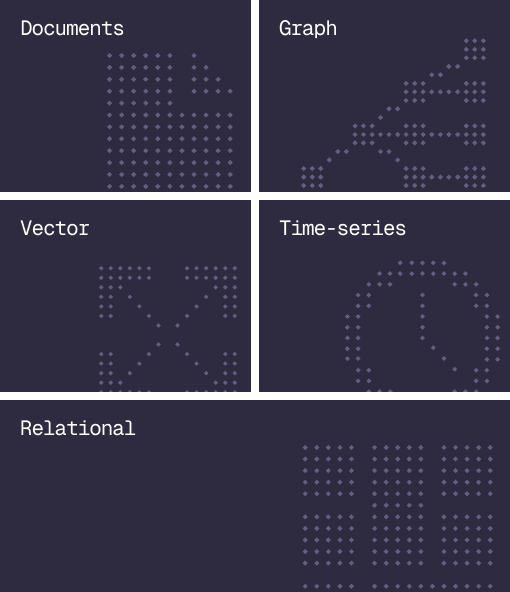
Document, graph, vector, time-series and relational in one engine.
Agent Memory
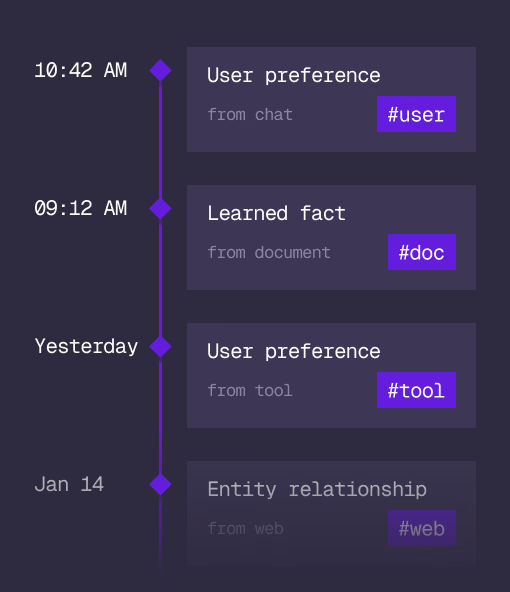
What an agent learns, with its source and its time, in the same engine.
Cloud
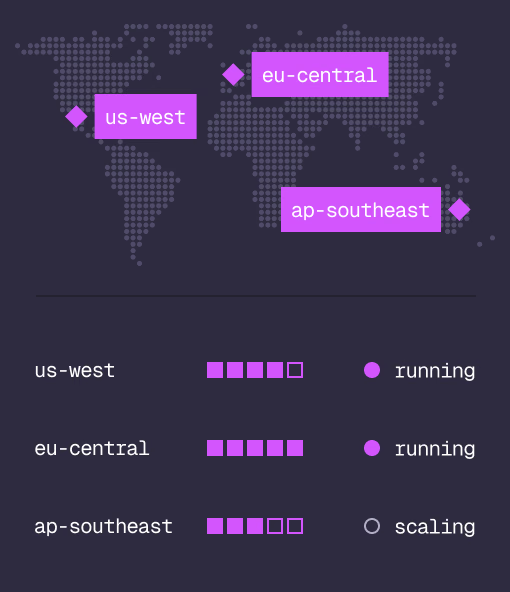
Managed clusters in the regions you choose, scaled on demand.
Studio
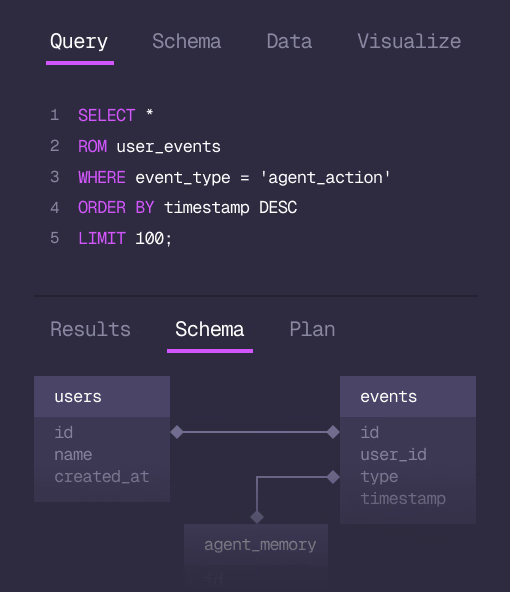
Query, explore and design the schema from the browser.
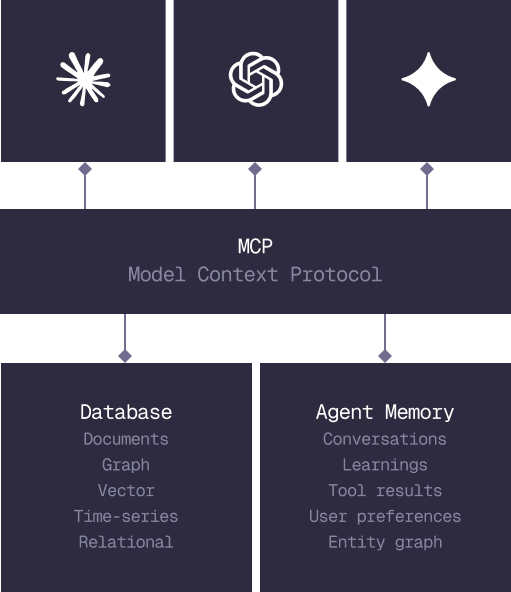
MCP
Every model that speaks MCP reaches the database and the memory directly.
IN PRODUCTION
Trusted at scale. Samsung, Nvidia, Verizon, Tencent, and Walmart run on SurrealDB.
14,000+
Developers building on SurrealDB Cloud
4M+
Developers building on SurrealDB worldwide
FROM THE TEAMS
SurrealDB gives us a foundation where we can unify semantic search, knowledge graphs, and AI-driven decision making without stitching together multiple systems. Collapsing responsibility into SurrealDB has become our default engineering posture.
VP of Engineering, Later