
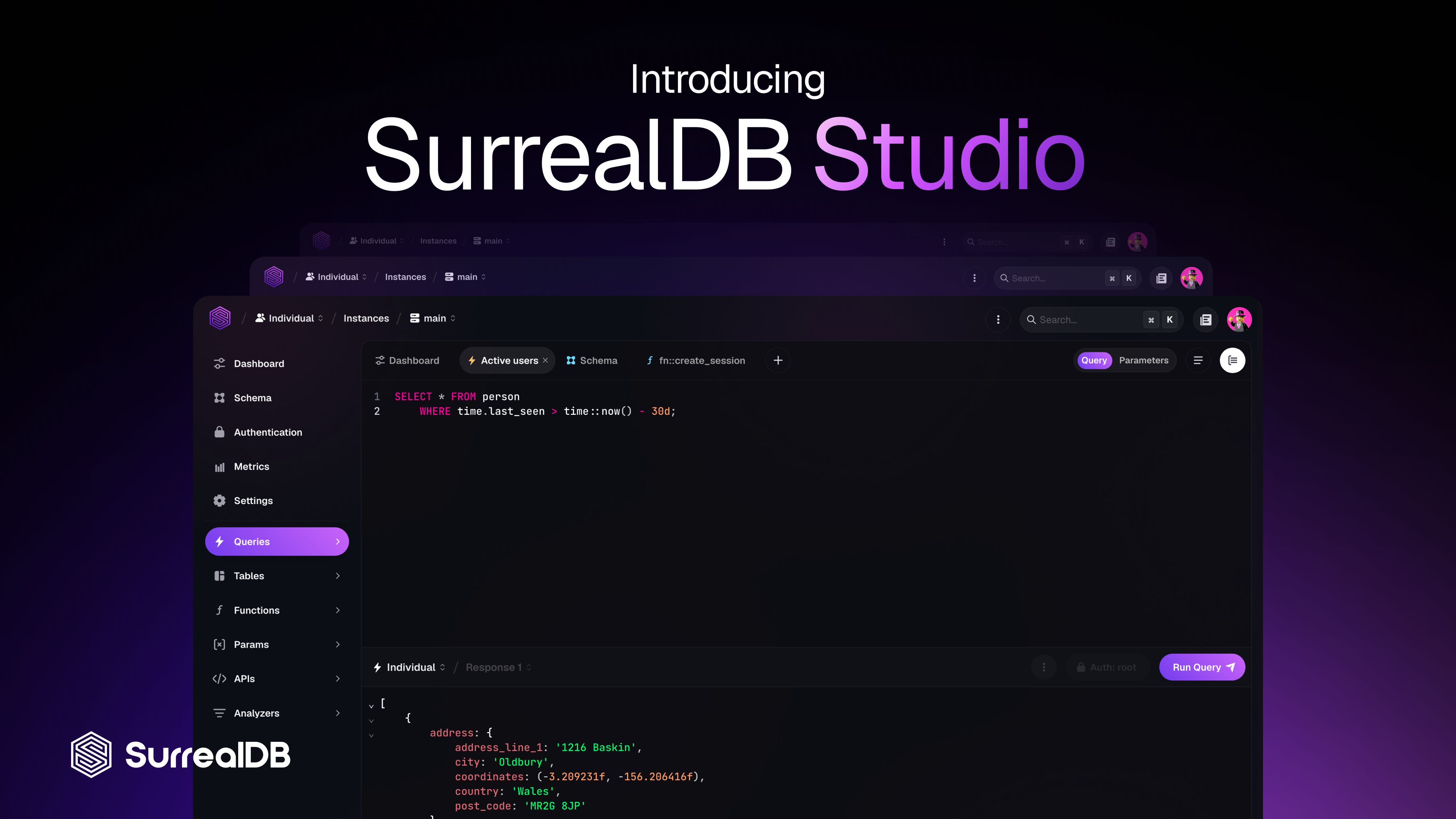
Today we're excited to announce the release of SurrealDB Studio: the new app for working with your SurrealDB instances and SurrealDB Agent Memory contexts, and the most powerful way to interact with your data yet.
SurrealDB Studio takes over from Surrealist as the official app for SurrealDB, carrying on its mission to provide a full visual experience for working with your SurrealDB instances and Agent Memory contexts. Whether you are connecting to self hosted instances, or deploying managed cloud instances, SurrealDB Studio provides a clean and intuitive interface to accomplish anything.
While Studio has been built from scratch, it is designed to pick up where Surrealist left off. Your data will copied over automatically the first time you open studio.surrealdb.com or the SurrealDB Studio app.
Let's explore what SurrealDB Studio has to offer! 🎉
You already know the basics of what SurrealDB Studio is built upon. Feel free to skip ahead to the highlights to see what's new for you.
What is SurrealDB Studio?
SurrealDB Studio is the official app for working with everything in the SurrealDB ecosystem. From SurrealDB instances to Agent Memory contexts, SurrealDB Studio gives you a visual way to do everything you would otherwise do from a terminal, client SDK, or MCP server, such as running queries, reading and editing your records, storing and retrieving memories, and designing your schemas.
What you can do with it
Write and run queries in SurrealQL and view the results as a table, as a graph you can click your way through, or as a live stream of events that updates the moment your data changes.
Explore your data by browsing and filtering your records, following the links between them, and editing any record you find.
Design your schema as a diagram you can rearrange, then click any table to edit its fields, indexes, events, and permissions.
Manage access by setting up users and access methods at every level of your database.
Define functions, parameters, APIs, and analysers
Manage your SurrealDB instances, from deploying a new one to watching its metrics, restoring a backup, and managing your billing.
Build and deploy Agent Memory contexts, including the memories and documents your agents are built on.
Try SurrealDB Studio in the browser, no setup required
SurrealDB Studio is the official dashboard of SurrealDB. You don't need a database to get started since it can run them for you in your browser. You can also load one of our sample datasets and start querying within seconds. There is nothing to install and nothing to configure, which makes it a great way to learn about SurrealDB and Agent Memory, or test an idea before building it.
On desktop, SurrealDB Studio can also start a local instance on your own machine at the press of a button, so you never have to open a terminal to get one running.
Who SurrealDB Studio is for
Whether you are writing your first SurrealQL query, building an agent on Agent Memory, or looking after an enterprise-scale fleet of production instances on behalf of a team, SurrealDB Studio is designed to be the single place you do it all from.
Feature highlights
All of your data in one place
q(80)/zyqvtm0l1f1xut2mky9ipetu.auto)
In an age of AI agents and the increasing need for context, how you represent and interact with data matters more than ever. Most database tools lock you into fixed screens that can't adapt to your needs. SurrealDB Studio breaks that constraint. Every query, table, and schema resource opens in its own tab, letting you dynamically organise and visualise your data however works best for your work.
Each tab does one specific thing. One query, one table of records, one schema diagram. Open as many as you like, rename them, drag them into whatever order suits you, or split the screen up to four ways. Compare the results of two queries side by side, or keep your schema open while you write queries next to it. Click a record and it opens in a tab of its own next to your work, rather than a panel sliding over the top of it.
Your tabs stay where you put them, so you can close the app and pick up exactly where you left off when you return.
An editor that knows your schema
q(80)/4hwmremvd091kqxbesv78tsl.auto)
SurrealDB Studio's query editor reads your schema and knows exactly what is in your database. When you start typing, it suggests your tables and the fields inside them, your functions and parameters, as well as SurrealQL's built-in functions. Each suggestion comes with a short description of what it is and what it expects, so you don't need to have the docs open in another window. Hover over anything in your query to read more about it on the spot.
It also checks your work as you go. If you misspell a field, reference a table that doesn't exist, or compare two things that could never match, SurrealDB Studio underlines it the moment you type it instead of leaving you to discover it in an error message after you run the query.
Navigation that stays in context
q(80)/5csxzdi8dz4e1di62049pud1.auto)
When you first open SurrealDB Studio, you will land directly in an organisation. This gives you a one click method to access all of your instances, contexts, connections, and organisation settings with ease.
If you work across more than one organisation, the dropdown in the toolbar switches between them instantly and the whole app follows along. Instances, team settings, and billing all belong to whichever organisation you're currently in, so there's nothing to reconnect and no scrolling through a long list looking for the right database.
This change also means custom connections are now stored on an organisation, allowing them to be easy categorised across different projects. While they remain local for now, you will soon be able to easily share connections between team members, or keep them local if you desire.
Getting started
The quickest way to get started with using SurrealDB Studio is by using the web app at studio.surrealdb.com.
In case you would rather have SurrealDB Studio as a proper desktop app, you can download it for macOS, Windows, and Linux. The desktop version adds a few things the browser can't do, like running a local database for you, or easily working with multiple windows.
To get started, simple sign in with your SurrealDB account and you'll be ready to deploy and manage instances, query your Agent Memory context, and run your local databases.
What's next
Reaching version 1.0 is just the start. Here is some of what we have planned:
Full agent integration: Connect SurrealDB Studio with your agent of choice and drive the interface through MCP, generate visualisations on-demand, and push tabs directly in your chats.
Your configuration, every device: Sign in anywhere and find your connections, saved queries, and tab layout exactly as you left them, whether you're on your laptop, your desktop, or a browser on someone else's machine. No config files to copy around and no exports required.
Sharing with your team: Send someone a link to a query or a whole tab, instead of pasting SurrealQL into a chat window and hoping it survives.
Organisation connections: Automatically sharing connections to self hosted SurrealDB instances between your team members.
New kinds of tabs: Such as notebooks that mix notes, queries, and their results into one document, and dashboards that allow you to assemble your own charts.
Documentation without leaving the app: Open the documentation in a tab right beside what you're working on.
FAQ
What does this mean for Surrealist?
The Surrealist Desktop app will no longer receive feature updates going forward. While the majority of functionality in Surrealist is already available in SurrealDB Studio, there are still some minor features actively being ported over.
Your existing Surrealist data will be automatically migrated to SurrealDB Studio on launch, meaning you can continue where you left off seamlessly. While the Surrealist app will continue to work, cloud related functionality will be restricted to the SurrealDB Studio app at a future point in time, so we recommend migrating to Studio in due course.
Is SurrealDB Studio Desktop available on Linux based systems?
Absolutely! While we used to offer Surrealist Desktop for Linux, the user experience was poor for many users due to bad performance and frequent rendering issues. SurrealDB Studio eliminates these issues entirely by adopting a different technology and bringing Linux support up to par with Windows and MacOS.
Going forward the Linux app will receive the same level of support as our other desktop apps, and will continue to be a great tool for working with SurrealDB.
Do I need a SurrealDB account to use Studio?
In order to support the ongoing experience SurrealDB Studio has to offer, you'll need to sign in to your SurrealDB Account. This allows us to offer an intuitive unified workflow and makes collaboration seamless. Additionally Studio will continue to introduce additional collaborative features so you can share connections, queries, and tabs with your team members effortlessly.
We recognise that this isn't viable for every organisation or use case. For this reason we're working on an alternative experience for Studio focused on self-hosted use which we'll have more to share about soon.
Let us know what you think
SurrealDB Studio is shaped by the community. We are always eager to hear your thoughts and feedback in order to further improve the experience.
You can submit suggestions and requests on our Suggestion Hub, or Join us on Discord to discuss further, share what you're building, or tell us what you'd like to see next.
Get started for free today at studio.surrealdb.com.