Network access controls which external destinations an instance may reach from inside a query.
The functions it governs are the HTTP functions that call an API, fetch a document, or post to a webhook as part of a statement.
This is outbound access. It has nothing to do with who can reach the instance. For inbound connectivity, see Private connectivity and its public, private, and dual access modes.
The capability is denied by default. Until you allow something, http::get and its siblings fail rather than reach the network.
The default is strict because an instance with unrestricted outbound access lets a query author send data anywhere. Keep the allowed set to the shortest list that makes the application work.
Configurable network access requires SurrealDB >=2.1.8, <2.2.0, >=2.2.6, <2.3.0, or >=2.3.6. On an earlier release, upgrade the instance before you configure the rules.
Configuring the rules
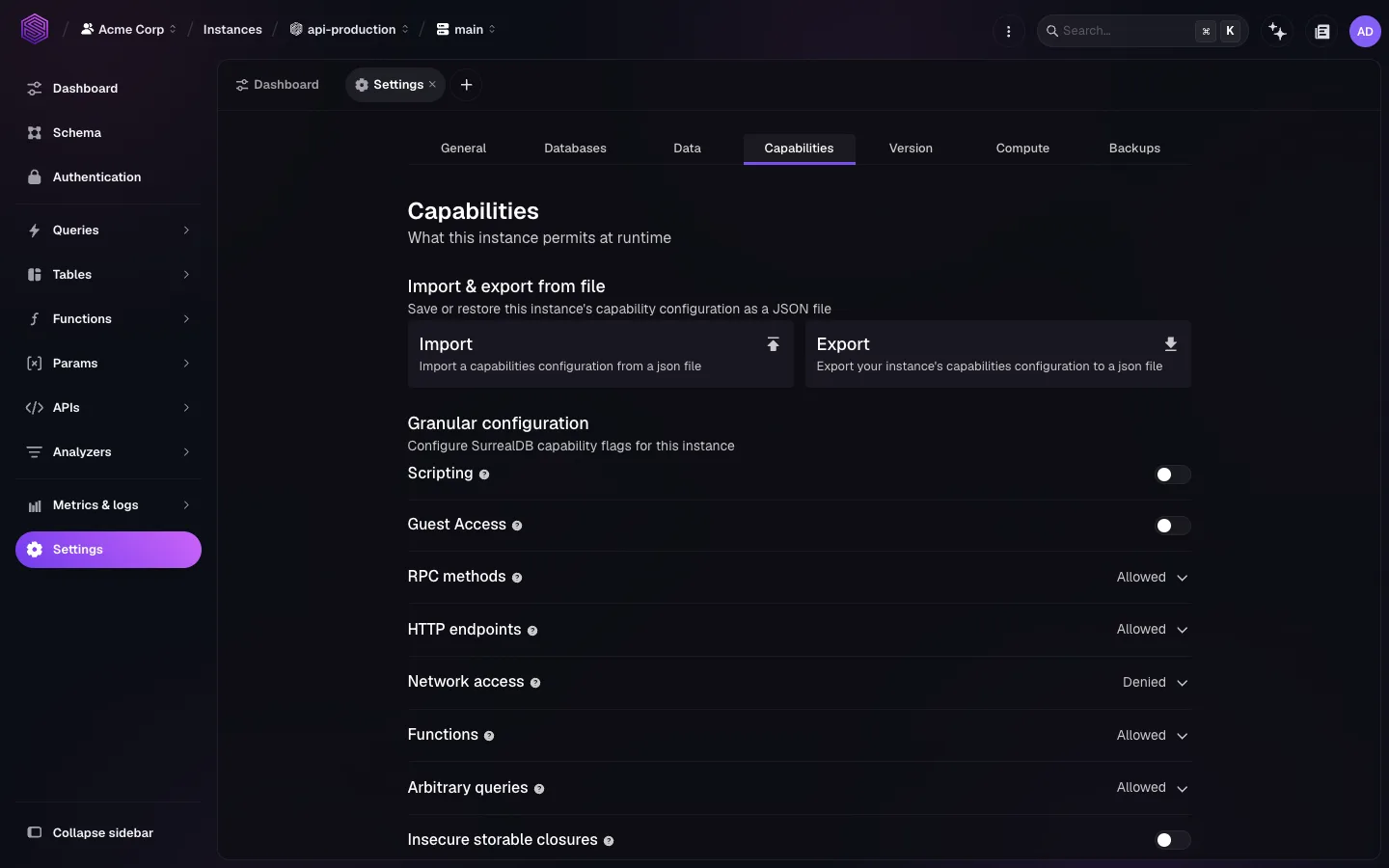
Network access is one of the instance capabilities, so it lives with the rest of them.
Open the instance in SurrealDB Studio.
Go to Instance settings → Capabilities.
Find Network access in the granular configuration list.
Choose its default: Allowed by default or Denied by default.
Add the exceptions. Under a denied default, list the domains, IP addresses, and ranges to permit. Under an allowed default, list what to block.
Save the change to apply it to the instance.
At the same specificity, a deny rule prevails over an allow rule. A host you have denied therefore stays unreachable even when a broader allow rule would otherwise cover it. That is how you permit the public endpoints of an API while keeping an internal hostname on the same domain out of reach.
Choosing the patterns
Prefer named destinations over ranges. api.stripe.com documents its own intent. A wide CIDR block does not, and it grants reachability to whatever moves into that block later.
Review the list when the application changes. Rules outlive the feature that needed them, so remove any allowance that no current feature uses.
You can export both the default and the exception lists as JSON from the same tab, which is how you keep staging and production consistent. surreal cloud instance capabilities reads and writes the same configuration from a terminal. See surreal cloud instances.
Additional resources
Capabilities: the full capability model and every flag it covers.
Configure an instance: the other capabilities on the same tab.
HTTP functions: the functions this capability governs.