Reach an instance from application code through one of the SurrealDB SDKs.
This page covers what an SDK needs to connect and how to create it. The SDK reference for your language covers the API itself.
To get a snippet with the endpoint already filled in, select Connect on the instance in SurrealDB Studio, then select your language.
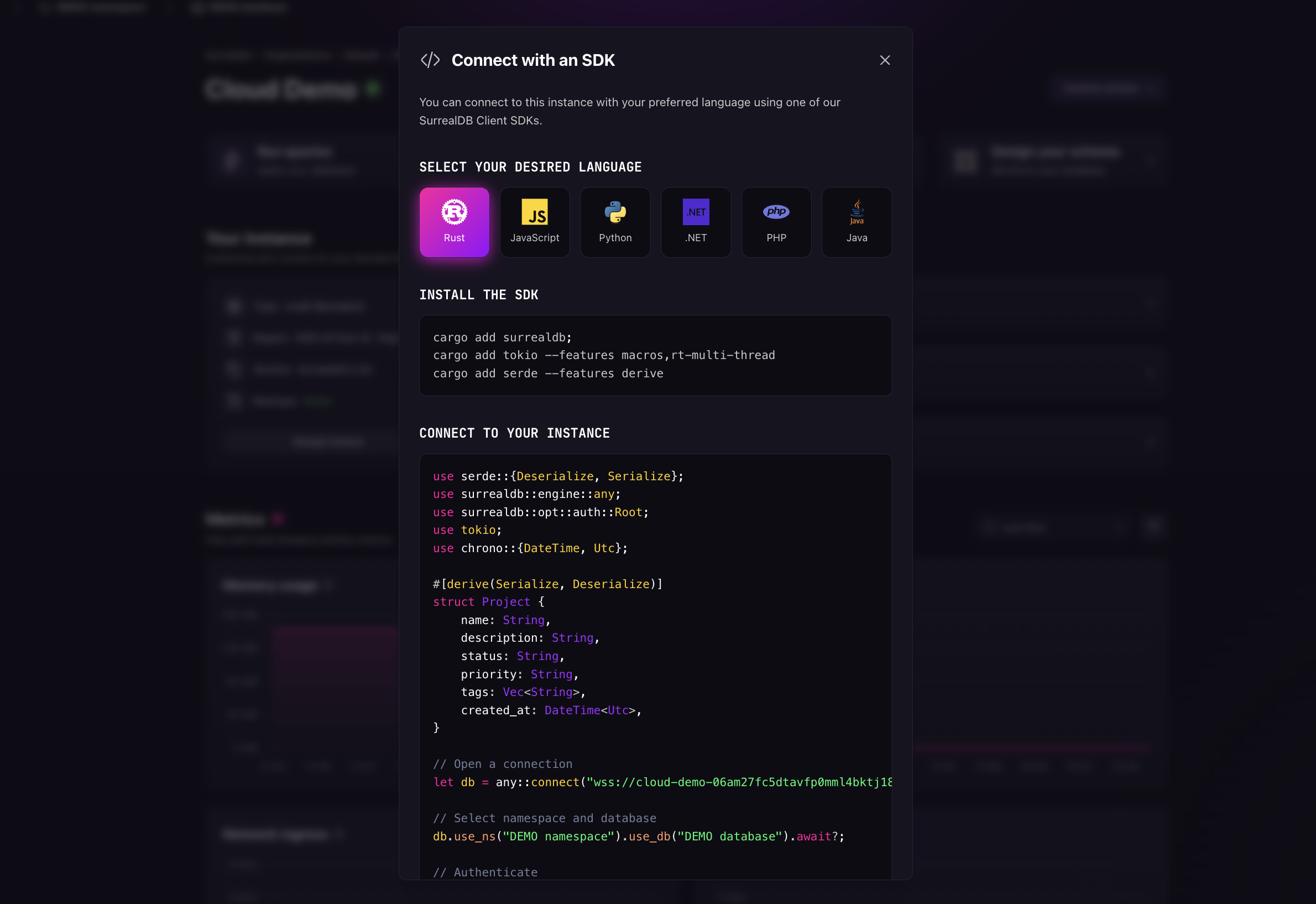
What an SDK needs
An SDK needs three things:
The endpoint of the instance, from the Connect menu.
A namespace and a database, which tell SurrealDB where the query runs. A prompt to create them appears at the top of the dashboard if the instance has none. See system structure.
Credentials, unless the connection is anonymous. Studio authenticates with your own session, but application code needs a user or an access method defined on the instance.
Create credentials
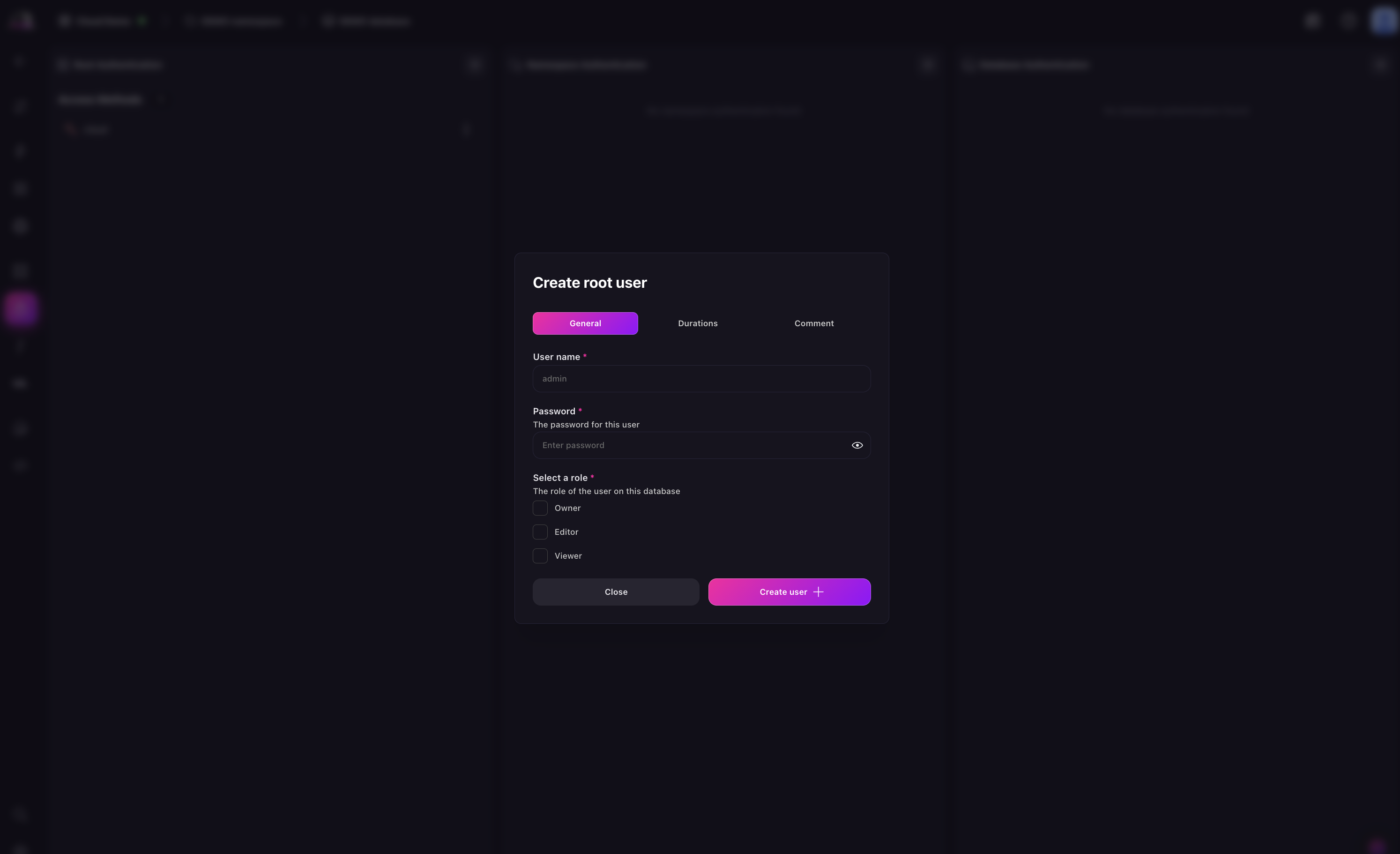
This step applies when the SDK calls signin on connection. Skip it if the application authenticates some other way. See access methods and system users.
Open the Authentication panel of the instance in SurrealDB Studio.
Select + in the Root Authentication section.
Choose the kind of credential you need.
Set the token duration and the session duration.
Two kinds of credential are offered:
New system user: a username, a password, and a role that determines what the user may do. This is what a backend service typically uses.
New access method: a named method whose type determines how clients authenticate through it. This is what record-level and end-user authentication uses.
Keep both durations short enough that a leaked token expires on its own.
Root credentials reach everything on the instance. For namespace-scoped or database-scoped authentication, and for record-level access, create the namespace and database first. Then define the user or the access method at that level.
Connect
Every SDK follows the same shape. connect takes the endpoint, then you select the namespace and database, then you sign in. The examples below use root credentials.
With a non-root user, the sign-in call also needs the access details for the access method you defined. The SDK reference for your language shows the exact call.
use serde::{Deserialize, Serialize};
use surrealdb::engine::any;
use surrealdb::opt::auth::Root;
use tokio;
use chrono::{DateTime, Utc};

#[derive(Serialize, Deserialize)]
struct Project {
	name: String,
	description: String,
	status: String,
	priority: String,
	tags: Vec<String>,
	created_at: DateTime<Utc>,
}

// Open a connection
let db = any::connect("wss://<INSTANCE_ENDPOINT>").await?;

// Select namespace and database
db.use_ns("DEMO namespace").use_db("DEMO database").await?;

// Authenticate
db.signin(Root {
	username: "<username>",
	password: "<password>",
}).await?;

// Create a record
let project = Project {
	name: "SurrealDB Dashboard".to_string(),
	description: "Admin interface for SurrealDB".to_string(),
	status: "in_progress".to_string(),
	priority: "high".to_string(),
	tags: vec!["typescript".to_string(), "react".to_string(), "database".to_string()],
	created_at: Utc::now(),
};

db.create("project").content(project).await?;
Next steps
SDK reference: the full API for each language, including live queries and transactions.
Connect via HTTP: for languages without an SDK, and the request size limits that apply.
Authentication: choosing between system users, access methods, and record-level access.