A range is composed of .. and possible delimiters to set the maximum and minimum possible values. The default syntax includes the lower limit and excludes the upper limit. A = can be used to make the upper limit inclusive, and > can be used to make the lower limit exclusive.
-- 0 or more, and less than 10
0..10;
-- 0 or more, and at most 10
0..=10;
-- More than 0, and less than 10
0>..10;
-- More than 0, and at most 10
0>..=10;
A range holds every value between its bounds, not only whole numbers, so 9.5 IN 0..10 is true. Iterating over an integer range in a FOR loop gives the whole numbers inside it:
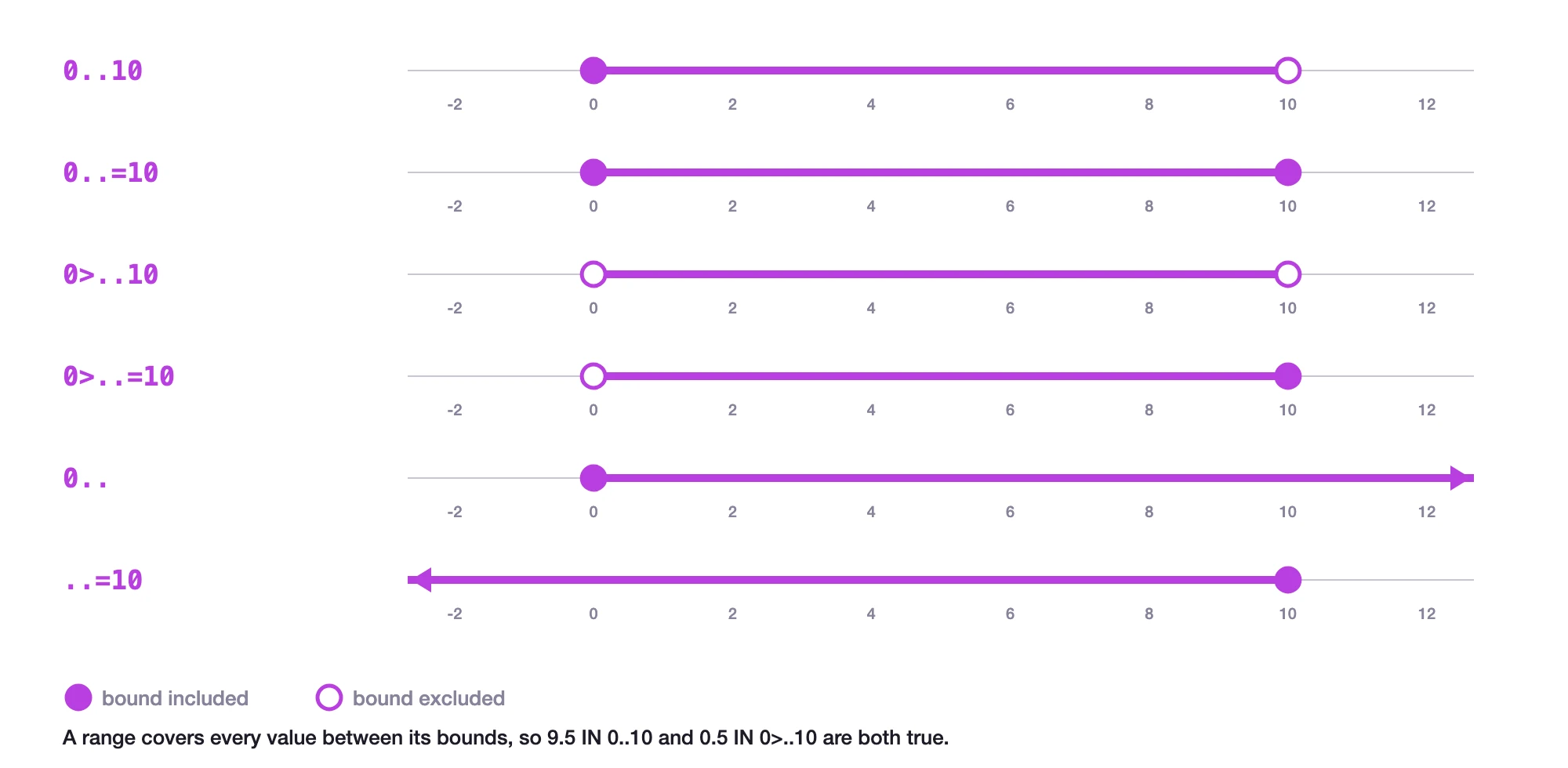
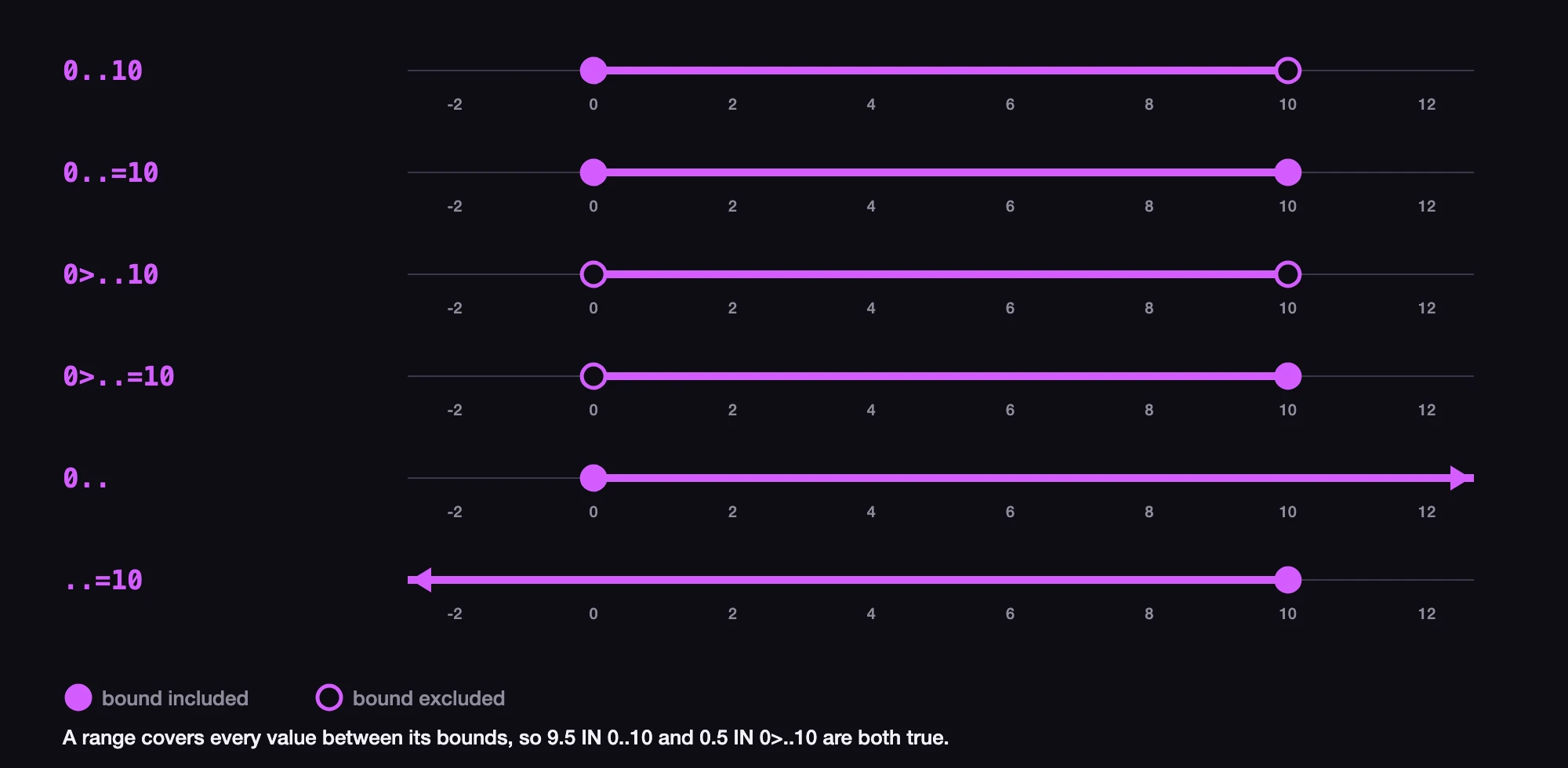
A range becomes open ended if a delimiter is not specified.
-- Anything from 0 and up
0..;
-- Anything more than 0
0>..;
-- Anything less than 100
..100;
-- Anything up to and including 100
..=100;
-- An infinite range
..;
A range can be constructed from any type of value. This is most useful when comparing one value to another.
-- All true
'g' IN 'a'..'z';
d"2024-01-01" IN d"2020-01-01"..=d"2025-01-01";
['London', d"2022-02-02", 5.7] IN ['London', d"2020-01-01"]..=['London', d"2024-12-31"];

-- All false
"ㅋㅋㅋ" IN "a".."z";
d"2028-01-01" IN d"2020-01-01"..=d"2025-01-01";
['Philadelphia', d"2022-02-02", 5.7] IN ['London', d"2020-01-01"]..=['London', d"2024-12-31"];
Ranges in FOR loops
Ranges of integers have the added convenience of being able to be used in a FOR loop.
FOR $year IN 0..=2024 {
    CREATE historical_events SET
        for_year = $year,
        events = "To be added";
}
Ranges in WHERE clauses
A range can be used in a WHERE clause in place of operators like < and >. This is useful when checking for a number that must be within a certain range, and produces shorter code.
SELECT * FROM person WHERE age >= 18 AND age <= 65;
SELECT * FROM person WHERE age IN 18..=65;
The comparison form is faster, so prefer it on large tables. A pair of comparisons on an indexed field uses the index, while IN with a range reads every record in the table. See numeric ranges in a WHERE clause for details.
Casting and functional usage
A range can be cast into an array.
<array> 1..3;[
1,
2
]This opens up a range of functional programming patterns that are made possible by SurrealDB's array functions, many of which can use anonymous functions (closures) to perform an operation on each item in the array.
-- Construct an array
(<array> 1..=100)
-- Turn it into an array that increments by 10
    .map(|$v| $v * 10)
-- Turn each number into a object with original and square root value
    .map(|$v| { original: $v, square_root: math::sqrt($v) })
-- Keep only those with square roots in between 11 and 12
.filter(|$obj| $obj.square_root IN 11..12);[
{
original: 130,
square_root: 11.40175425099138f
},
{
original: 140,
square_root: 11.832159566199232f
}
] Ranges in mock syntax for CREATE statements
Available since: v3.0.0
CREATE statements have always been able to work on more than one record by enclosing either a single number or a range-like operator between two || bars.
-- Create 10 person records with random IDs
CREATE |person:10|;
-- Create `person` records from person:1 to person:10
CREATE |person:1..10|;
Originally an internal syntax for mock testing, this syntax became known to the user community and is now commonly used. However, the original syntax differed from true ranges in always being inclusive, in that 1..10 was treated as "from 1 up to and including 10". A change has since been made to have the mock syntax take a true range with a syntax equivalent to that demonstrated in this page.
-- All of these create ten records from person:1 to person:10
CREATE |person:1..=10|;
CREATE |person:1..11|;
CREATE |person:0>..11|;
CREATE |person:0>..=10|;