An organisation groups instances, members, usage, and billing.
Every instance, membership, and invoice belongs to exactly one organisation. Nobody in one organisation can see or change the resources of another.
Create one organisation for each company, department, or environment you keep apart. Separate organisations for production and development each get their own member list and their own invoice. Account structure compares this with separating them into instances, namespaces or databases.
Create an organisation
Open the overview page in SurrealDB Studio.
Select Create organisation.
Enter a name for the organisation.
Confirm the name.
You become the owner, and Studio opens the organisation overview. The breadcrumb at the top of Studio switches between the organisations you belong to.
To create an organisation from a terminal, run surreal cloud org create. surreal cloud org use sets which organisation later commands apply to. See surreal cloud organisations.
The organisation view
The overview page shows everything the organisation holds. The sidebar leads into each area.
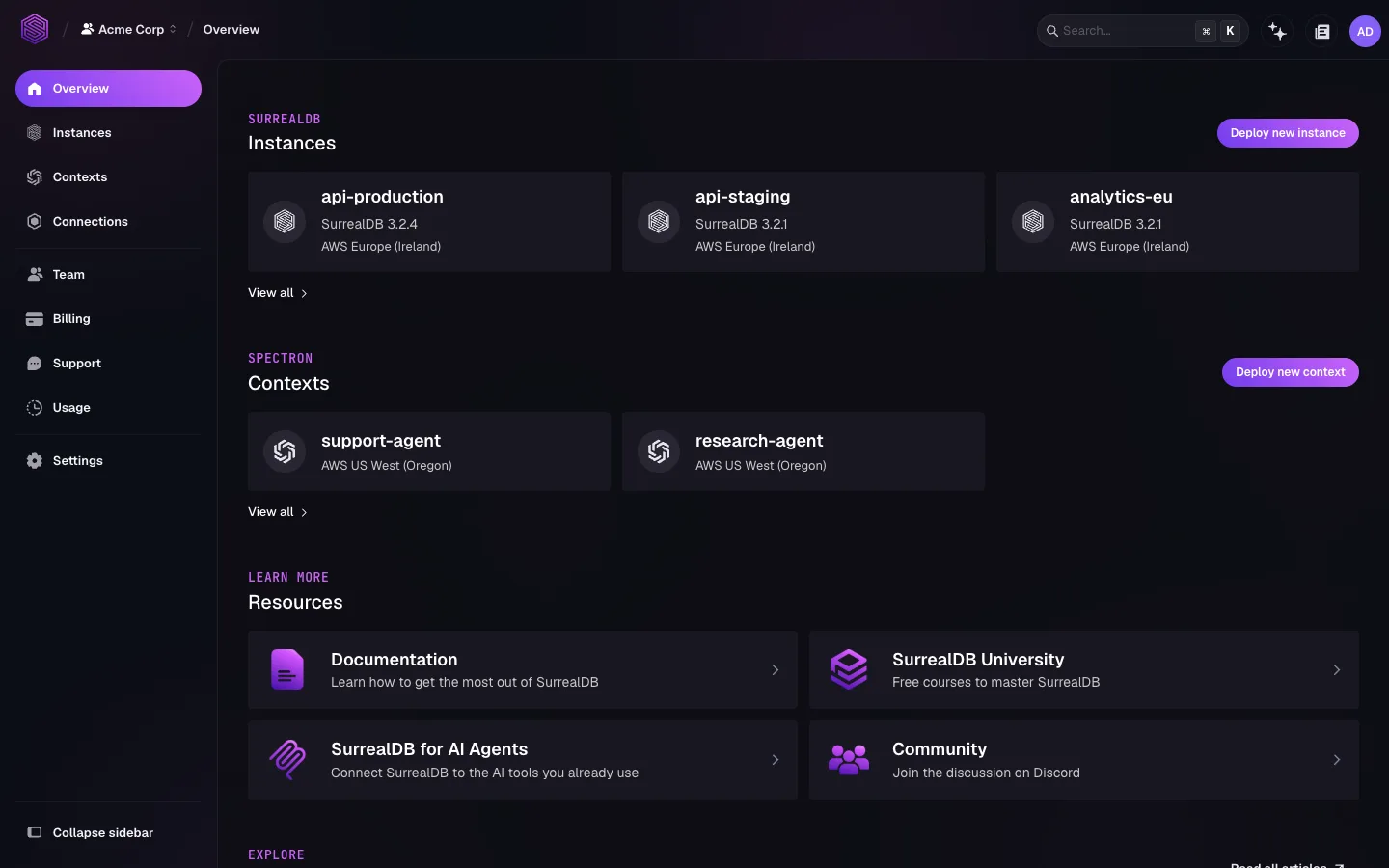
| Section | What it holds |
|---|---|
| Instances | Every instance in the organisation. Deploy, open, and filter them here. |
| Team | Members, invitations, and roles. |
| Billing | Billing details, payment method, discount codes, and invoices. |
| Usage | Compute, storage, and spend for the current or previous month. |
| Support | Support plans and tickets. |
| Settings | The organisation name and its id. |
Contexts and Connections hold SurrealDB Agent Memory resources rather than database instances. They use the same organisation for access and billing.
Your role decides what you see. A member without billing permissions does not see the Billing section. See Members and roles.
Organisation settings
Settings holds two values: the display name, which you can change at any time, and the organisation id.
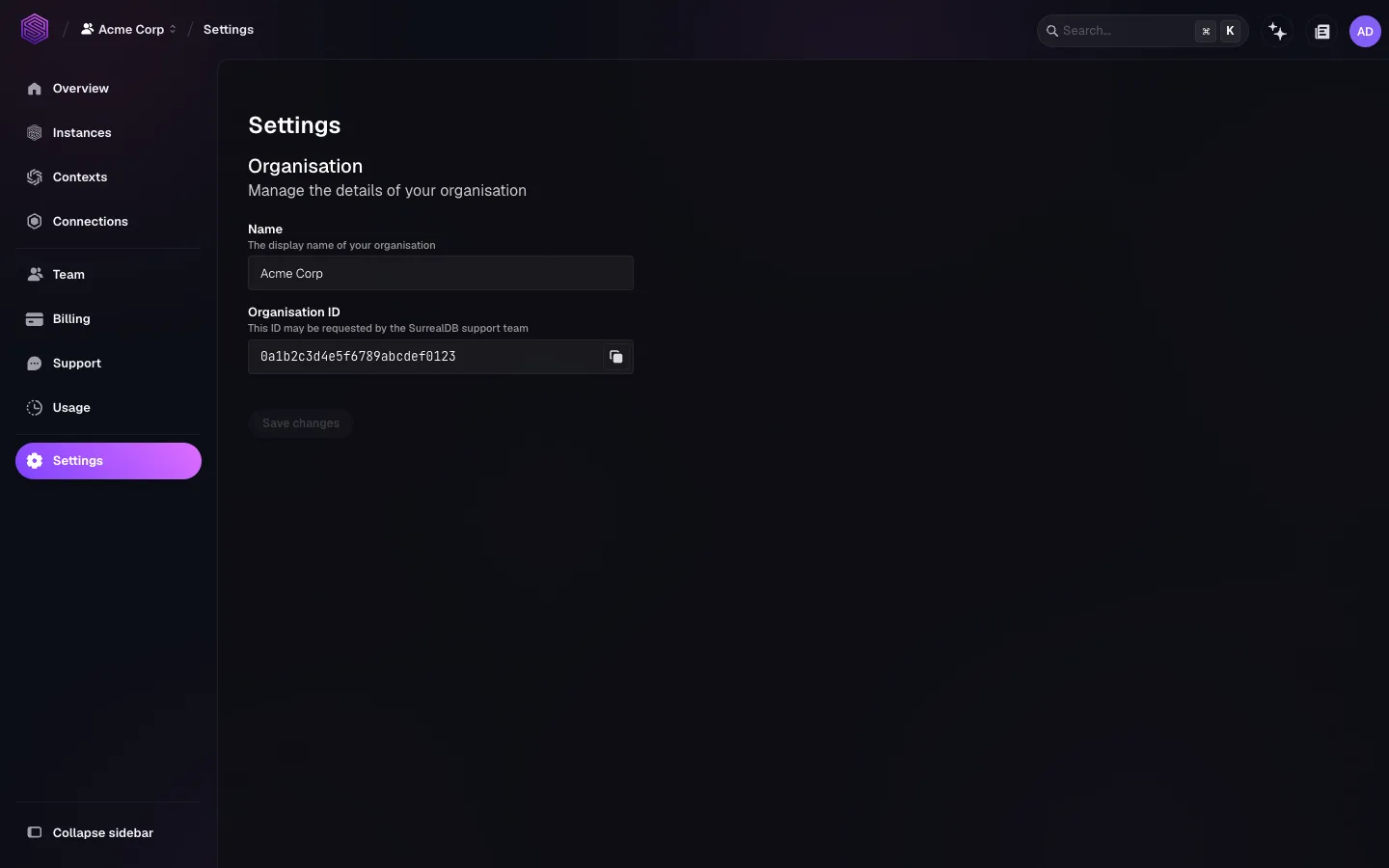
Quote the organisation id when you raise a support ticket. The id names one organisation exactly, where a display name might not.
Organisations cannot be deleted at present. Delete the instances inside an organisation you have finished with, and it stops accruing charges.
Topics
Account structure: How enterprises, organisations, instances, namespaces and databases fit together, and which to use to keep things apart.
Accounts and sign-in: Create an account and sign in.
Members and roles: Send invitations, and choose what each member can do.
Billing: Payment details, invoices, usage, and spend.
Support: Community help, support plans, and tickets.
AWS Marketplace: Subscribe and pay through AWS.
Azure Marketplace: Subscribe and pay through Azure.
Referrals: The referral link and the rewards it earns.
FAQs: General, security, pricing, legal, and troubleshooting questions.
Related pages
Instances: Deploy and operate databases inside an organisation.
surreal cloud organisations: Organisations, teams, invitations, and tokens from the command line.