Beekeeper Studio is a cross-platform desktop SQL editor and database manager. It has a SurrealDB connection type of its own, so a namespace and database can be browsed and queried without anything in between.
Beekeeper Studio describes its SurrealDB support as alpha, and repeats that in the connection dialog with a link to the features it currently covers. Read that list before depending on it for more than browsing and querying.
Before you start
A running SurrealDB instance. See installation if you do not have one yet.
Beekeeper Studio installed.
Connect
Open Beekeeper Studio and select New Connection.
Set Connection Type to SurrealDB.
Fill in the connection. The address is three separate fields rather than one URL:
Protocol, such as
httpHost, such as
localhostPort,
8000by default
Choose an Authentication Method for the level the account belongs to, such as Root, then give the User and Password.
Enter the Namespace and Database to open.
Select Test to check the details, then Connect.
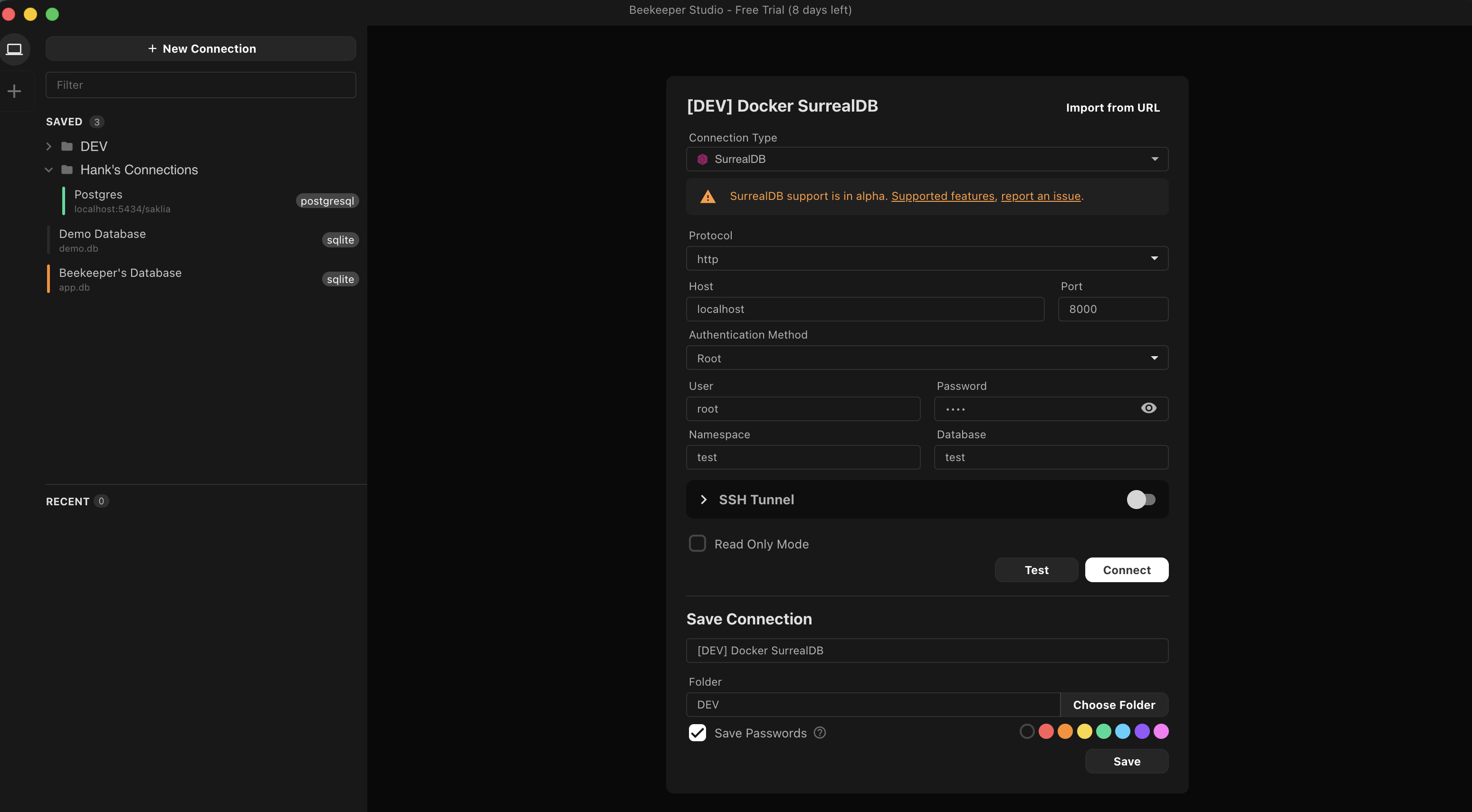
A connection can be saved into a folder and given a colour, which helps where several instances are open at once.
Browse and query
Connecting opens a query tab and lists the database's entities in the sidebar. Expanding a table shows its fields with the types SurrealDB holds them as, so a record<person> link or an array<string> reads as itself rather than as a foreign key.
Queries are written in SurrealQL and run with Run All, and results appear in a sortable grid below the editor:
SELECT product_name, quantity, price FROM cart LIMIT 10;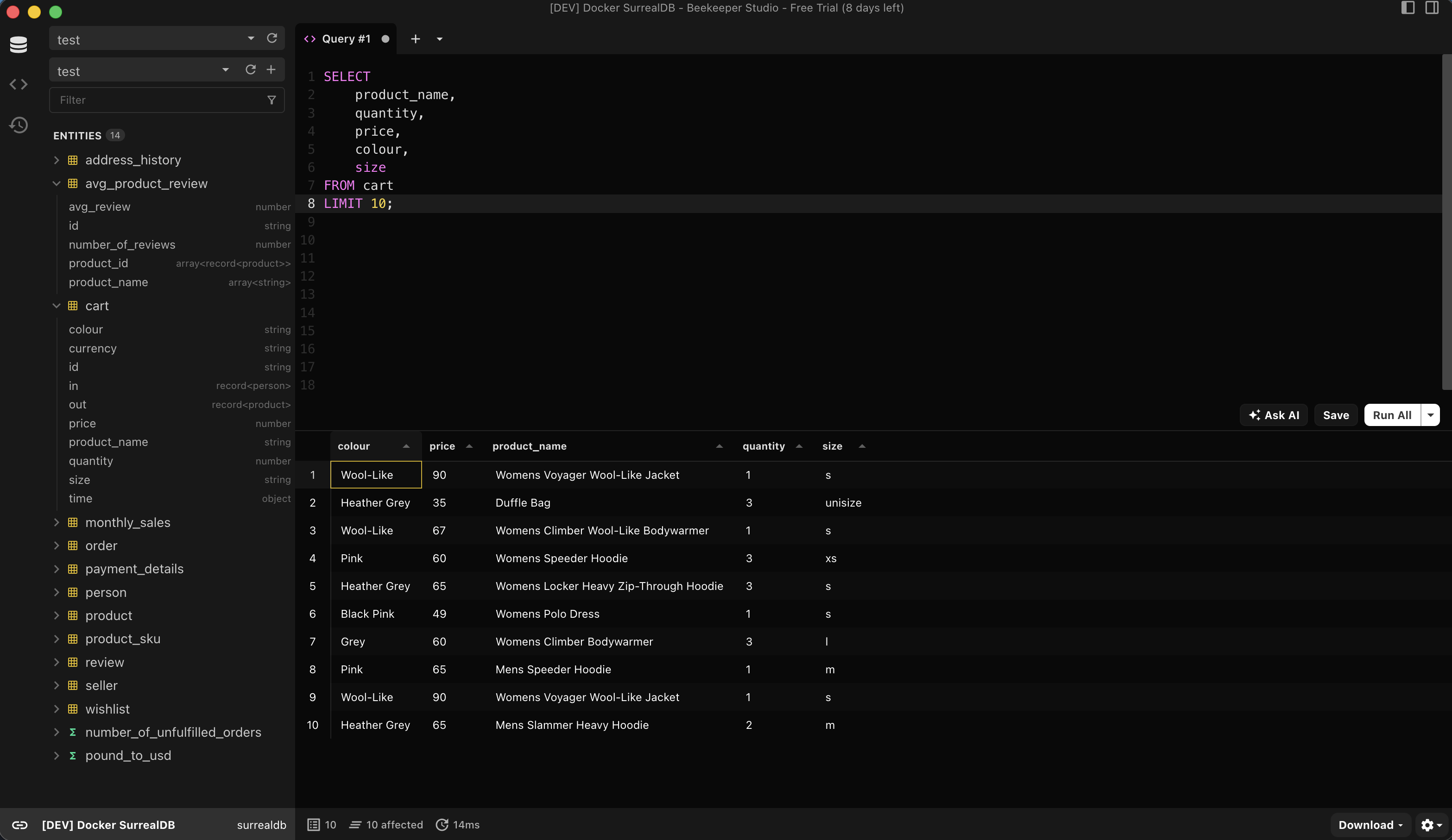
The screenshots here use the Surreal Deal Store sample dataset.