



As your data volume and query load grow, you scale SurrealDB Cloud to avoid throttling, high latency, or storage exhaustion. How you scale depends on your plan: Start instances scale vertically on one node, while Scale clusters scale both vertically and horizontally on SurrealDS.
Choosing Start vs Scale
| Aspect | Start | Scale |
|---|---|---|
| Growth model | Larger instance type on one node | Larger instance type and more nodes |
| Fault tolerance | Single point of failure within the instance | Multi-node cluster; survives loss of one or more nodes |
| Operational model | Single-node managed option | Managed cluster |
| Typical fit | Dev, staging, small workloads | Business-critical production, horizontal throughput |
Move to Scale when a single node is no longer enough — because you need fault tolerance, sustained query throughput across nodes, or both. Scale runs a minimum of three nodes; see High availability for why that matters.
Start
For Start instances, you can scale compute and storage independently. To scale compute, scale vertically by moving to a larger instance type with more CPU, memory, and I/O on a single node. It is the default approach on the Start plan when metrics show sustained high utilisation on one instance.
To scale storage, increase the provisioned disk size. It is not possible to scale storage down (i.e. smaller storage size), it is only possible to scale up (i.e. larger storage size).
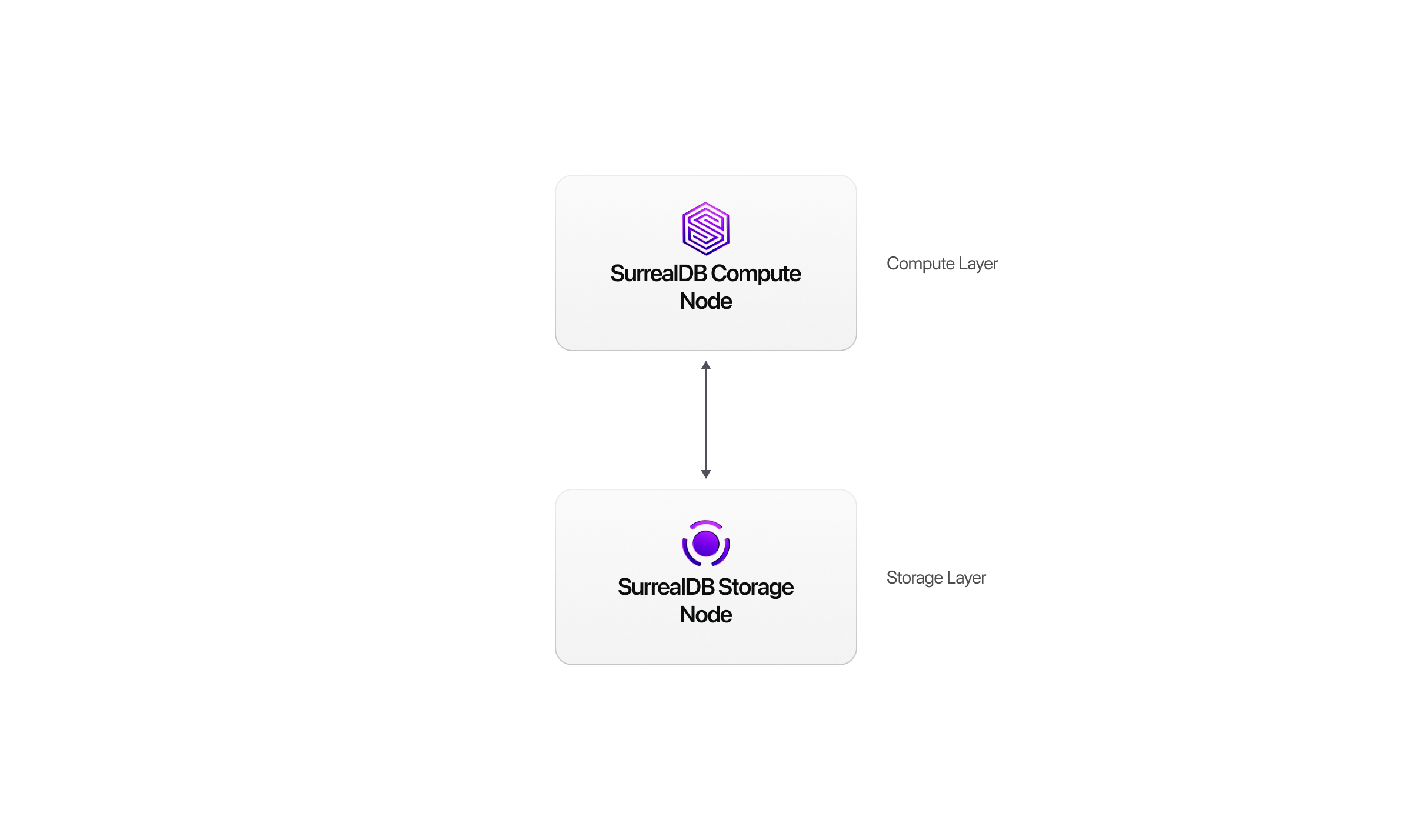
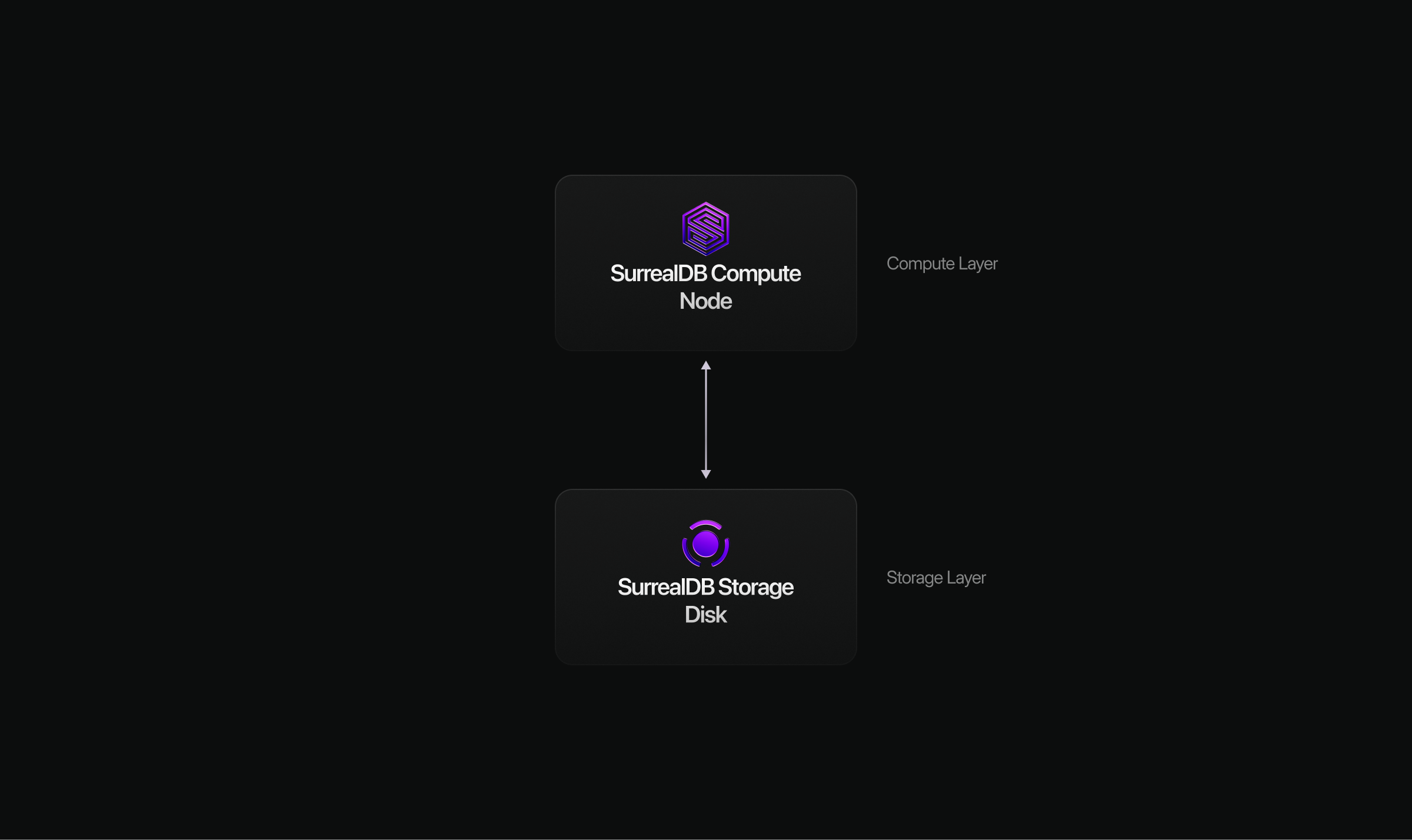
Scale
For Scale clusters, you can scale compute vertically (larger node size with increased compute and memory) or down (reduce the node size). Additionally, you can scale compute horizontally by adding more nodes to a multi-node cluster backed by SurrealDS. The storage tier handles replication, consensus, and distributed transactions. Use Scale when you need to survive node failure, spread query load, or prefer to avoid operating a self-hosted distributed cluster. To scale storage, increase the provisioned disk size. It is not possible to scale storage down (i.e. smaller storage size), it is only possible to scale up (i.e. larger storage size).
For example, you can deploy a three-node Scale cluster, then add another nodes (4-node cluster), and continue to incrementally add nodes.
Note: An even node count doesn't improve fault tolerance. N nodes survives the same number of failures as N−1, and the fast commit path needs all nodes to agree (one slow node forces the slower path). We recommend an odd size (3, 5, 7, etc) for the best performance-to-cost.
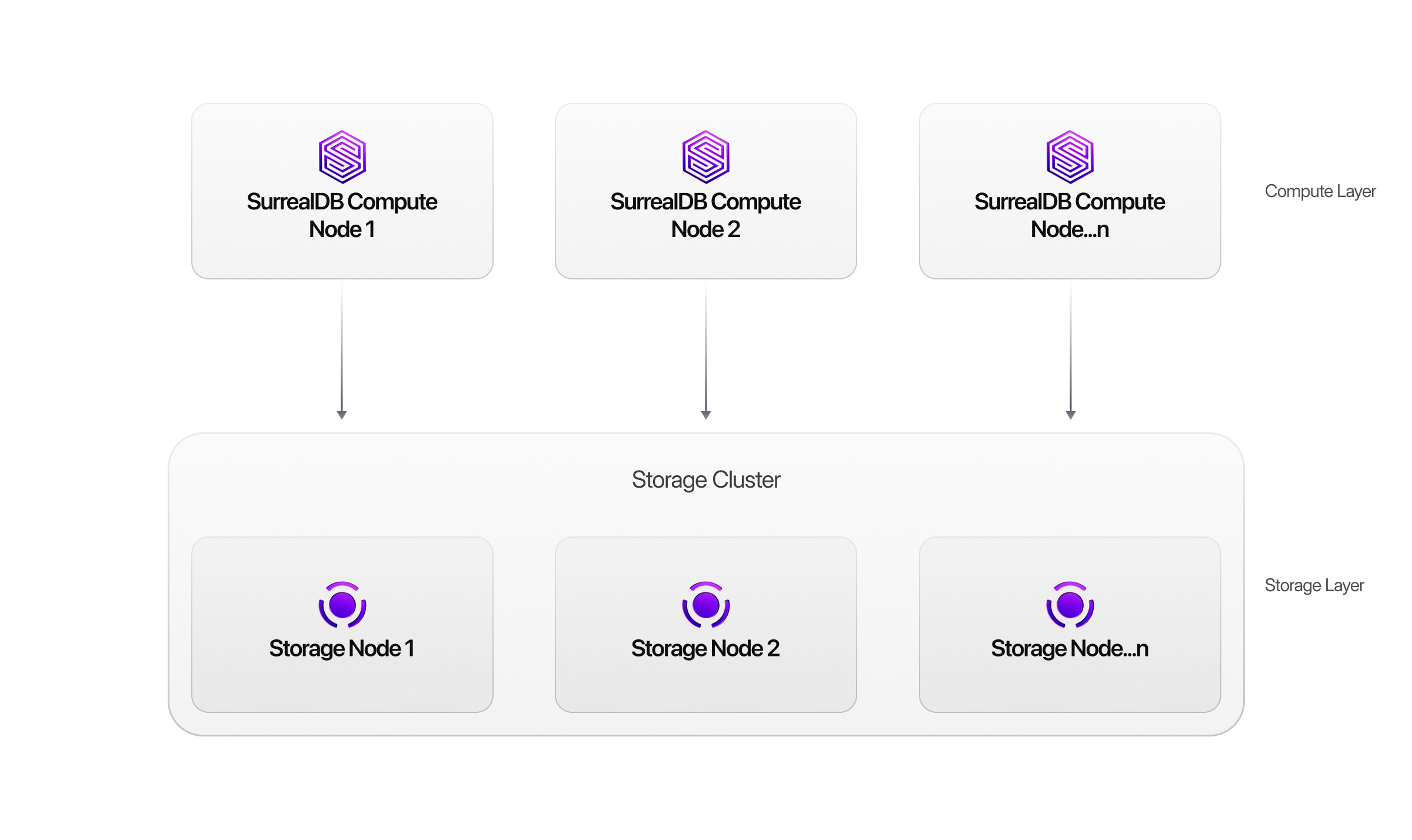
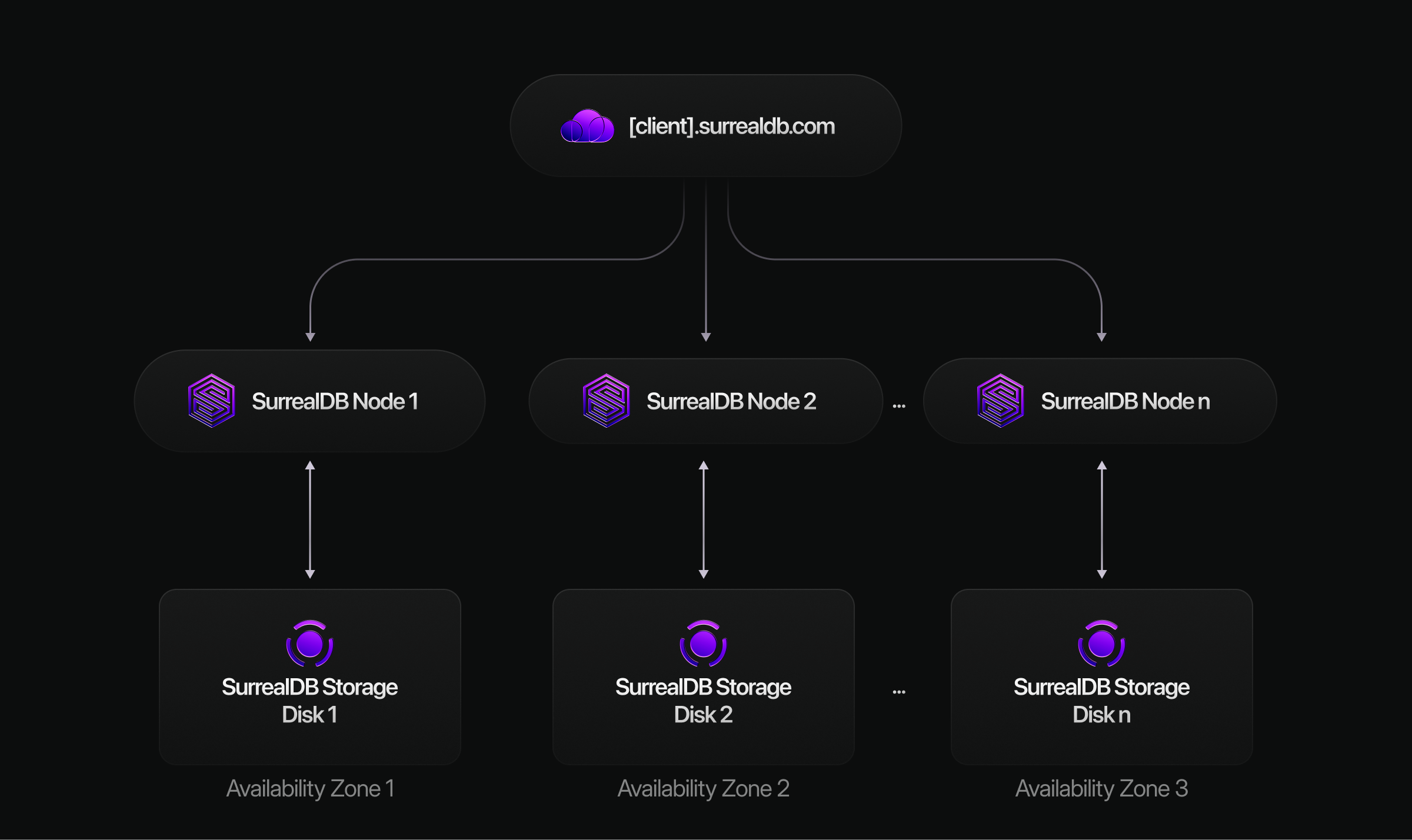
See Cloud architecture for how Start and Scale differ.
When to scale
Signals to scale include CPU pegged near limits, memory pressure, disk growth trending toward limits, connection saturation, and latency SLOs breached under normal traffic. Schedule resizes during maintenance windows when possible; some changes may cause brief reconnects.
On Scale, also watch per-node balance and storage growth on the cluster — horizontal scale may require both more compute units and additional storage.
How to resize
Change the instance type, compute units, or storage from the Cloud console or SurrealDB Studio, following any confirmation steps for your plan. After scaling, re-check metrics and query performance to validate the new size.
For operational scaling detail in the deployment guide, see Scaling operations.