In SurrealDB, nodes are typically records in ordinary tables (users, posts, companies, and so on). Graph edges are also real tables, created and queried with RELATE.
Creating nodes and edge records
SurrealDB uses RELATE to form the usual graph triple: subject → predicate → object.
Using RELATE, you can model primary relationships from something like an e-commerce flow: wish list, cart, order, and review. These become your edge tables.
RELATE person:billy->wishlist->product:01HGAR7A0R9BETTCMATM6SSXPT;
RELATE person:vanessa->cart->product:01GXRS3FZG8Y8SDBNHMC14N25X;
RELATE person:loki->order->product:tesseract;
RELATE person:u1cczojntb5kvos2ugue->review->product:8g8ftj1mblza2vikm680;
Here, existing record IDs from the person and product tables are used. The edge tables sit between them and are created by these RELATE statements.
After you run RELATE, edge records gain two standard fields: in and out. The in field holds the ID of the record on the left side of the statement, and out the ID on the right. The triple can also be read as:
in -> id -> out
where the first node is in, the edge is the record’s id, and the second node is out.
Adding data to edge tables with SET and CONTENT
Unlike in graph-only databases, edges in SurrealDB are tables, so you can store fields on them like any other record.
RELATE person:j151lkm3k1dytd53y0i5->wishlist->product:r5pgmgjmr57kjvm2j1g1
  SET time.created_at = time::now();

CREATE product:crystal_cave SET name = "The Crystal Cave", price = 5;
CREATE person:brian SET address = "555 Brian Street";
RELATE person:brian->order-> product:crystal_cave
  SET quantity = 2;
You can both create an order relationship and query through it to pull data from product and person:
SELECT
    quantity,
    out.name AS product_name,
    out.price * quantity AS price,
    in.address AS shipping_address
FROM order;[
{
price: 10,
product_name: 'The Crystal Cave',
quantity: 2,
shipping_address: '555 Brian Street'
}
]That shows how to read fields on the edge table directly. For traversing with arrow syntax from nodes, see Graph traversal.
Creating a graph relation with metadata on the edge
This pattern is like the examples above, except the user record does not keep a comments field. A wrote edge connects user and comment, and the edge record stores context (location, device, mood):
LET $new_user = CREATE ONLY user SET name = "User McUserson";
LET $new_comment = CREATE ONLY comment SET
    text = "I learned something new!",
    created_at = time::now();

RELATE $new_user->wrote->$new_comment SET
	location = "Arizona",
	os = "Windows 11",
	mood = "happy";
Once the edge exists, you can traverse it with the arrow operator (forward, backward, recursively and more). See Graph traversal for patterns such as:
SELECT ->wrote->comment FROM user;
SELECT <-wrote<-user FROM comment;
SELECT <-wrote<-user->wrote->comment FROM comment;
Define a table as a relation for type safety and SurrealDB Studio
Defining a table as TYPE RELATION restricts it to valid graph edges between records.
Adding TYPE RELATION to DEFINE TABLE is enough to enforce that behaviour.
DEFINE TABLE likes TYPE RELATION;Constraining in and out record types ensures only intended record types can be linked:
DEFINE TABLE likes TYPE RELATION IN person OUT blog_post | book;Strict relation definitions also feed SurrealDB Studio’s Designer view.
Create some data and relate it:
CREATE person:one, book:one, blog_post:one;
RELATE person:one->likes->book:one;
RELATE person:one->likes->blog_post:one;
Before the table is defined as a relation, SurrealDB Studio only sees schemaless tables:
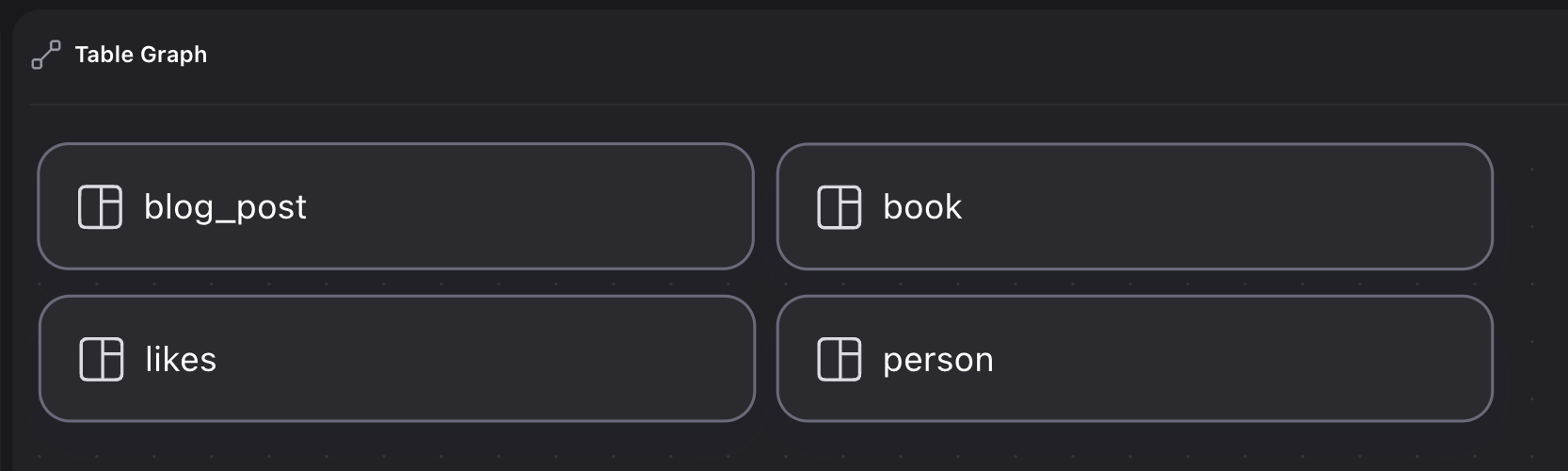
Defining the table as a TYPE RELATION clarifies that likes is a graph table:
DEFINE TABLE likes TYPE RELATION;
CREATE person:one, book:one, blog_post:one;
RELATE person:one->likes->book:one;
RELATE person:one->likes->blog_post:one;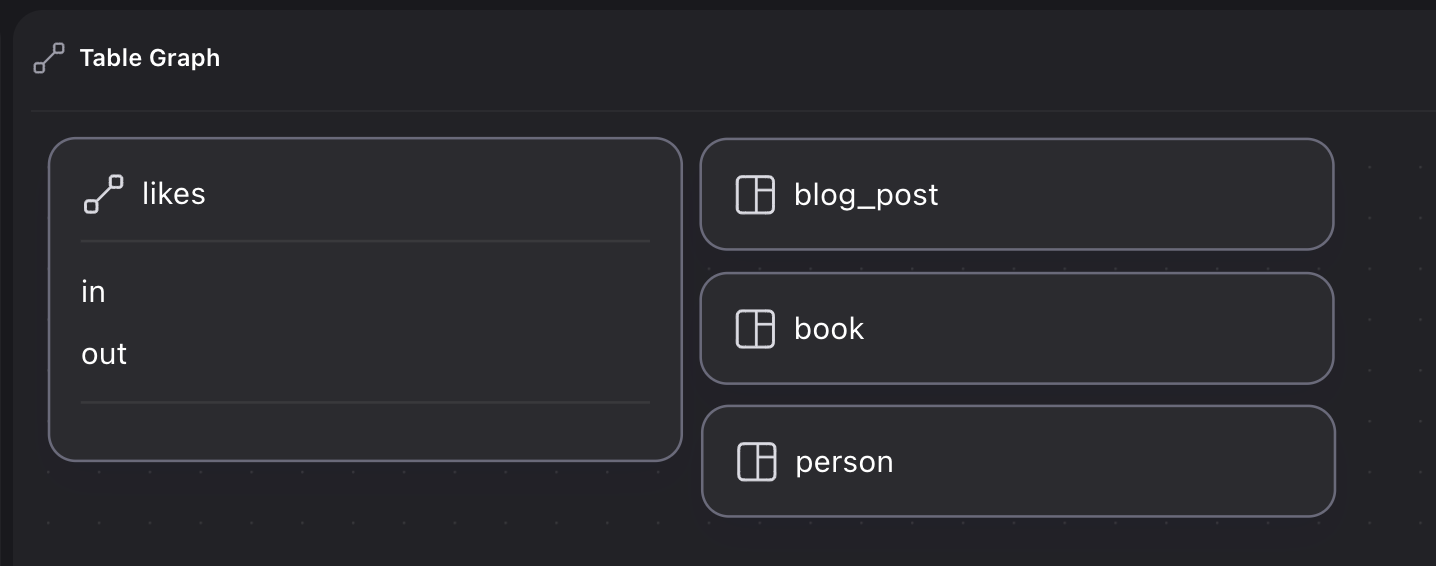
With IN and OUT specified, Designer can show the full relation:
DEFINE TABLE likes
	TYPE RELATION
	IN person
	OUT blog_post | book;
CREATE person:one, book:one, blog_post:one;
RELATE person:one->likes->book:one;
RELATE person:one->likes->blog_post:one;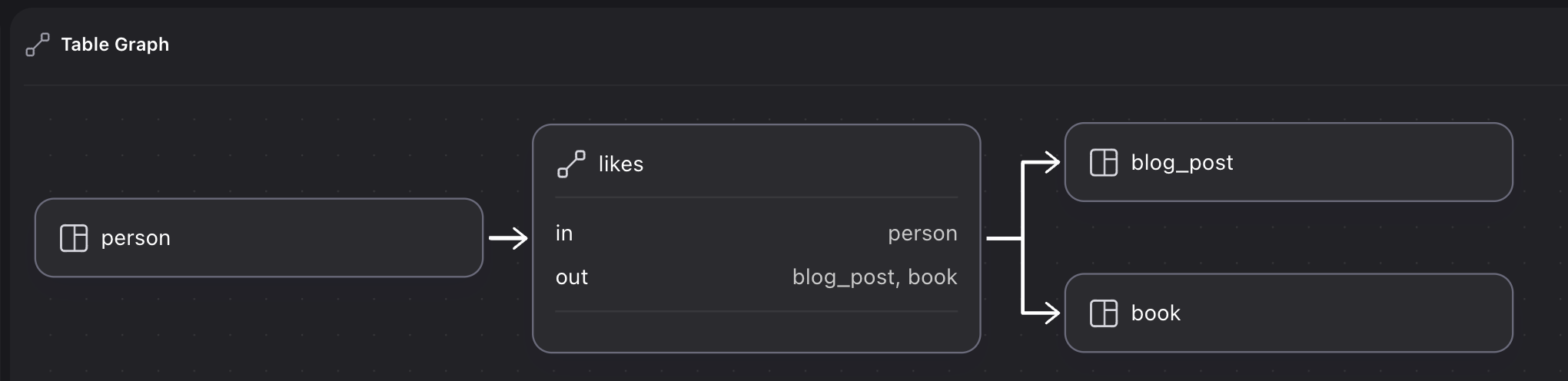
Unique index for relations “between equals”
When an edge represents friendship, partnership, sister cities, and similar symmetric roles, it may not matter which side is in or out, but you still want at most one edge for the pair.
CREATE person:one, person:two;

-- Relate them like this?
RELATE person:one->friends_with->person:two;
-- Or like this?
RELATE person:two->friends_with->person:one;
Define a field from the sorted in and out values and put a unique index on it:
DEFINE FIELD key
    ON TABLE friends_with
    VALUE <string>array::sort([in, out]);
DEFINE INDEX only_one_friendship
    ON TABLE friends_with
    FIELDS key
    UNIQUE;
Then a second RELATE from the other direction hits the index:
CREATE person:one, person:two;
RELATE person:one->friends_with->person:two;
RELATE person:two->friends_with->person:one;-------- Query --------
[
{
id: friends_with:dblidwpc44qqz5bvioiu,
in: person:one,
key: '[person:one, person:two]',
out: person:two
}
]
-------- Query --------
"Database index `only_one_friendship` already contains
'[person:one, person:two]',
with record `friends_with:dblidwpc44qqz5bvioiu`"Duplicate record IDs
Enforced in INSERT RELATION statements since SurrealDB 3.1.5, another way to ensure at most one edge between two records is to choose a specific ID. Because an INSERT RELATION statement only requires the in and out paths to be present, a statement like the one below will create a random ID for the edge such as likes:3lmr630sb72awbzhh4cl.
--
INSERT RELATION INTO likes {
    in: person:one,
    out:person:two
};
If a specific ID is declared, then an attempt to insert a second edge will return an error.
INSERT RELATION INTO likes {
    in: person:one,
    out:person:two,
    id: 1
};

INSERT RELATION INTO likes {
    in: person:one,
    out:person:two,
    id: 1
};
This can be used as an ad-hoc unique index, especially if the ID itself contains the IDs of the records being linked. The array::sort() function can also be used here for symmetric relations.
LET $in = person:three;
LET $out = person:four;

INSERT RELATION INTO married_to {
    in: $in,
    out: $out,
    id: [$in, $out].sort()
};

INSERT RELATION INTO married_to {
    in: $out,
    out: $in,
    id: [$in, $out].sort()
};
The final query returns the following error, thanks to the duplicate ID, despite the attempt to double the relation by putting in at the out field and vice versa.
'Database record `likes:[person:four, person:three]` already exists'Querying symmetric edges with <-> is covered in Graph traversal. For friendship-oriented examples, see Social network patterns.
RELATE before both endpoints exist
Graph edge records can exist before the two endpoint records are created:
-- Works fine
RELATE person:one->likes->person:two;
person:one->likes->person;
//- []
-- Finally create the 'person' records
CREATE person:one, person:two;
person:one->likes->person;
//- [person:two]
To forbid that, add ENFORCED on the relation table:
DEFINE TABLE likes TYPE RELATION IN person OUT person ENFORCED;"The record 'person:one' does not exist"Some workflows rely on creating the edge first (for example, a street with predictable house IDs before the houses exist). A DEFINE FIELD ... VALUE can describe the path from house to street and resolve once the house exists:
DEFINE FIELD street ON house VALUE $this<-contains<-street;
CREATE street:frankfurt_road;
RELATE street:frankfurt_road->contains->[
    house:["Frankfurt Road", 200],
    house:["Frankfurt Road", 205],
    house:["Frankfurt Road", 210],
];

-- Twelve months later once the house is built and size is known...
CREATE house:["Frankfurt Road", 200] SET sq_m = 110.5;[
{
id: house:[
'Frankfurt Road',
200
],
sq_m: 110.5f,
street: [
street:frankfurt_road
]
}
]