Vector search finds records by meaning rather than by the words they contain. This page runs similarity queries over an example dataset, covering the vector:: distance and similarity helpers and how to filter KNN results with predicates.
Vector search in SurrealDB
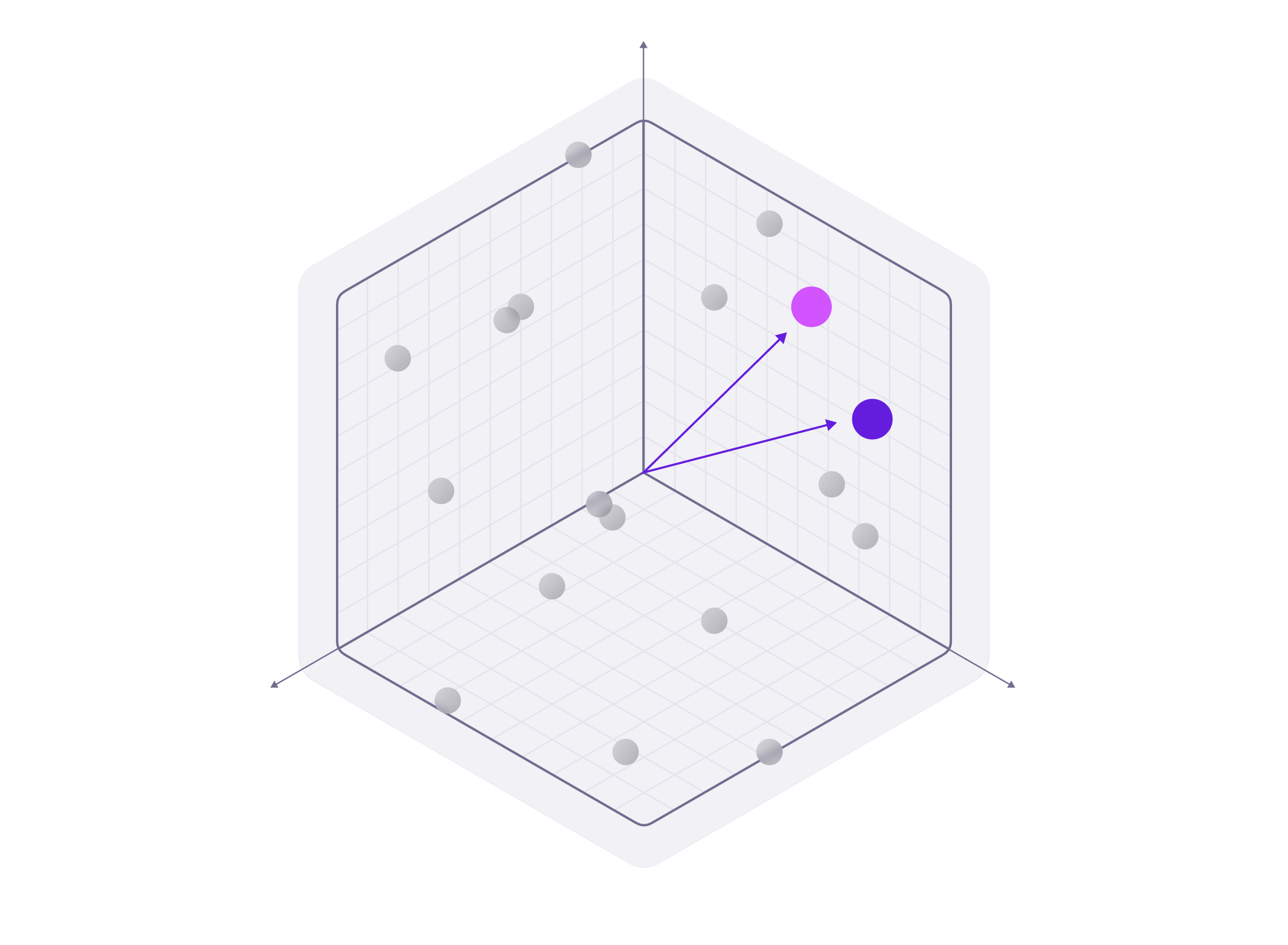
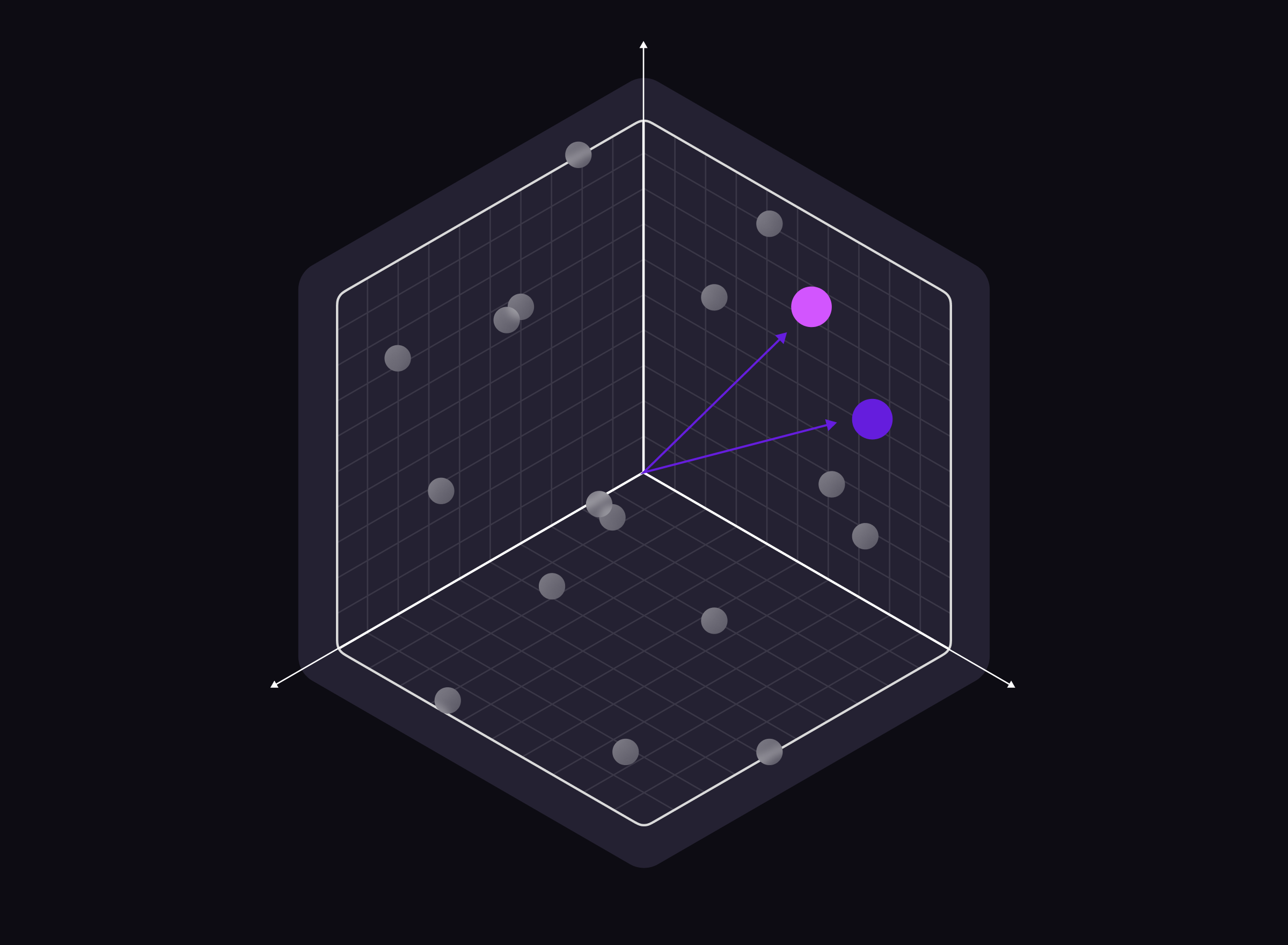
Vector search in SurrealDB can be used in place of full-text search, or together with it.
For example, still using the same liquids table, you can store the chemical composition of the liquid samples in a vector format.
-- Insert a sample & content field into a liquids table
INSERT INTO liquidsVector [
    {
        sample:'Sea water',
        content: 'The sea water contains some amount of lead',
        embedding: [0.1, 0.2, 0.3, 0.4] },
    {
        sample:'Tap water',
        content:
          'The team lead by Dr. Rose found out that the tap water in was potable',
        embedding:[1.0, 0.1, 0.4, 0.3]
    },
    {
        sample:'Sewage water',
        content: 'High amounts of a were found in Sewage water',
        embedding : [0.4, 0.3, 0.2, 0.1]
    }
];
Notice that we have added an embedding field to the table. This field will store the vector embeddings of the content field so we can perform vector searches on it.
In the example above you can see that the results are more accurate. The search pulled up only the results in which the word "lead" was used to mean the material, while the final liquidsVector record had the lowest score. This is the advantage of using vector search over full-text search.
Another use case for vector search is in the field of facial recognition. For example, if you wanted to search for an actor or actress who looked like you from an extensive dataset of movie artists, you would first use an LLM model to convert the artist's images and details into vector embeddings and then use SurrealQL to find the artist with the most resemblance to your face vector embeddings. The more characteristics you decide to include in your vector embeddings, the higher the dimensionality of your vector will be, potentially improving the accuracy of the matches but also increasing the complexity of the vector search.
Computation on vectors: "vector::" package of functions
SurrealDB provides vector functions for most of the major numerical computations done on vectors. They include functions for element-wise addition, division and even normalisation.
They also include similarity and distance functions, which help in understanding how similar or dissimilar two vectors are. Usually, the vector with the smallest distance or the largest cosine similarity value (closest to 1) is deemed the most similar to the item you are trying to search for.
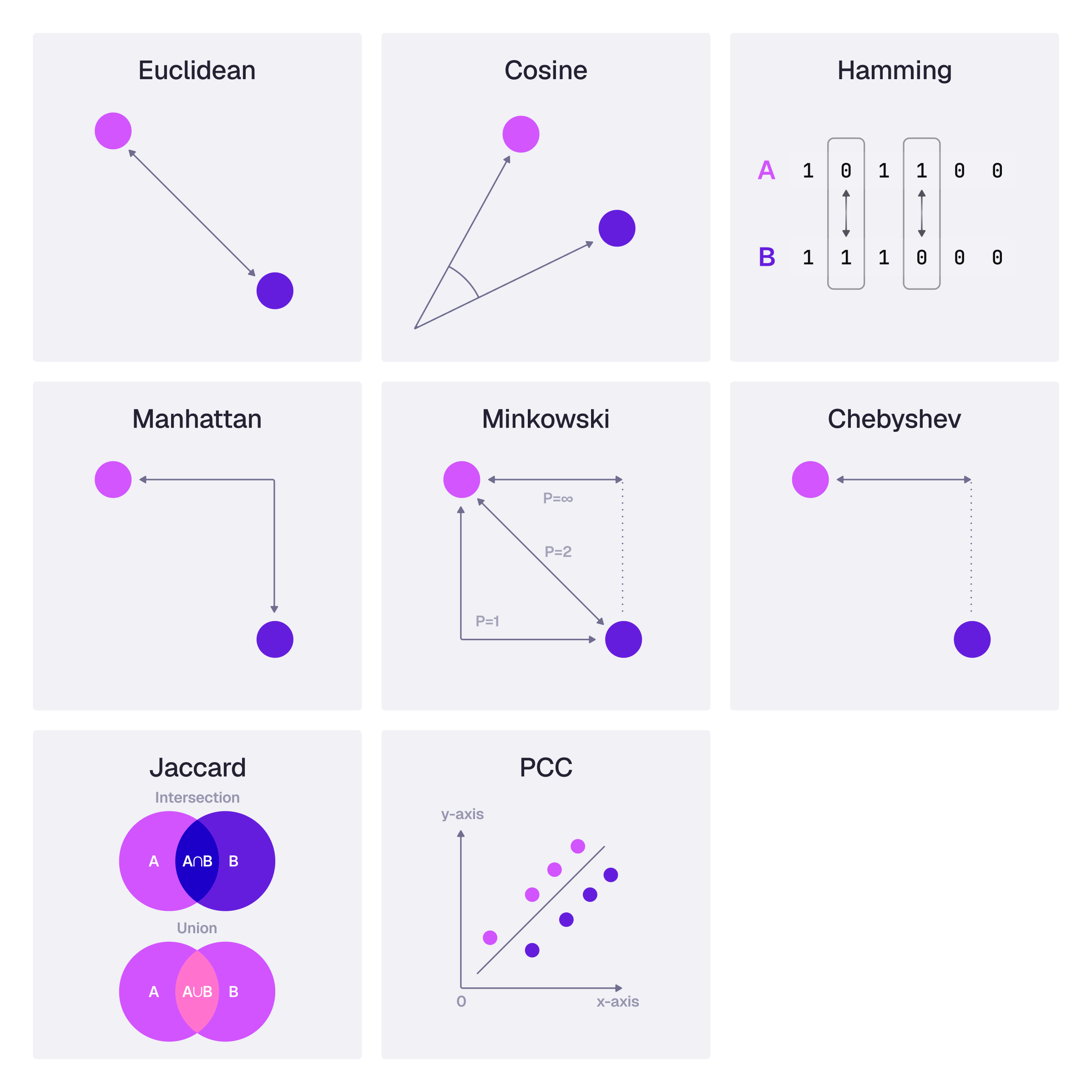
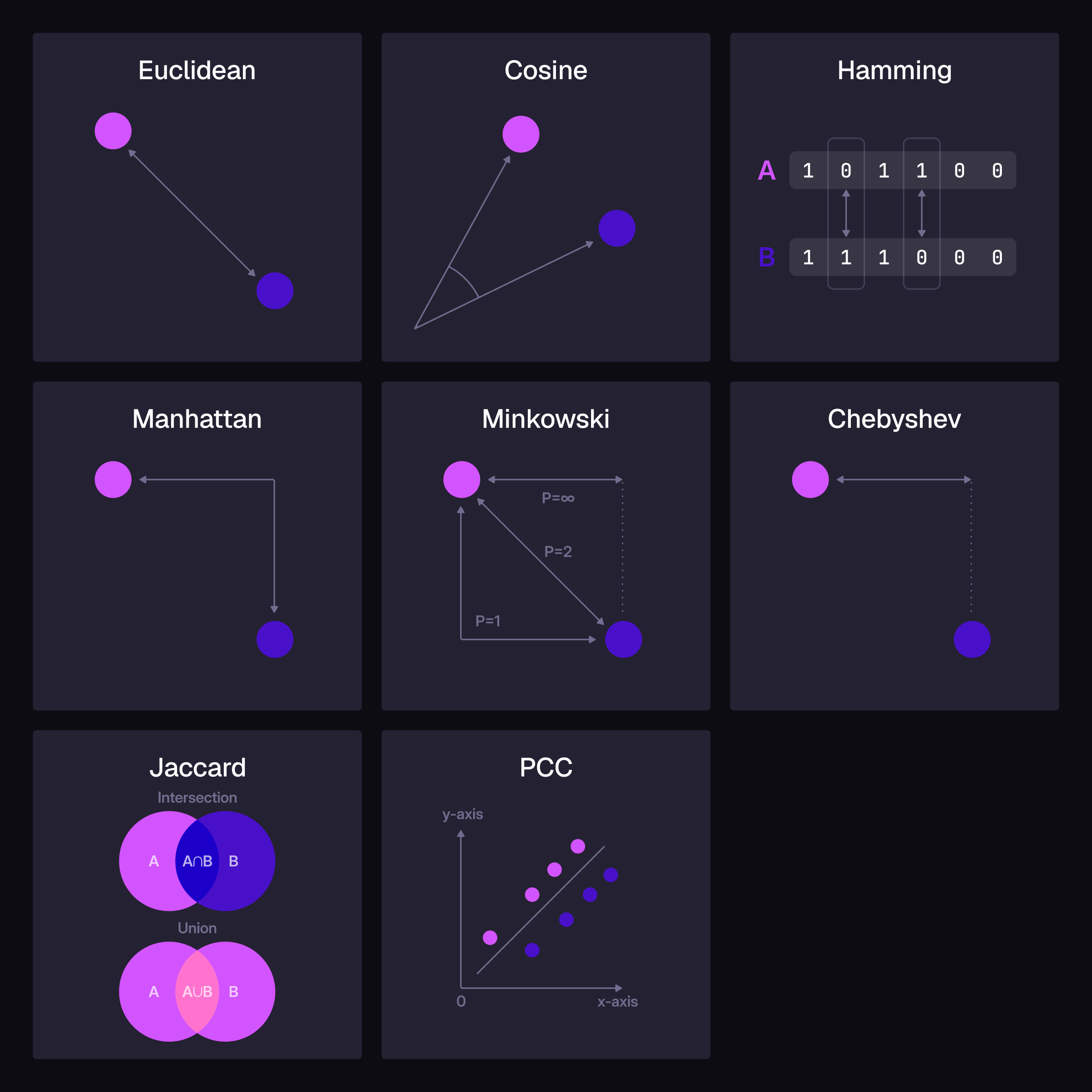
The choice of distance or similarity function depends on the nature of your data and the specific requirements of your application.
In the liquids examples, we assumed that the embeddings represented the harmfulness of lead (as a substance). We used the vector::similarity::cosine function because cosine similarity is typically preferred when absolute distances are less important, but proportions and direction matter more.
Filtering through vector search
The vector::distance::knn() function from SurrealDB returns the distance computed between vectors by the KNN operator. This operator can be used to avoid recomputation of the distance in every select query.
Consider a scenario where you’re searching for actors who look like you but they should have won an Oscar. You set a flag, which is true for actors who’ve won the golden trophy.
Let’s create a dataset of actors and define an approximate vector index on the embeddings field. This walkthrough uses HNSW; from SurrealDB 3.1 you can instead use DISKANN when your vectors no longer fit comfortably in memory. See the page on vector indexes for trade-offs and supported TYPE / DIST combinations.
-- Create a dataset of actors with embeddings and flags
CREATE actor:1 SET name = 'Actor 1', embedding = [0.1, 0.2, 0.3, 0.4], flag = true;
CREATE actor:2 SET name = 'Actor 2', embedding = [0.2, 0.1, 0.4, 0.3], flag = false;
CREATE actor:3 SET name = 'Actor 3', embedding = [0.4, 0.3, 0.2, 0.1], flag = true;
CREATE actor:4 SET name = 'Actor 4', embedding = [0.3, 0.4, 0.1, 0.2], flag = true;

-- Define an embedding to represent a face
LET $person_embedding = [0.15, 0.25, 0.35, 0.45];

-- Define an HNSW index on the actor table
DEFINE INDEX hnsw_pts ON actor FIELDS embedding HNSW DIMENSION 4;

-- Select actors who look like you and have won an Oscar
SELECT id, flag, vector::distance::knn() AS distance FROM actor
  WHERE flag = true AND embedding <|2,40|> $person_embedding ORDER BY distance;
[
[
{
distance: 0.09999999999999998f,
flag: true,
id: actor:1
},
{
distance: 0.412310562561766f,
flag: true,
id: actor:4
}
]
];actor:1 and actor:4 have the closest resemblance with your query vector among those who have also won an Oscar.
How the filter is applied
Because embedding is indexed, the flag = true condition is not applied after the nearest neighbours have been gathered. Instead SurrealDB applies it during the approximate (HNSW or DISKANN) search, so candidates that fail the condition are discarded as the graph is traversed and never occupy one of the K result slots. This keeps the result both correct and efficient:
Correct, because you still receive up to
Krecords that match the condition.Efficient, since the search does not spend its slots on records that would only be filtered out afterwards.
SurrealDB applies the condition in one of two ways:
Checked on each candidate. The search reads the record of each candidate it visits and tests the condition. The example above runs this way, because
flaghas no index of its own.Pre-filtered through an index. When another index gives exactly the records that the condition matches, SurrealDB reads that index first into an allow-list, and the search admits only records on the list without reading them. See pre-filtering with an index.
Confirming the pushed-down filter with EXPLAIN
Available since: v3.1.5
The EXPLAIN clause can be used in the same query to see the query plan. The pushed-down condition appears as a predicate attribute on the KnnScan operator:
EXPLAIN SELECT id, flag, vector::distance::knn() AS distance FROM actor
WHERE flag = true AND embedding <|2,40|> $person_embedding ORDER BY distance;'SelectProject [ctx: Db] [projections: id, flag, distance]
SortByKey [ctx: Db] [sort_keys: distance ASC]
Compute [ctx: Db] [fields: distance = vector::distance::knn(...)]
Filter [ctx: Db] [predicate: flag = true]
KnnScan [ctx: Db] [index: hnsw_pts, k: 2, ef: 40, dimension: 4, predicate: flag = true]'The predicate: flag = true on the KnnScan line is the condition being evaluated inside the index search. If the attribute is missing and no bitmap operator appears beneath KnnScan, the condition is not applied during the search (for example, when the vector field is not indexed). A DISKANN index produces an identical KnnScan line.
Pre-filtering with an index
Available since: v3.3.0
A condition is pre-filtered when an index identifies exactly the records it matches. That is the case for:
An equality or range condition, or an
ORof them, on a field that has a standard or unique index and a declared type that cannot hold an array, such asTYPE boolorTYPE string. An array value has one index entry per element, so without that type the index could list records the condition does not match.A full-text
@@condition on a field with a full-text index.
A NOT condition, or any other condition, is still checked on each candidate. When a WHERE clause mixes the two kinds, the qualifying conditions form the allow-list and the rest are checked on each candidate. A query with a WITH clause or a VERSION clause is not pre-filtered.
Defining a type and an index for flag in the example above is enough for its condition to qualify:
DEFINE FIELD flag ON actor TYPE bool;
DEFINE INDEX idx_flag ON actor FIELDS flag;

EXPLAIN ANALYZE SELECT id, flag, vector::distance::knn() AS distance FROM actor
WHERE flag = true AND embedding <|2,40|> $person_embedding ORDER BY distance;'SelectProject [ctx: Db] [projections: id, flag, distance] {rows: 2, batches: 1, elapsed: 393.21µs}
SortByKey [ctx: Db] [sort_keys: distance ASC] {rows: 2, batches: 1, elapsed: 369.46µs}
Compute [ctx: Db] [fields: distance = vector::distance::knn(...)] {rows: 2, batches: 1, elapsed: 334.87µs}
Filter [ctx: Db] [predicate: flag = true] {rows: 2, batches: 1, elapsed: 303.08µs}
KnnScan [ctx: Db] [index: hnsw_pts, k: 2, ef: 40, dimension: 4, prefilter_tier: exact] {rows: 2, batches: 1, elapsed: 276.58µs}
BitmapIndexScan [ctx: Db] [index: idx_flag, access: = true] {rows: 3, batches: 0, elapsed: 0ns}
Total rows: 2'The condition now appears as a BitmapIndexScan beneath KnnScan, which found the three actors with flag = true. KnnScan carries no predicate, because no condition is left to check during the search.
The prefilter_tier attribute, reported under EXPLAIN ANALYZE, shows how the search used the allow-list. The choice depends on the number of records on it:
prefilter_tier | Records on the allow-list | What the search does |
|---|---|---|
exact | Up to 2,000 | Computes the distance to each allowed record without using the vector index, so the result is the exact nearest K. |
graph | Up to 100,000 | Searches the vector index, admitting only allowed records, with the search width ef multiplied by 4 to make up for the candidates the list rejects. The boosted width is at most 1,024, and never less than the ef in the query. |
graph_unboosted | More than 100,000 | Searches the vector index, admitting only allowed records, with the ef in the query. |
fallback | Not built | An index read passed the SURREAL_BITMAP_BRANCH_BUDGET limit, so every condition is checked on each candidate, as it is without pre-filtering. |
The thresholds are set with SURREAL_KNN_PREFILTER_EXACT_THRESHOLD, SURREAL_KNN_PREFILTER_EF_BOOST_THRESHOLD, SURREAL_KNN_PREFILTER_EF_BOOST and SURREAL_KNN_PREFILTER_EF_MAX, and SURREAL_KNN_PREFILTER_ENABLED=false turns pre-filtering off. See environment variables. The allow-list is built with the same bitmaps that combine indexes in other queries.
Indexes built by SurrealDB 3.2 keep working on 3.3 without a rebuild, but a search is only pre-filtered when both the vector index and the index on the filtered field were defined or rebuilt on 3.3. An optional REBUILD INDEX brings a 3.2 index into pre-filtered search.
For HNSW and DISKANN configuration and the KNN cheat sheet, see Vector indexes.