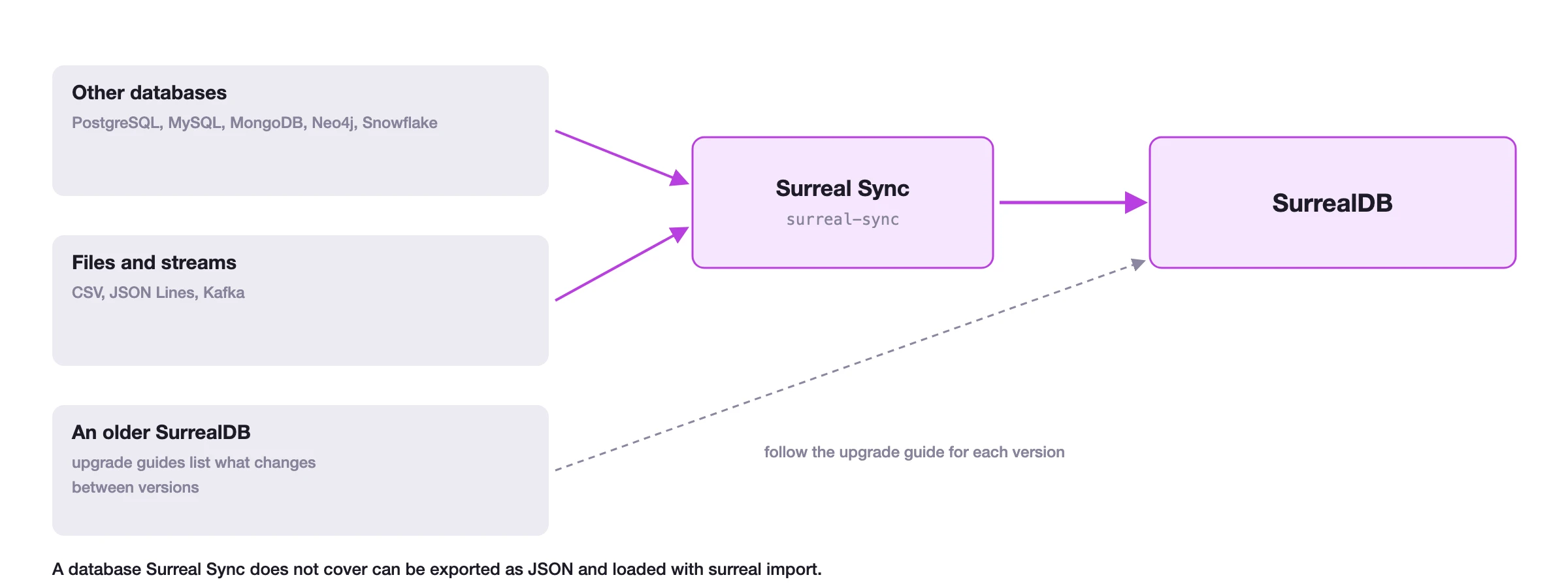
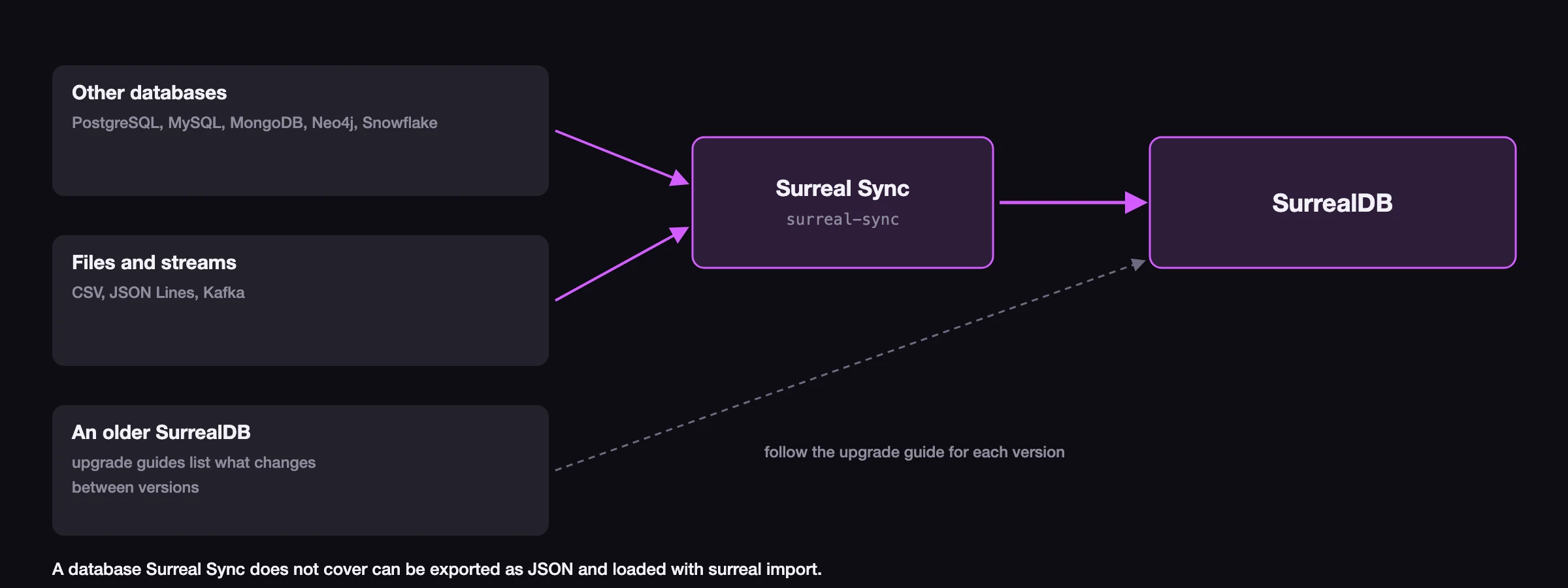
This section describes how to move data into SurrealDB: from other databases, from files or streams (for example CSV, JSON Lines, or Kafka), and from older SurrealDB versions. Use the part that matches your source.
From other databases
Each page maps the data, queries and concepts of a database you may know to SurrealDB. All of these sources can be imported automatically with the Surreal Sync tool.
From files and streams
Surreal Sync also imports these sources. CSV data can also be imported in SurrealDB Studio with its built-in functionality.
A source that Surreal Sync does not cover
Export the data as JSON Lines and import it with Surreal Sync, or write it out as SurrealQL INSERT statements and load the file with surreal db import, which takes a SurrealQL file. You can also use one of the many available SDKs to read from your existing database and transfer its content directly to a SurrealDB instance.
From an older SurrealDB version
The upgrade guides explain how to upgrade, with a guide for each version change: 1.x to 2.x, 2.6 to 2.7, 2.x to 3.x, 3.2 to 3.3 and 3.x to 4.0.
Moving between SurrealDB Cloud instances
A Free instance moves to a paid instance type in place, from the Compute tab of its settings, with no migration. See Scaling.
Moving from Start to Scale, or to another region, needs a new instance. Deploy it, then restore a backup or import an export into it.