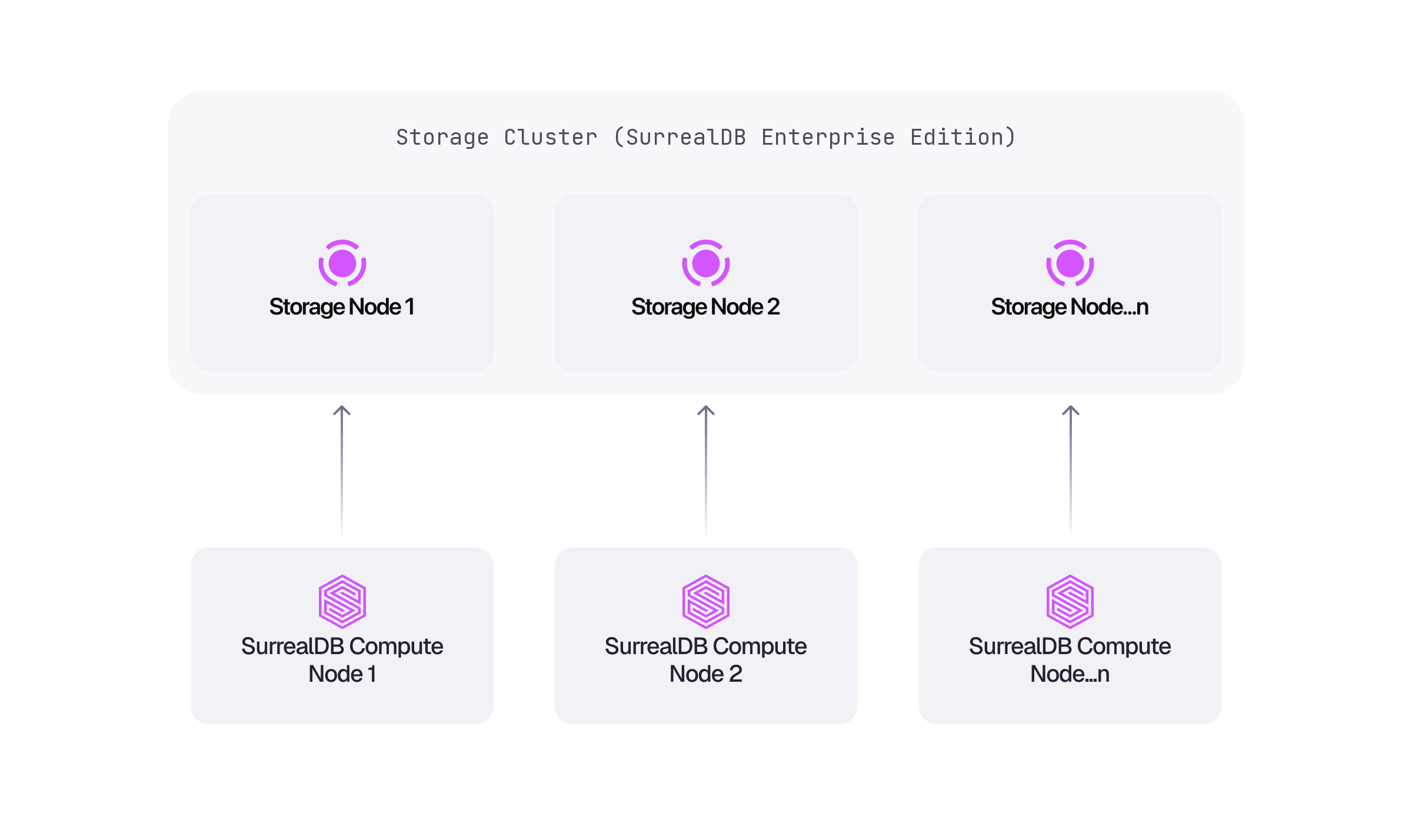
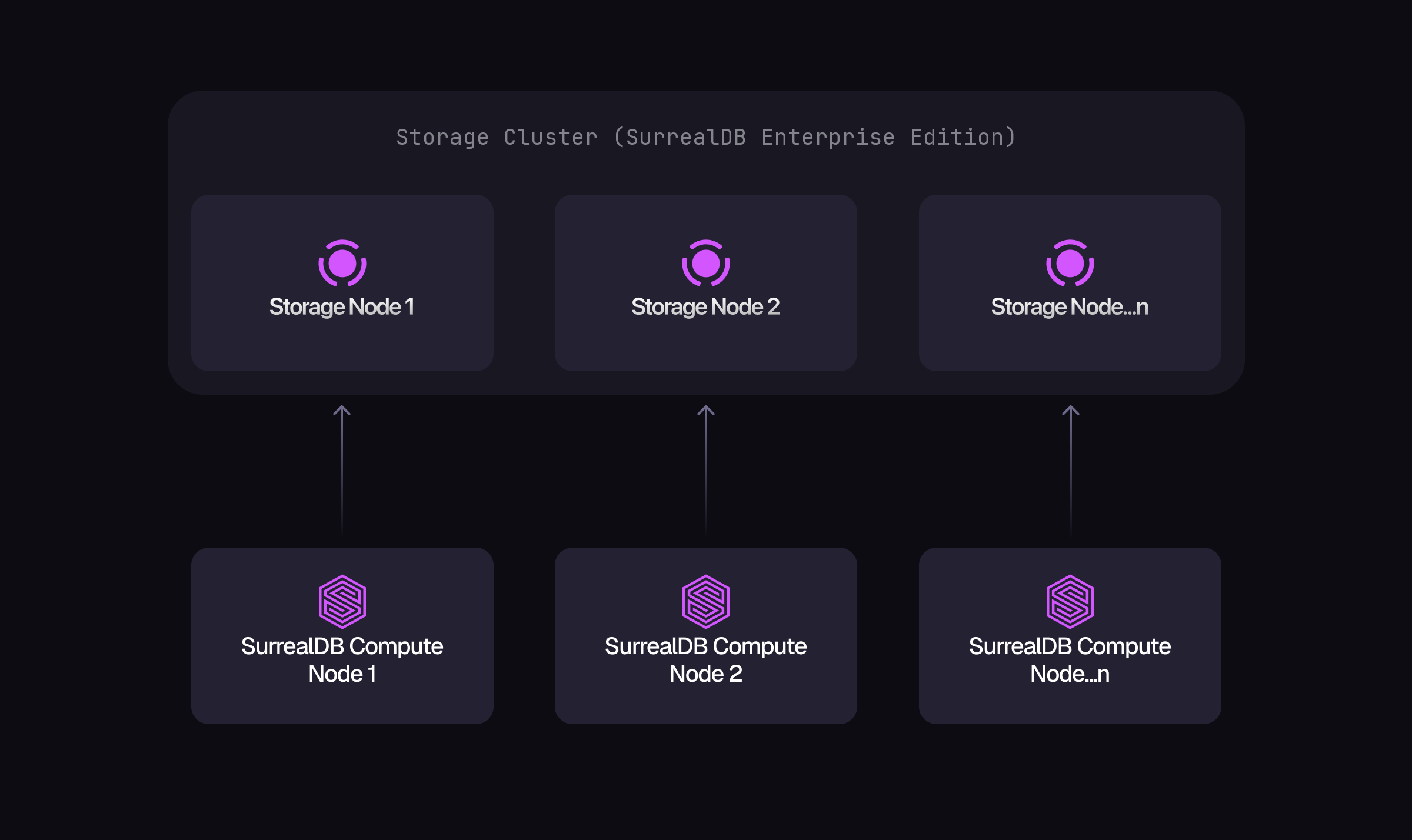
For highly-available and highly-scalable setups, SurrealDB can be run on top of a TiKV cluster, with the ability to horizontally scale to very large datasets. In this example, we will start a local TiKV cluster with a single node, for development and testing purposes only. To install TiKV on your development machine, run the following command. This will install the tiup command-line tool, which enables deploying and managing TiKV clusters of any size.
curl -sSf https://tiup-mirrors.pingcap.com/install.sh | sh
Once installed we shall start up a simple single-node development cluster.
tiup playground --tag surrealdb --mode tikv-slim --pd 1 --kv 1
Once TiKV is up and running, we can start a SurrealDB server instance, specifying the TiKV cluster endpoint as the backing data store.
surreal start tikv://127.0.0.1:2379
The default logging level for the database server is info, resulting in any informational logs to be output to the standard output. To control the logging verbosity, specify the --log argument. The following command starts the database with debug level logging, resulting in more logs being output to the terminal. If extra verbosity is not needed, specify a lower level or simply remove the flag, which will default to the info level.
surreal start --log debug tikv://127.0.0.1:2379
In order to access the database securely, configure your initial root-level user by setting the --user and --pass command-line arguments. The following command starts the database with a top-level user named root with a password set to secret. The root user will be persisted in storage, which means you don’t have to include these two arguments the next time you start SurrealDB.
surreal start --user root --pass secret tikv://127.0.0.1:2379
In order to change the default port that SurrealDB uses for web connections and from database clients you can use the --bind argument. The following command starts the database on port 8080.
surreal start --user root --pass secret --bind 0.0.0.0:8080 tikv://127.0.0.1:2379
After running the above command, you should see the SurrealDB server start up successfully.
surreal start --user root --pass secret --bind 0.0.0.0:8080 tikv://127.0.0.1:2379 2025-02-14T12:16:28.660617Z INFO surreal::env: Running 2.2.0 for macos on aarch64 2025-02-14T12:16:28.660678Z INFO surrealdb::core::kvs::ds: Connecting to kvs store at tikv://127.0.0.1:2379 2025-02-14T12:16:28.660825Z INFO tikv_client::common::security: connect to rpc server at endpoint: "http://127.0.0.1:2379" 2025-02-14T12:16:28.661224Z INFO tikv_client::common::security: connect to rpc server at endpoint: "http://127.0.0.1:2379" 2025-02-14T12:16:28.662509Z INFO tikv_client::pd::cluster: All PD endpoints are consistent: ["127.0.0.1:2379"] 2025-02-14T12:16:28.662547Z INFO tikv_client::common::security: connect to rpc server at endpoint: "http://127.0.0.1:2379" 2025-02-14T12:16:28.662756Z INFO tikv_client::common::security: connect to rpc server at endpoint: "http://127.0.0.1:2379" 2025-02-14T12:16:28.663523Z INFO tikv_client::common::security: connect to rpc server at endpoint: "http://127.0.0.1:2379" 2025-02-14T12:16:28.663710Z INFO tikv_client::common::security: connect to rpc server at endpoint: "http://127.0.0.1:2379" 2025-02-14T12:16:28.664321Z INFO surrealdb::core::kvs::ds: Connected to kvs store at tikv://127.0.0.1:2379 2025-02-14T12:16:28.665553Z INFO tikv_client::pd::client: connect to tikv endpoint: "127.0.0.1:20160" 2025-02-14T12:16:28.665568Z INFO tikv_client::common::security: connect to rpc server at endpoint: "http://127.0.0.1:20160" 2025-02-14T12:16:28.667826Z WARN surrealdb::core::kvs::ds: Credentials were provided, but existing root users were found. The root user 'root' will not be created 2025-02-14T12:16:28.667832Z WARN surrealdb::core::kvs::ds: Consider removing the --user and --pass arguments from the server start command 2025-02-14T12:16:28.680059Z INFO surrealdb::net: Listening for a system shutdown signal. 2025-02-14T12:16:28.680066Z INFO surrealdb::net: Started web server on 0.0.0.0:8080
For details on the different commands available, visit the CLI tool documentation.